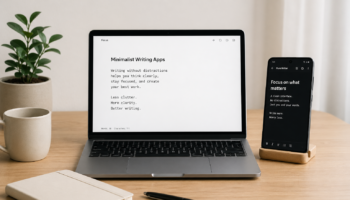
If you’ve ever opened a traditional word processor and felt instantly distracted by toolbars, notifications, and endless formatting options, you’re not alone. That’s exactly where minimalist writing apps come in.
These tools are designed with one goal in mind: help you focus purely on writing—nothing more, nothing less. Over the past few years, I’ve personally tested several of these apps, especially while working on blog content and research drafts, and the difference in focus is honestly noticeable.
Let’s break it all down so you can understand what a minimalist writing app is, why it matters, and how to choose the right one.
What Is a Minimalist Writing App?
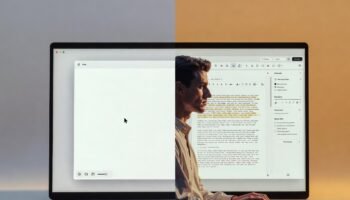
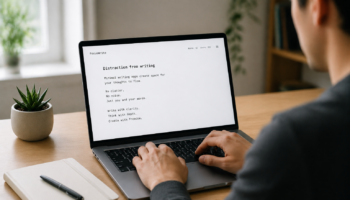
A minimalist writing app is a distraction-free writing tool that strips away unnecessary features like complex formatting menus, pop-ups, and cluttered interfaces. Instead, it gives you a clean, simple space to think and write.
Most minimalist writing apps focus on:
- Plain text editing
- Clean, uncluttered design
- Full-screen or “focus mode” writing
- Minimal or hidden formatting options
Unlike traditional tools, the goal isn’t to give you every feature—it’s to remove everything that gets in the way of your thoughts.
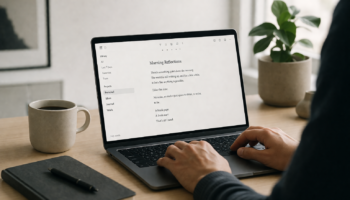
From my experience, using a minimal writing app feels almost like writing on a blank sheet of paper—but with just enough digital help to stay productive.
Why Minimalist Writing Apps Are Becoming Popular
There’s a reason more writers, students, and even developers are switching to distraction-free writing apps.
First, attention is harder to maintain than ever. Notifications, tabs, and multitasking constantly interrupt your flow. A minimalist writing app removes that noise completely.
Second, it encourages deep work. When I switched to a minimal writing tool for drafting articles, I noticed I spent less time editing mid-sentence and more time actually finishing ideas.
Finally, these apps are often faster and lighter. They don’t lag, crash as often, or overwhelm you with unnecessary features.
In short, they align perfectly with modern productivity needs.
Key Features of a Good Minimal Writing App
Not all minimalist writing tools are the same. Some are extremely basic, while others strike a balance between simplicity and functionality.
Distraction-Free Interface
This is the core feature. A good minimalist writing app should give you a clean screen with little to no visual clutter. Many even hide menus until you need them.
Personally, this is the feature that made the biggest difference for me. When the screen is clean, your mind follows.
Focus Mode or Full-Screen Writing
Most minimal writer apps offer a full-screen mode that eliminates everything except your text. Some even highlight only the current sentence or paragraph.
This helps reduce mental overload and keeps your attention exactly where it should be—on your words.
Auto-Save and Cloud Sync
Even though these apps are simple, they still include essential modern features like auto-save and syncing across devices.
This is especially useful if you switch between phone and laptop, which I often do when drafting ideas on the go.
Basic Formatting (But Not Too Much)
Minimalist writing apps usually support simple formatting like bold, italics, and headings—but they don’t overwhelm you with options.
This balance is important. You get just enough control without breaking your writing flow.
Benefits of Using a Minimalist Writing App
Switching to a minimalist writing app isn’t just about aesthetics—it has real productivity benefits.
Improved Focus and Productivity
With fewer distractions, your brain spends more energy on writing instead of navigating tools. I’ve personally noticed I can write faster drafts when using a minimal editor compared to traditional software.
Better Writing Flow
When you’re not constantly stopping to format or edit, your ideas flow more naturally. This is especially helpful for creative writing, blogging, or journaling.
Reduced Overthinking
One unexpected benefit I discovered is that minimal writing apps reduce perfectionism. Since the interface is simple, you’re less tempted to tweak every sentence immediately.
You just write—and that’s powerful.
Lightweight and Fast Performance
Minimalist writing software is usually faster and works well even on low-end devices. If you’re in a place with limited resources or using an older system, this is a huge advantage.
Best Minimalist Writing Apps to Try
If you’re ready to get started, there are plenty of great options available depending on your device and preferences.
Some are completely offline, while others offer syncing and collaboration features.
👉 Read our full guide on the Best 5 Minimalist Writing Tools for Distraction-Free Productivity
In that guide, you’ll find detailed comparisons, pros and cons, and recommendations based on real usage.
How to Choose the Right Minimal Writer App
Choosing the best minimal writer app depends on how you work.
If you prefer simplicity above all else, go for an app with almost zero features. If you need some flexibility, choose one that offers light formatting and cloud sync.
From my experience, the best approach is to test 2–3 apps and see which one “feels right.” Writing is personal, and your tools should match your style.
Also consider:
- Your device (Android, PC, or web-based)
- Offline vs online usage
- Whether you need export options
Final Thoughts
Minimalist writing apps are more than just a trend—they’re a response to how distracted our digital lives have become.
By removing clutter and focusing on what truly matters, these tools help you write more clearly, think more deeply, and stay consistent.
From personal experience, switching to a minimalist writing app didn’t just improve my productivity—it changed how I approach writing entirely. I stopped chasing perfection and started focusing on expression.
If you’ve been struggling with distractions or writer’s block, this might be the simple shift you need.
FAQs About Minimalist Writing Apps
What is the best minimalist writing app?
The best app depends on your needs, but popular options include distraction-free editors with clean interfaces, focus modes, and auto-save features.
Are minimalist writing apps free?
Many minimalist writing apps offer free versions, while some have premium features like cloud sync or advanced customization.
Can I use a minimalist writing app offline?
Yes, many minimal writing tools are designed to work offline, making them perfect for distraction-free environments.
Do minimalist writing apps support formatting?
Yes, but only basic formatting like headings, bold, and italics—just enough to keep things simple.
Are minimalist writing apps good for students?
Absolutely. They help students stay focused while writing essays, assignments, or notes without distractions.