close
Tools We Use

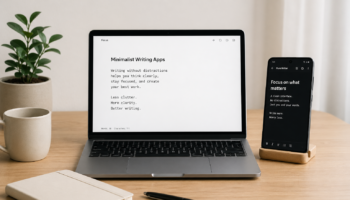
Minimalist Writing Software: Simple Tools That Help You Write More Daily

Minimalist Writing Software

If you struggle to write consistently, the problem is usually not motivation—it’s distraction overload.

Most modern writing tools are packed with features: formatting bars, AI suggestions, templates, notifications, and dashboards. They look powerful, but they quietly interrupt your thinking every few seconds.

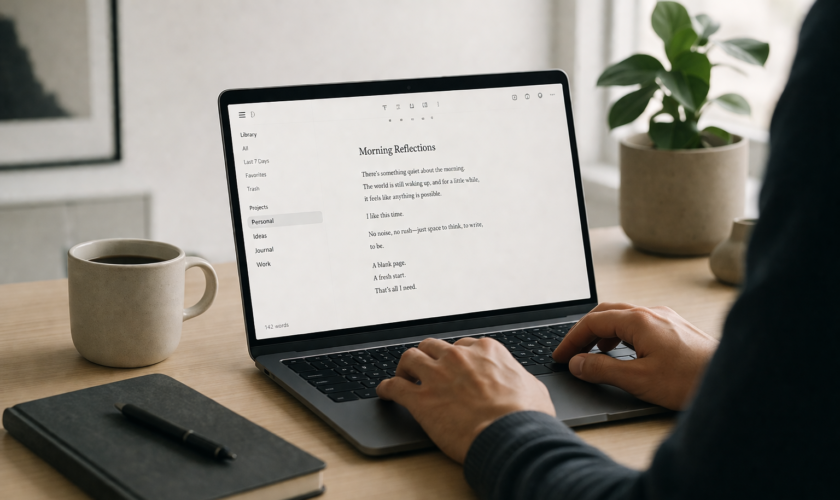
Minimalist writing software takes the opposite approach. It removes everything except the writing space itself. No clutter. No friction. Just words.

As someone who writes daily across blogs and content projects, I’ve noticed something simple but powerful: the less my writing tool does, the more I actually write.

Why Minimalist Writing Software Improves Daily Writing Habits

Minimalist writing software is designed to reduce mental resistance. Instead of deciding where to click or what feature to use, you’re immediately placed in a clean writing environment.

This matters because writing is already a mentally demanding task. Every extra interface element creates what psychologists call “micro-decision fatigue.” Over time, those small decisions slow you down and increase procrastination.

A distraction-free writing setup removes that burden completely. You open the app, and your only option is to write.

Research and writing tool reviews consistently show that removing visual clutter helps writers enter deep focus faster and stay there longer .

FocusWriter: Minimal Writing Software for Deep Writing Sessions

FocusWriter is one of the most popular minimalist writing tools for bloggers and long-form writers. It turns your screen into a full-page writing space that hides everything else in your system.

Instead of menus and toolbars, you see only your text. You can optionally set daily word goals or timers, which helps if you struggle with consistency.

Many writers use FocusWriter for structured writing sessions because it creates a sense of isolation from distractions. Once you’re in full-screen mode, it feels like you’re writing on a blank page with nothing else competing for attention.

This makes it especially useful for bloggers working on long articles or creators trying to build daily writing habits.

iA Writer: Clean Minimalist Writing for Bloggers and Professionals

iA Writer is often described as one of the cleanest writing environments available today. It focuses heavily on simplicity and uses a markdown-based system that keeps formatting out of your way.

One of its standout features is focus mode, which highlights only the sentence you’re working on while dimming the rest of your text. This helps you stay mentally locked into the current idea instead of constantly scanning your entire draft.

For bloggers, this is useful because it encourages structured thinking: one sentence at a time, one idea at a time. Over time, this improves clarity and reduces messy drafts.

It’s not just a writing app—it’s a discipline tool disguised as software.

ZenPen: The Fastest Way to Start Writing Without Thinking

ZenPen is one of the simplest minimalist writing tools available. It runs directly in your browser and opens as a blank page where you can immediately start typing.

There are no settings to configure and no learning curve to overcome. That simplicity is what makes it powerful for daily writing habits.

Many writers use ZenPen for quick drafting sessions, idea dumps, or blog outlines. Because there’s no setup friction, it removes one of the biggest barriers to writing: starting.

In fact, tools like ZenPen are often recommended specifically for beating writer’s block because they force you to begin without hesitation .

Minimalist Writing Software for Consistency and Habit Building

One of the biggest advantages of minimalist writing tools is how they support consistency.

When your writing environment is always simple and predictable, your brain develops a habit loop:

Open tool → Write immediately → Close → Repeat

There is no decision-making about layout or features. That consistency helps reduce procrastination because your brain stops associating writing with complexity.

Over time, this creates a strong behavioral pattern. You don’t wait for inspiration—you simply show up and write.

Many distraction-free writing apps also support goal tracking and session timers, which further reinforce daily writing habits .

How Minimal Writing Tools Improve Focus in a Distracted World

We live in a digital environment where every application is competing for your attention. Notifications, tabs, and pop-ups are constantly pulling you away from your work.

Minimalist writing software creates a protected space where none of that exists.

This environment helps your brain stay in “single-task mode,” which is essential for writing. Instead of switching between writing and reacting to distractions, you remain focused on a single cognitive task: expressing ideas.

Over time, this not only improves productivity but also strengthens your attention span. Many writers report that they think more clearly simply because their tools stop interrupting them.

Final Thoughts on Minimalist Writing Software

Minimalist writing software is not about limiting creativity—it’s about protecting it.

When you remove unnecessary features, you give your attention back to what actually matters: your ideas, your structure, and your words.

For bloggers, students, and content creators, this shift can be transformational. You write faster, think more clearly, and build stronger daily writing habits without forcing yourself through productivity hacks.

In a world full of distractions, simplicity is no longer a design choice—it’s a writing advantage.

FAQ: Minimalist Writing Software

1. What is minimalist writing software?

It is a type of writing tool designed to remove distractions like formatting bars, notifications, and complex menus so you can focus only on writing.

2. Does minimalist writing software really help productivity?

Yes. It reduces decision fatigue and helps writers focus, which leads to faster drafting and more consistent writing habits.

3. Can I use minimalist writing tools offline?

Many tools like FocusWriter and some desktop apps work offline, making them ideal for distraction-free writing sessions.

4. Is minimalist writing software good for bloggers?

Absolutely. Bloggers often use it for drafting posts quickly before moving content into WordPress or other publishing platforms.

5. What’s the best minimalist writing tool for beginners?

ZenPen is often recommended because it runs in the browser and requires no setup, making it perfect for instant writing.
read more
Tools We Use

Minimal Writer vs Traditional Editors: Which One Boosts Productivity?

If you’ve ever sat in front of a blinking cursor wondering whether your writing tool is helping or slowing you down, you’re not alone. As someone who has worked with both minimalist writing apps and traditional editing tools for years, I’ve seen firsthand how your choice of software can either sharpen your focus or quietly drain your productivity.

To better understand how these distraction-free tools work and why they boost focus, check out what a minimalist writing app is, including its benefits, features, and best options.

So let’s break it down properly: Minimal Writer vs Traditional Editors — which one actually boosts productivity?

Minimalist Writing Tools vs Traditional Editors: What’s the Real Difference?

Before comparing performance, it’s important to understand what we’re dealing with.

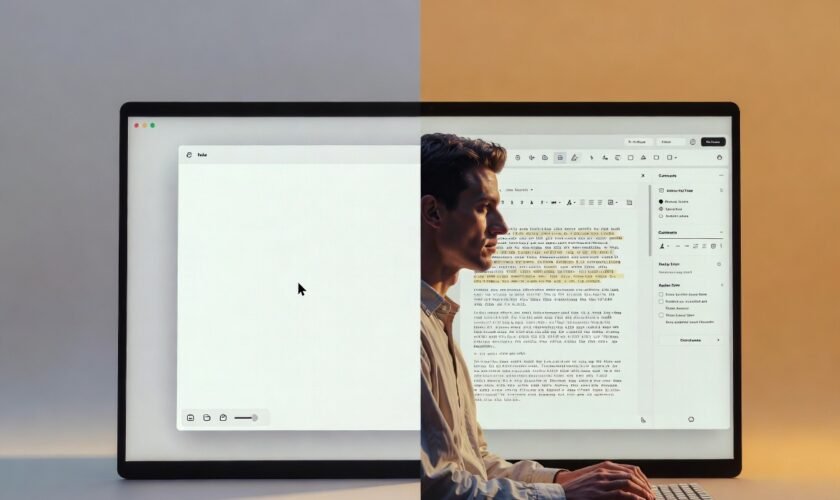
Minimalist writing tools (like Minimal Writer-style apps, iA Writer, or Ulysses) are designed to strip everything down. No distractions, no cluttered menus, just a clean writing space. The goal is simple: help you write faster and think clearer.

On the other hand, traditional editors (like Microsoft Word or Google Docs) are feature-heavy. They offer formatting tools, collaboration features, templates, review tools, and integrations. In short, they’re built for production and editing, not just writing.

So the real difference is this: Minimal tools prioritize flow, while traditional editors prioritize functionality.

If you’re exploring tools that actually improve focus and writing speed, this list of the top 10 minimalist writing apps for students, bloggers, and creators will help you choose the right one for your workflow.

Minimal Writer Productivity Benefits: Focus, Flow, and Speed

When I first switched to minimalist writing tools, the biggest change wasn’t speed—it was mental clarity. With fewer buttons and distractions, your brain stops multitasking and starts writing.

Minimal writing environments are powerful for:

  • Deep focus writing sessions
  • First drafts and brainstorming
  • Overcoming writer’s block
  • Maintaining creative flow without interruptions

One underrated advantage is how these tools reduce “formatting anxiety.” You’re not worrying about fonts, spacing, or styles while writing. You just write.

For bloggers, students, and content creators, this often translates into faster output and more consistent writing habits.

However, minimal tools are not perfect. Once your draft is done, you often need to move it elsewhere for formatting, SEO optimization, or collaboration.

Traditional Editors vs Writing Apps: Collaboration and Control

Now let’s talk about traditional editors like Microsoft Word and Google Docs.

These tools shine in collaboration-heavy environments. If you’re working with an editor, team, or client, real-time comments and track changes are invaluable.

Traditional editors also excel in:

  • Document formatting and styling
  • Advanced editing tools (spell check, grammar suggestions, etc.)
  • File compatibility and sharing
  • Structured writing (reports, academic papers, proposals)

From my experience, these tools are better suited for final-stage writing. When precision matters—like formatting citations, preparing reports, or publishing documents—traditional editors take the lead.

But here’s the downside: they can be distracting. Too many menus, notifications, and formatting options often pull your attention away from actual writing.

Minimalist Writing Apps vs Microsoft Word: Which Improves Focus?

This is where the productivity debate gets interesting.

If your goal is deep focus writing, minimalist apps win. They reduce friction and help you stay in the zone longer. You’re less likely to stop mid-sentence to adjust formatting or explore features you don’t need.

But if your workflow involves heavy editing, collaboration, or structured formatting, Microsoft Word or Google Docs becomes more practical.

Think of it this way:

  • Minimal tools = writing phase
  • Traditional editors = editing and publishing phase

Many professional writers actually use both. They draft in minimalist tools, then polish in traditional editors. That hybrid workflow often delivers the best productivity results.

If you want a quick shortcut to the most effective tools, here are the best 5 minimalist writing tools you can start using immediately.

Writing Workflow Optimization: Using Both Tools Together

Here’s the truth most productivity guides won’t tell you: you don’t have to choose one forever.

The most efficient writers I’ve worked with use a two-stage system:

  1. Drafting stage (Minimal Writer tools):
    Focus on ideas, speed, and creativity without distractions.
  2. Editing stage (Traditional editors):
    Refine structure, fix grammar, format properly, and prepare for publishing.

This combination removes the weaknesses of both systems while maximizing their strengths.

If you’re a blogger or content creator, this workflow can significantly improve output consistency and quality.

Productivity Showdown: Minimal Writer vs Traditional Editors

So, which one truly boosts productivity?

It depends on how you define productivity.

  • If productivity means writing more words in less time, minimalist writing tools win.
  • If productivity means producing polished, collaboration-ready documents, traditional editors win.
  • If productivity means long-term efficiency and quality, a hybrid approach wins overall.

From my experience, most productivity problems don’t come from lack of tools—but from using the wrong tool at the wrong stage of writing.

Final Thoughts

The debate between Minimal Writer tools and traditional editors isn’t about which one is better universally—it’s about context.

Minimalist writing apps help you think and create faster. Traditional editors help you refine and deliver better. When you understand this balance, you stop fighting your tools and start using them strategically.

If you’re serious about productivity, don’t limit yourself to one side. Instead, build a workflow that respects both focus and functionality.

That’s where real writing productivity begins.

FAQs: Minimal Writer vs Traditional Editors

1. Are minimalist writing tools better for productivity?

Yes, especially for drafting. They reduce distractions and help writers stay focused, which improves speed and flow.

2. Can I use both minimal writing apps and traditional editors?

Absolutely. Many writers draft in minimalist tools and edit in traditional editors for better results.

3. Is Microsoft Word still relevant for writers?

Yes. It remains one of the best tools for formatting, collaboration, and final document preparation.

4. What is the best tool for blogging?

A hybrid workflow works best—use a minimalist tool for writing and a traditional editor for SEO formatting and publishing.

5. Do minimalist writing apps improve creativity?

In most cases, yes. By removing distractions, they allow your brain to focus more on ideas and less on formatting.

read more