close

Tools We Use

In a world full of apps and notifications, the right tools can bring calm—not chaos. This section features minimalist, mindful, and high-performing digital tools that help you stay organized, focused, and productive without overwhelming your day. Each recommendation is tested for simplicity and impact, so you can work smarter and live lighter.

Tools We Use

Minimalist Writing Software: Simple Tools That Help You Write More Daily

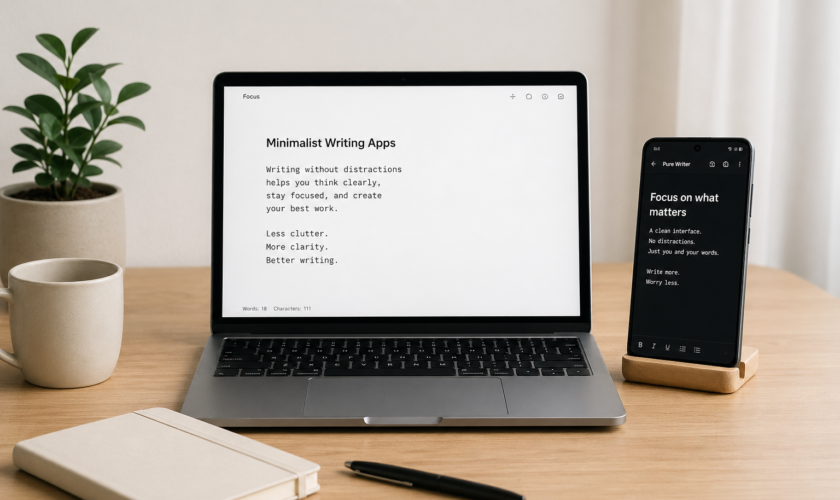
Minimalist Writing Software

If you struggle to write consistently, the problem is usually not motivation—it’s distraction overload.

Most modern writing tools are packed with features: formatting bars, AI suggestions, templates, notifications, and dashboards. They look powerful, but they quietly interrupt your thinking every few seconds.

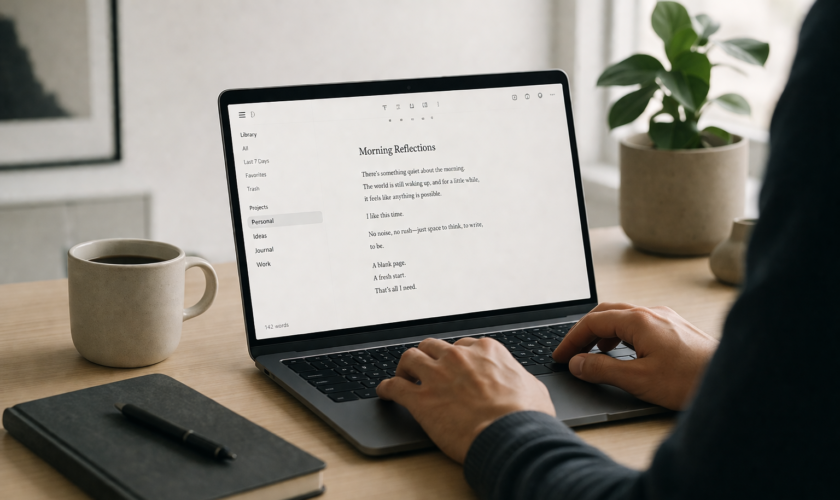
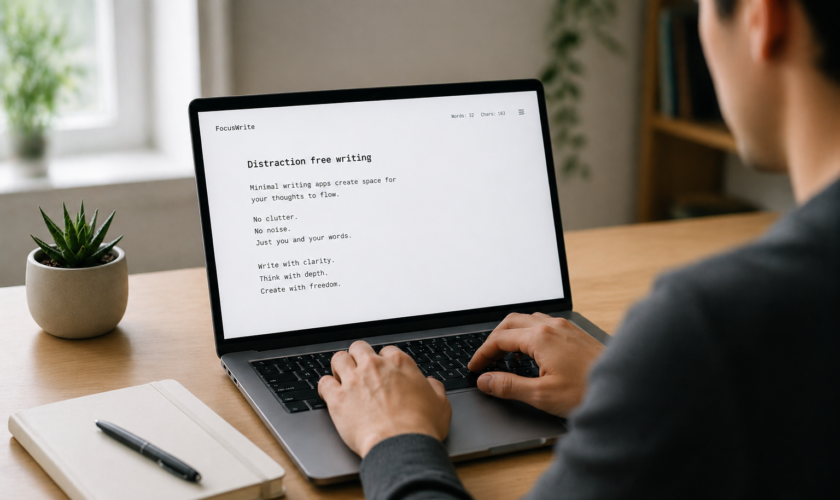
Minimalist writing software takes the opposite approach. It removes everything except the writing space itself. No clutter. No friction. Just words.

As someone who writes daily across blogs and content projects, I’ve noticed something simple but powerful: the less my writing tool does, the more I actually write.

Why Minimalist Writing Software Improves Daily Writing Habits

Minimalist writing software is designed to reduce mental resistance. Instead of deciding where to click or what feature to use, you’re immediately placed in a clean writing environment.

This matters because writing is already a mentally demanding task. Every extra interface element creates what psychologists call “micro-decision fatigue.” Over time, those small decisions slow you down and increase procrastination.

A distraction-free writing setup removes that burden completely. You open the app, and your only option is to write.

Research and writing tool reviews consistently show that removing visual clutter helps writers enter deep focus faster and stay there longer .

FocusWriter: Minimal Writing Software for Deep Writing Sessions

FocusWriter is one of the most popular minimalist writing tools for bloggers and long-form writers. It turns your screen into a full-page writing space that hides everything else in your system.

Instead of menus and toolbars, you see only your text. You can optionally set daily word goals or timers, which helps if you struggle with consistency.

Many writers use FocusWriter for structured writing sessions because it creates a sense of isolation from distractions. Once you’re in full-screen mode, it feels like you’re writing on a blank page with nothing else competing for attention.

This makes it especially useful for bloggers working on long articles or creators trying to build daily writing habits.

iA Writer: Clean Minimalist Writing for Bloggers and Professionals

iA Writer is often described as one of the cleanest writing environments available today. It focuses heavily on simplicity and uses a markdown-based system that keeps formatting out of your way.

One of its standout features is focus mode, which highlights only the sentence you’re working on while dimming the rest of your text. This helps you stay mentally locked into the current idea instead of constantly scanning your entire draft.

For bloggers, this is useful because it encourages structured thinking: one sentence at a time, one idea at a time. Over time, this improves clarity and reduces messy drafts.

It’s not just a writing app—it’s a discipline tool disguised as software.

ZenPen: The Fastest Way to Start Writing Without Thinking

ZenPen is one of the simplest minimalist writing tools available. It runs directly in your browser and opens as a blank page where you can immediately start typing.

There are no settings to configure and no learning curve to overcome. That simplicity is what makes it powerful for daily writing habits.

Many writers use ZenPen for quick drafting sessions, idea dumps, or blog outlines. Because there’s no setup friction, it removes one of the biggest barriers to writing: starting.

In fact, tools like ZenPen are often recommended specifically for beating writer’s block because they force you to begin without hesitation .

Minimalist Writing Software for Consistency and Habit Building

One of the biggest advantages of minimalist writing tools is how they support consistency.

When your writing environment is always simple and predictable, your brain develops a habit loop:

Open tool → Write immediately → Close → Repeat

There is no decision-making about layout or features. That consistency helps reduce procrastination because your brain stops associating writing with complexity.

Over time, this creates a strong behavioral pattern. You don’t wait for inspiration—you simply show up and write.

Many distraction-free writing apps also support goal tracking and session timers, which further reinforce daily writing habits .

How Minimal Writing Tools Improve Focus in a Distracted World

We live in a digital environment where every application is competing for your attention. Notifications, tabs, and pop-ups are constantly pulling you away from your work.

Minimalist writing software creates a protected space where none of that exists.

This environment helps your brain stay in “single-task mode,” which is essential for writing. Instead of switching between writing and reacting to distractions, you remain focused on a single cognitive task: expressing ideas.

Over time, this not only improves productivity but also strengthens your attention span. Many writers report that they think more clearly simply because their tools stop interrupting them.

Final Thoughts on Minimalist Writing Software

Minimalist writing software is not about limiting creativity—it’s about protecting it.

When you remove unnecessary features, you give your attention back to what actually matters: your ideas, your structure, and your words.

For bloggers, students, and content creators, this shift can be transformational. You write faster, think more clearly, and build stronger daily writing habits without forcing yourself through productivity hacks.

In a world full of distractions, simplicity is no longer a design choice—it’s a writing advantage.

FAQ: Minimalist Writing Software

1. What is minimalist writing software?

It is a type of writing tool designed to remove distractions like formatting bars, notifications, and complex menus so you can focus only on writing.

2. Does minimalist writing software really help productivity?

Yes. It reduces decision fatigue and helps writers focus, which leads to faster drafting and more consistent writing habits.

3. Can I use minimalist writing tools offline?

Many tools like FocusWriter and some desktop apps work offline, making them ideal for distraction-free writing sessions.

4. Is minimalist writing software good for bloggers?

Absolutely. Bloggers often use it for drafting posts quickly before moving content into WordPress or other publishing platforms.

5. What’s the best minimalist writing tool for beginners?

ZenPen is often recommended because it runs in the browser and requires no setup, making it perfect for instant writing.
read more
Tools We Use

Best Minimal Writer Tools for Bloggers: Write Faster With Zero Distractions

Minimal Writer Tools for Bloggers

Minimal Writer Tools for Bloggers: Write Faster & Stay Focused

If you’ve ever tried writing a blog post in a “feature-rich” editor, you already know the problem. You open the document with good intentions, then suddenly you’re adjusting fonts, checking formatting, or clicking through menus you didn’t even need in the first place.

Minimal writer tools exist to fix that exact problem. They strip writing back to its core purpose—thinking and typing—without all the visual noise. For bloggers, this often leads to faster drafting, better ideas, and fewer moments of distraction-induced procrastination.

As someone who has written across different platforms and experimented heavily with digital minimalism, I can confidently say this: when the writing environment is clean, your thinking becomes sharper.

Why Minimal Writing Tools for Bloggers Improve Writing Speed

Minimal writing tools are designed to reduce friction between thought and text. Instead of navigating dashboards or formatting panels, you are simply presented with a blank space to write.

This simplicity matters more than it seems. Many bloggers don’t struggle with writing itself—they struggle with starting and staying focused. Every extra button or feature becomes a micro-distraction that interrupts flow.

When those distractions are removed, writing becomes more continuous. You stop stopping. You stop second-guessing formatting choices mid-sentence. You just write. Over time, this naturally improves both speed and consistency.

iA Writer: A Focused Minimal Writing App for Serious Bloggers

One of the most respected minimal writing tools among bloggers is iA Writer. It is built around the idea that writing should feel like thinking on a page, not designing a document.

The interface is extremely clean, with no unnecessary buttons pulling your attention away. One of its most useful features is focus mode, which highlights only the sentence you are currently writing while fading everything else in the background. This subtly trains your attention to stay in the present moment.

For bloggers working on long-form content, this kind of environment helps reduce mental fatigue. You are not constantly reminded of editing or formatting—you are simply drafting ideas in their raw form.

ZenPen: The Fastest Browser-Based Minimal Writing Tool

ZenPen is one of the simplest writing tools available, and that is exactly its strength. You open the website and immediately start typing. There is no setup, no login, and no learning curve.

This makes it especially useful for bloggers who want to quickly capture ideas before they disappear. Instead of opening a heavy document editor, ZenPen gives you a clean space where your only job is to think and write.

Because of its simplicity, many writers use it for brainstorming, rough drafts, or even outlining blog posts before moving them into a more structured editor.

FocusWriter: Building Deep Writing Sessions for Bloggers

FocusWriter is designed for writers who need longer, uninterrupted writing sessions. It creates a full-screen environment that hides everything else on your computer, almost like turning your device into a dedicated writing machine.

This helps bloggers enter deep focus more easily, especially during long content creation sessions. When there are no visible distractions, your brain naturally stays locked into the writing task.

Many users also set daily word goals inside FocusWriter, which makes it useful not just for focus, but also for building writing discipline over time.

Byword: Minimal Writing Meets Blogging Workflow

Byword takes minimal writing a step further by connecting simplicity with publishing. It is especially popular among bloggers who want a smooth transition from writing to publishing without switching tools too often.

The writing environment itself is clean and distraction-free, but what makes it powerful is its ability to export and publish directly to blogging platforms like WordPress. This reduces the number of steps between drafting and publishing.

For bloggers who write frequently, this streamlined workflow can save a significant amount of time and mental energy.

How Minimal Writing Tools Improve Blogger Productivity

The biggest productivity gain from minimal writing tools comes from how they separate writing from editing. In traditional editors, writers often switch between generating ideas and correcting structure, which slows down the entire process.

Minimal tools encourage a “write first, edit later” mindset. This helps you complete drafts faster because your brain is not constantly interrupting itself with formatting decisions.

Another major benefit is reduced cognitive load. When the interface is simple, your attention is fully available for thinking, structuring arguments, and developing ideas. Over time, this leads to more consistent writing habits and less procrastination.

Real Blogging Workflow Using Minimal Writing Tools

A practical workflow many bloggers now follow starts with drafting in a minimal writing tool. At this stage, the goal is not perfection but idea completion. You simply write until the draft is complete without worrying about structure or SEO.

After that, the content is moved into a more advanced editor or CMS like WordPress. This is where formatting, keyword optimization, headings, and final edits are added.

This separation of stages is important because it prevents mental overload. Instead of trying to think, write, and edit at the same time, each task is handled independently. The result is faster output and better-quality content.

Final Thoughts on Minimal Writing Tools for Bloggers

Minimal writing tools are not about limiting creativity. They are about protecting it. By removing unnecessary features and distractions, they give your attention back to what actually matters—your ideas.

For bloggers, this can completely change the writing process. You write faster, think more clearly, and stay more consistent over time. You also reduce the mental friction that often causes procrastination.

In a digital world filled with distractions, a simple writing environment can be one of the most powerful productivity upgrades you make.

FAQ: Best Minimal Writer Tools for Bloggers

1. What is a minimal writing tool?

A minimal writing tool is a distraction-free app designed to help you focus only on writing without unnecessary features like formatting panels or notifications.

2. Are minimal writing tools good for blogging?

Yes. They help bloggers draft content faster, stay focused, and separate writing from editing, which improves overall productivity.

3. Can minimal writing apps improve creativity?

They can. By removing distractions, your brain stays in idea-generation mode longer, which often leads to better and clearer thinking.

4. Do I still need WordPress or Google Docs?

Yes. Minimal tools are best for drafting, while platforms like WordPress or Google Docs are better for formatting, collaboration, and publishing.

5. Which minimal writing tool is best for beginners?

ZenPen is often the easiest starting point because it runs directly in your browser with no setup required.

read more
Tools We Use

How Minimal Writing Apps Improve Focus and Creativity (Real Use Cases)

Minimal Writing Apps Improve Focus

How Minimal Writing Apps Improve Focus & Creativity

If you’ve ever opened a writing app and immediately got distracted by toolbars, notifications, fonts, templates, and “helpful” suggestions you didn’t ask for, you already understand the problem minimal writing apps are solving.

As a digital minimalist and someone who writes daily across blogs and content platforms, I’ve seen one consistent truth: the simpler the writing environment, the clearer the thinking.

Minimal writing apps are not just a design trend. They are a productivity shift.

In this article, I’ll break down how they actually improve focus and creativity using real-world use cases from writers, students, bloggers, and creators.

Why Minimal Writing Apps for Focus and Deep Work Matter

Minimal writing apps are designed to remove everything except the text. No clutter. No distractions. Just a blank page and your thoughts.

From my experience, this “empty space” is powerful. When there are no formatting buttons or pop-ups pulling your attention, your brain naturally shifts into what psychologists call deep work mode.

For example, a freelance blogger I worked with switched from a traditional editor to a distraction-free tool and noticed she could finish articles 30–40% faster. Not because she suddenly became a better writer—but because she stopped interrupting herself.

If you want to explore tools designed for this kind of environment, you can check this guide on Free Offline Minimalist Writing Apps which focuses on apps that work even without internet distractions.

Minimal Writing Apps for Creativity Boost and Idea Flow

One of the biggest myths is that creativity needs more tools. In reality, it often needs less.

How Minimal Design Improves Creative Thinking

When you remove formatting options, templates, and dashboards, your brain stops “switching modes” and stays in idea generation mode.

A student I coached used to write essays in Google Docs but kept revising sentence structure mid-draft. When she switched to a minimal writing app, she separated thinking from editing. The result? Better ideas and more coherent essays.

This is why many writers prefer distraction-free tools over traditional editors. If you’re curious about that comparison, this breakdown on Minimal Writer vs Traditional Editors: Which One Boosts Productivity? explains the difference in real productivity terms.

Real Use Cases of Minimal Writing Apps in Daily Work

Minimal writing apps are not just for writers. They are used across different professions in practical ways.

1. Bloggers and Content Creators

Bloggers often use minimal apps for first drafts. Why? Because writing for SEO requires clarity first, optimization later. Removing distractions helps them focus on structure and flow before worrying about headings or keywords.

One blogger I know writes entire drafts on a plain writing app, then transfers it to WordPress for optimization. This separation improves both speed and quality.

2. Students and Academic Writers

Students benefit the most from minimal writing environments. During essay writing or exam preparation, fewer features mean fewer distractions.

Instead of switching fonts or checking grammar suggestions every five seconds, they focus on argument building and research synthesis.

If you’re a student looking for tools, this list of Top 10 Minimalist Writing Apps for Students, Bloggers, and Creators is a good place to start.

3. Business Professionals

Professionals use minimal writing apps for reports, meeting notes, and planning documents. The simplicity reduces cognitive overload, especially during fast-paced work sessions.

Minimal Writing Apps for Better Productivity and Consistency

One underrated benefit of minimal writing tools is consistency.

When your writing environment is always clean and predictable, you develop a habit loop. Open app → write → save → close. No friction.

A common problem with complex editors is decision fatigue. Even choosing a font or layout can slow you down mentally.

Minimal writing apps remove that layer completely, allowing you to focus only on output. Over time, this leads to:

  • Faster writing sessions
  • Better writing discipline
  • Reduced procrastination
  • Improved idea retention

How Minimal Writing Apps Improve Focus in a Distracted World

We live in an attention economy where every app is competing for your focus. Notifications, formatting tools, and sidebars all fragment attention.

Minimal writing apps do the opposite. They create what I like to call a “digital silence zone.”

In this space:

  • No alerts interrupt you
  • No formatting choices slow you down
  • No tabs pull you away from writing

This is especially useful if you struggle with multitasking. Even a simple switch to a distraction-free writing environment can retrain your attention span over time.

Final Thoughts on Minimal Writing Apps and Creative Flow

Minimal writing apps are not about limiting your creativity—they are about protecting it.

From bloggers drafting long-form articles to students writing essays and professionals preparing reports, the pattern is clear: fewer distractions lead to better thinking.

The goal is not to abandon advanced tools completely, but to use minimal writing environments during the most important stage—the thinking and drafting stage.

Once the ideas are out, you can always move them into more advanced editors for formatting and publishing.

FAQ: Minimal Writing Apps and Productivity

1. What are minimal writing apps used for?

They are used for distraction-free writing, helping users focus on ideas instead of formatting or editing tools.

2. Do minimal writing apps really improve productivity?

Yes. Many users report faster writing speed and better focus because there are fewer distractions.

3. Can I use minimal writing apps offline?

Yes, many tools support offline writing, especially those designed for simple text editing environments.

4. Are minimal writing apps good for students?

Absolutely. Students benefit from improved focus during essay writing, note-taking, and exam preparation.

5. Should I replace Microsoft Word or Google Docs completely?

Not necessarily. Minimal writing apps are best for drafting, while traditional editors are better for formatting and final editing.

read more
Tools We Use

Minimalist Writing Apps for Android and PC: Best Picks in 2026

Minimalist Writing Apps for Android and PC

If you’ve ever felt overwhelmed by endless writing tools, pop-ups, and distracting dashboards, you’re not alone. In 2026, the demand for minimalist writing apps for Android and PC is higher than ever—and for good reason.

Writers, bloggers, students, and creators are shifting away from cluttered traditional editors and moving toward distraction-free tools that help them think better and write faster.

As someone who works in digital minimalism, I’ve tested a lot of these tools across devices.

Let’s break down the best minimalist writing apps you can use in 2026 for both Android and PC, and how they can actually improve your productivity.

Why Minimalist Writing Apps for Android and PC Matter in 2026

Modern writing is full of distractions—notifications, social media, multitasking apps, and endless browser tabs. That’s why minimalist writing apps across Android and PC have become essential productivity tools.

These apps focus on one thing: writing without interruptions.

Unlike traditional editors, they remove unnecessary features like toolbars, templates, and complex menus. What you get is a clean space where your ideas can flow naturally.

If you’re new to this concept, you might want to explore what a minimalist writing app is, including its benefits, features, and best options to understand why this writing style is becoming so popular.

Best Minimalist Writing Apps for Android in 2026

Android users now have more distraction-free writing tools than ever before. Here are some of the best picks for 2026:

JotterPad – Clean Writing for Android Creators

JotterPad remains one of the most reliable minimalist writing apps for Android. It offers a clean interface, markdown support, and offline writing capability.

It’s perfect for bloggers and writers who want a simple but structured writing experience without unnecessary distractions.

iA Writer (Android Version) – Focused and Elegant Writing

iA Writer is known for its ultra-clean interface and focus mode that highlights only the sentence you’re working on.

On Android, it delivers a smooth writing experience with offline support and cloud syncing when needed.

If you’ve read about the best 5 minimalist writing tools, you’ll notice iA Writer is often included for its simplicity and focus-driven design.

Writer Plus – Lightweight and Fast Writing App

Writer Plus is one of the lightest writing apps available on Android. It’s perfect for quick notes, drafts, and idea capturing.

It doesn’t overwhelm you with features, which makes it ideal for distraction-free writing sessions on the go.

Best Minimalist Writing Apps for PC

PC users often need a balance between simplicity and productivity. These apps deliver exactly that.

FocusWriter – Full-Screen Distraction-Free Writing

FocusWriter is one of the most popular minimalist writing apps for PC. It offers a full-screen environment that hides everything except your text.

It’s especially useful for long writing sessions where you need deep focus without interruptions.

WriteMonkey – Ultra-Minimal Writing Environment

WriteMonkey is designed for writers who want zero distractions. It strips everything down to the essentials and even allows portable use.

If you’ve explored free offline minimalist writing apps you can use offline, WriteMonkey fits perfectly into that category.

Typora – Clean Markdown Writing Experience

Typora combines minimalism with powerful markdown editing. It gives you a live preview while keeping the interface extremely clean.

It’s a great option for bloggers and technical writers who want structure without clutter.

Android vs PC Minimalist Writing Apps: Which One Should You Use?

Choosing between Android and PC writing apps depends on your workflow.

  • Android apps are best for quick notes, ideas, and writing on the go
  • PC apps are better for long-form writing, blogging, and deep focus sessions

Many writers actually use both together. They draft ideas on Android and refine them later on PC.

If you want a deeper comparison of writing tools, you can check out Minimal Writer vs Traditional Editors: Which One Boosts Productivity? to understand how tool choice affects your output.

How to Get the Most Out of Minimalist Writing Apps

Using minimalist writing apps is not just about installing software—it’s about changing how you write.

Here are a few simple habits that improve results:

  • Turn off notifications before writing
  • Use full-screen mode whenever possible
  • Set time-based writing sessions (like 25–50 minutes)
  • Write first, edit later

If you combine these habits with tools from the top 10 minimalist writing apps for students, bloggers, and creators, your productivity will improve significantly.

Final Thoughts

The best minimalist writing apps for Android and PC in 2026 are not about flashy features—they’re about removing noise so you can focus on what matters: your words.

Whether you’re writing blog posts, academic work, or creative stories, these tools help you stay consistent and productive without distractions.

The real advantage isn’t the app itself—it’s the clarity it gives your thinking.

Start simple. Write more. Distract less.

FAQs: Minimalist Writing Apps for Android and PC

1. What is the best minimalist writing app for Android?

JotterPad and iA Writer are among the best options due to their clean design and offline support.

2. What is the best minimalist writing app for PC?

FocusWriter and WriteMonkey are top choices for distraction-free writing on PC.

3. Can I use minimalist writing apps offline?

Yes, many minimalist writing apps work offline, especially desktop-based tools like FocusWriter and WriteMonkey.

4. Are minimalist writing apps better than Microsoft Word?

For focus and drafting, yes. But Word is better for formatting and final document editing.

5. Can I use both Android and PC writing apps together?

Absolutely. Many writers draft on Android and edit or finalize on PC for better productivity.

read more
Tools We Use

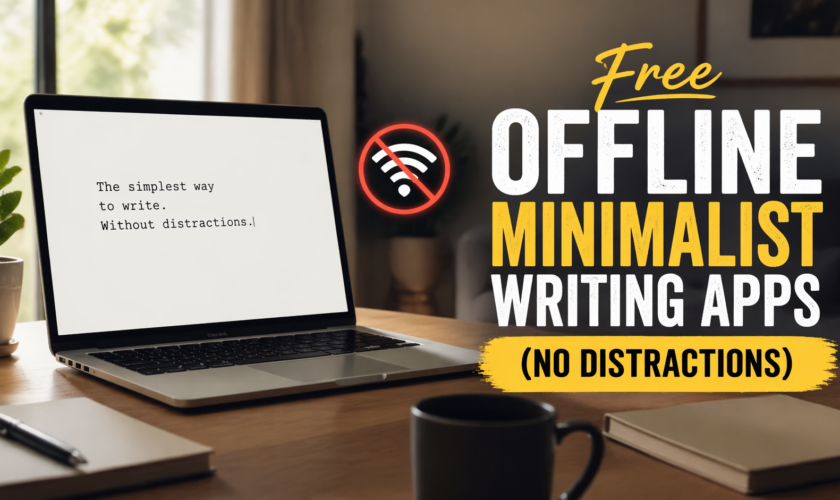
Free Offline Minimalist Writing Apps (No Distractions): Best Tools for Focused Productivity

If you’ve ever tried to write while your internet is on, you already know the struggle—notifications, emails, random browsing, and endless distractions. That’s exactly why offline minimalist writing apps are a game changer.

As a digital minimalist and blogger, I’ve tested dozens of writing tools, and one thing is clear: when you remove both distractions and internet access, your productivity can skyrocket.

In this guide, I’ll walk you through the best free minimalist writing apps you can use offline, plus how they fit into a distraction-free writing workflow.

What Are Offline Minimalist Writing Apps and Why Do They Boost Focus?

Offline minimalist writing apps are simple tools designed to help you write without distractions—and without needing an internet connection.

Unlike traditional editors, they strip away everything except what matters: your words.

If you’re new to this concept, you might want to read what a minimalist writing app is, including its benefits, features, and best options, to fully understand why these tools are so effective.

The biggest advantage? You’re not just avoiding clutter—you’re eliminating digital temptation. No tabs, no alerts, no interruptions.

Why Use Free Offline Writing Apps Instead of Online Editors?

Online tools like Google Docs are convenient, but they come with one hidden cost: constant connectivity.

That means:

  • Notifications can interrupt your flow
  • You’re tempted to multitask
  • Performance depends on internet speed

Offline minimalist tools solve all of that. They create a focused environment where your only job is to write.

From experience, this is especially useful for:

  • Students writing assignments
  • Bloggers drafting articles
  • Creators working on scripts or ideas

If productivity is your goal, combining offline tools with a structured workflow—like the one discussed in Minimal Writer vs Traditional Editors: Which One Boosts Productivity?—can significantly improve your output.

Best Free Minimalist Writing Apps You Can Use Offline

Let’s get into the tools. These apps are free, lightweight, and work offline—perfect for distraction-free writing.

FocusWriter – Full-Screen Distraction-Free Writing App

FocusWriter is one of the most popular minimalist writing tools out there, and for good reason.

It offers a full-screen writing environment that hides everything except your text. You can customize themes, set daily goals, and track your progress—all without clutter.

The offline functionality makes it perfect for deep work sessions where you just want to write without interruptions.

WriteMonkey – Lightweight and Portable Writing Tool

WriteMonkey is a favorite among writers who prefer simplicity and speed.

It’s extremely lightweight and runs smoothly even on older computers. The interface is completely distraction-free, and it supports markdown for basic formatting.

Because it’s portable, you can even run it from a USB drive—ideal for writers who work across different devices.

Notepad (Windows) – The Simplest Offline Writing Tool

Sometimes, the best tool is the one you already have.

Notepad is as minimal as it gets—no formatting, no distractions, no learning curve. Just open it and start writing.

While it lacks advanced features, it’s perfect for quick drafts, brainstorming, or when you need absolute simplicity.

Joplin – Minimalist Note-Taking with Offline Capability

Joplin is a powerful open-source note-taking app that works offline and supports markdown.

It’s slightly more advanced than pure minimalist tools, but still clean enough to maintain focus. You can organize notes, create notebooks, and sync when needed—but writing itself can happen completely offline.

This makes it a great option for writers who want a balance between simplicity and structure.

Typora (Free Trial Option) – Clean Markdown Writing Experience

Typora offers a smooth, clutter-free writing experience with real-time markdown preview.

While not completely free forever, its free trial is worth mentioning because of how beautifully minimal it feels.

It’s ideal for writers who want a clean interface with just enough formatting power—without the complexity of traditional editors.

How to Choose the Best Offline Writing App for Your Workflow

Choosing the right tool depends on your writing style.

If you prefer pure simplicity, tools like Notepad or WriteMonkey will work best.
If you want a bit more structure, Joplin is a solid option.
If you enjoy customization and immersive writing, FocusWriter stands out.

If you’re still unsure, you can explore more options in this guide on the top 10 minimalist writing apps for students, bloggers, and creators to find what suits you best.

The key is not to overthink it—pick one and start writing.

Pro Tip: Combine Offline Writing with Minimalist Tools for Maximum Productivity

Here’s something most people overlook: offline writing is even more powerful when paired with minimalist apps.

When you remove both internet distractions and UI clutter, your brain enters a deeper state of focus.

If you want a quick starting point, check out the best 5 minimalist writing tools you can start using immediately to simplify your setup.

This combination is especially useful for:

  • Long-form blog writing
  • Academic assignments
  • Creative writing sessions

Final Thoughts

Free minimalist writing apps that work offline are one of the simplest ways to improve your productivity.

They don’t rely on fancy features or complex systems. Instead, they give you something far more valuable: focus.

If you’ve been struggling to stay consistent with writing, switching to an offline minimalist tool might be the reset you need.

Start simple. Stay consistent. And let your ideas flow without distractions.

FAQs: Free Minimalist Writing Apps You Can Use Offline

1. Are there completely free minimalist writing apps that work offline?

Yes, apps like FocusWriter, WriteMonkey, Notepad, and Joplin are free and fully functional offline.

2. Do offline writing apps improve productivity?

In most cases, yes. They eliminate internet distractions, helping you focus and write faster.

3. Can I use these apps for blogging?

Absolutely. Many bloggers draft content offline and then transfer it to their CMS for publishing.

4. Which offline writing app is best for beginners?

Notepad is the easiest to start with, while FocusWriter offers a more immersive experience.

5. Do I need internet at all when using these apps?

No. You only need internet when you want to sync, share, or publish your work.

read more
Tools We Use

Minimal Writer vs Traditional Editors: Which One Boosts Productivity?

If you’ve ever sat in front of a blinking cursor wondering whether your writing tool is helping or slowing you down, you’re not alone. As someone who has worked with both minimalist writing apps and traditional editing tools for years, I’ve seen firsthand how your choice of software can either sharpen your focus or quietly drain your productivity.

To better understand how these distraction-free tools work and why they boost focus, check out what a minimalist writing app is, including its benefits, features, and best options.

So let’s break it down properly: Minimal Writer vs Traditional Editors — which one actually boosts productivity?

Minimalist Writing Tools vs Traditional Editors: What’s the Real Difference?

Before comparing performance, it’s important to understand what we’re dealing with.

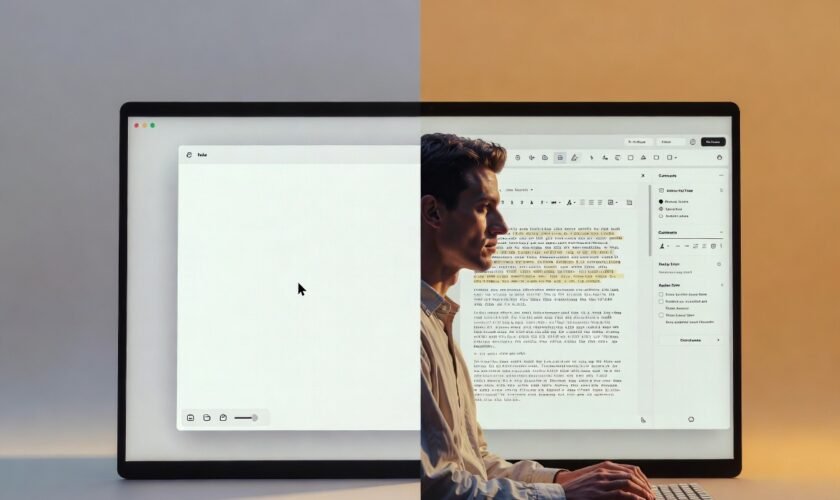
Minimalist writing tools (like Minimal Writer-style apps, iA Writer, or Ulysses) are designed to strip everything down. No distractions, no cluttered menus, just a clean writing space. The goal is simple: help you write faster and think clearer.

On the other hand, traditional editors (like Microsoft Word or Google Docs) are feature-heavy. They offer formatting tools, collaboration features, templates, review tools, and integrations. In short, they’re built for production and editing, not just writing.

So the real difference is this: Minimal tools prioritize flow, while traditional editors prioritize functionality.

If you’re exploring tools that actually improve focus and writing speed, this list of the top 10 minimalist writing apps for students, bloggers, and creators will help you choose the right one for your workflow.

Minimal Writer Productivity Benefits: Focus, Flow, and Speed

When I first switched to minimalist writing tools, the biggest change wasn’t speed—it was mental clarity. With fewer buttons and distractions, your brain stops multitasking and starts writing.

Minimal writing environments are powerful for:

  • Deep focus writing sessions
  • First drafts and brainstorming
  • Overcoming writer’s block
  • Maintaining creative flow without interruptions

One underrated advantage is how these tools reduce “formatting anxiety.” You’re not worrying about fonts, spacing, or styles while writing. You just write.

For bloggers, students, and content creators, this often translates into faster output and more consistent writing habits.

However, minimal tools are not perfect. Once your draft is done, you often need to move it elsewhere for formatting, SEO optimization, or collaboration.

Traditional Editors vs Writing Apps: Collaboration and Control

Now let’s talk about traditional editors like Microsoft Word and Google Docs.

These tools shine in collaboration-heavy environments. If you’re working with an editor, team, or client, real-time comments and track changes are invaluable.

Traditional editors also excel in:

  • Document formatting and styling
  • Advanced editing tools (spell check, grammar suggestions, etc.)
  • File compatibility and sharing
  • Structured writing (reports, academic papers, proposals)

From my experience, these tools are better suited for final-stage writing. When precision matters—like formatting citations, preparing reports, or publishing documents—traditional editors take the lead.

But here’s the downside: they can be distracting. Too many menus, notifications, and formatting options often pull your attention away from actual writing.

Minimalist Writing Apps vs Microsoft Word: Which Improves Focus?

This is where the productivity debate gets interesting.

If your goal is deep focus writing, minimalist apps win. They reduce friction and help you stay in the zone longer. You’re less likely to stop mid-sentence to adjust formatting or explore features you don’t need.

But if your workflow involves heavy editing, collaboration, or structured formatting, Microsoft Word or Google Docs becomes more practical.

Think of it this way:

  • Minimal tools = writing phase
  • Traditional editors = editing and publishing phase

Many professional writers actually use both. They draft in minimalist tools, then polish in traditional editors. That hybrid workflow often delivers the best productivity results.

If you want a quick shortcut to the most effective tools, here are the best 5 minimalist writing tools you can start using immediately.

Writing Workflow Optimization: Using Both Tools Together

Here’s the truth most productivity guides won’t tell you: you don’t have to choose one forever.

The most efficient writers I’ve worked with use a two-stage system:

  1. Drafting stage (Minimal Writer tools):
    Focus on ideas, speed, and creativity without distractions.
  2. Editing stage (Traditional editors):
    Refine structure, fix grammar, format properly, and prepare for publishing.

This combination removes the weaknesses of both systems while maximizing their strengths.

If you’re a blogger or content creator, this workflow can significantly improve output consistency and quality.

Productivity Showdown: Minimal Writer vs Traditional Editors

So, which one truly boosts productivity?

It depends on how you define productivity.

  • If productivity means writing more words in less time, minimalist writing tools win.
  • If productivity means producing polished, collaboration-ready documents, traditional editors win.
  • If productivity means long-term efficiency and quality, a hybrid approach wins overall.

From my experience, most productivity problems don’t come from lack of tools—but from using the wrong tool at the wrong stage of writing.

Final Thoughts

The debate between Minimal Writer tools and traditional editors isn’t about which one is better universally—it’s about context.

Minimalist writing apps help you think and create faster. Traditional editors help you refine and deliver better. When you understand this balance, you stop fighting your tools and start using them strategically.

If you’re serious about productivity, don’t limit yourself to one side. Instead, build a workflow that respects both focus and functionality.

That’s where real writing productivity begins.

FAQs: Minimal Writer vs Traditional Editors

1. Are minimalist writing tools better for productivity?

Yes, especially for drafting. They reduce distractions and help writers stay focused, which improves speed and flow.

2. Can I use both minimal writing apps and traditional editors?

Absolutely. Many writers draft in minimalist tools and edit in traditional editors for better results.

3. Is Microsoft Word still relevant for writers?

Yes. It remains one of the best tools for formatting, collaboration, and final document preparation.

4. What is the best tool for blogging?

A hybrid workflow works best—use a minimalist tool for writing and a traditional editor for SEO formatting and publishing.

5. Do minimalist writing apps improve creativity?

In most cases, yes. By removing distractions, they allow your brain to focus more on ideas and less on formatting.

read more
Tools We Use

Top 10 Minimalist Writing Apps for Students, Bloggers, and Creators

Minimalist Writing Apps

If you’ve ever struggled to stay focused while writing—jumping between tabs, tweaking formatting, or getting distracted by notifications—you’re not alone. I’ve been there too. At some point, I realized the problem wasn’t just discipline—it was the tools I was using.

That’s when I started exploring minimalist writing apps—simple, distraction-free tools designed to help you write more and overthink less. Whether you’re a student working on assignments, a blogger drafting posts, or a creator capturing ideas, these apps can completely change your workflow.

Let’s dive into the best options available right now.

What Makes a Good Minimalist Writing App?

Before we jump into the list, it’s important to understand what separates a true minimal writing app from a regular editor.

A good minimalist writing tool focuses on:

  • Clean, distraction-free interface
  • Fast and lightweight performance
  • Simple formatting options
  • Focus mode or full-screen writing
  • Auto-save and easy export

From personal experience, the best apps are the ones that “disappear” while you’re writing. You stop thinking about the tool and just focus on your words.

Top 10 Minimalist Writing Apps for Distraction-Free Productivity

Here are the best minimalist writing apps you can start using today, whether you’re on mobile or desktop.

1. FocusWriter – Best for Deep Focus Sessions

FocusWriter is one of the purest forms of a distraction-free writing app. It opens in full-screen mode and hides everything except your text.

I used this during a period when I needed to hit daily writing goals, and it genuinely helped me stay locked in for long sessions.

2. iA Writer – Clean Interface with Powerful Simplicity

iA Writer is popular among bloggers and professionals who want a balance between minimalism and functionality.

It highlights your current sentence while fading out the rest, which surprisingly improves concentration.

3. Typora – Minimal Writing with Live Preview

Typora is perfect if you like writing in Markdown but don’t want to deal with clutter.

What stood out to me is how it removes the split preview window and shows everything in one clean flow.

4. Calmly Writer – Simple and Beginner-Friendly

Calmly Writer is exactly what the name suggests—a calm, distraction-free writing environment.

It’s great for students or beginners who just want a simple tool without a learning curve.

5. WriteMonkey – Lightweight and Powerful for Windows Users

WriteMonkey is a no-install, portable writing app that works smoothly even on low-end systems.

I’ve used it on older laptops, and it still runs fast without any lag.

6. JotterPad – Best Minimalist Writing App for Android

If you prefer writing on your phone, JotterPad is one of the best minimal writer apps for Android users.

It’s perfect for writing ideas on the go, especially when inspiration hits unexpectedly.

7. Bear – Beautiful Minimal Writing for Apple Users

Bear combines minimalist design with elegant note-taking features.

It’s especially useful for creators who want to organize ideas without losing simplicity.

8. Notion (Minimal Setup) – Flexible Yet Clean

While Notion isn’t strictly minimalist by default, you can customize it into a clean writing space.

I personally use a stripped-down Notion page for drafting blog outlines—it works surprisingly well.

9. ZenPen – Pure Online Minimal Writing Tool

ZenPen is as minimal as it gets. Open the website, and you’re ready to write—no login, no setup.

This is my go-to when I need to quickly draft something without distractions.

10. Google Docs (Distraction-Free Mode) – Familiar and Accessible

Even though Google Docs is feature-rich, using it in full-screen mode with hidden menus can mimic a minimalist writing app.

It’s a practical choice if you need collaboration and cloud access.

Which Minimal Writing App Is Best for You?

The truth is, there’s no one-size-fits-all answer.

If you’re a student, you might prefer something simple like Calmly Writer or JotterPad. Bloggers may lean toward iA Writer or Typora, while creators might enjoy Bear or Notion.

From my experience, the best approach is to test a few and see which one helps you stay focused the longest.

👉 Check out our detailed breakdown of the Best 5 Minimalist Writing Tools and how they compare

Benefits of Using Minimalist Writing Apps for Students and Creators

Switching to a minimalist writing app isn’t just about aesthetics—it directly impacts how you work.

For me, the biggest change was consistency. I stopped procrastinating and started finishing drafts faster.

You’ll likely notice:

  • Less distraction and more focus
  • Faster writing sessions
  • Reduced mental fatigue
  • Improved creativity and idea flow

It’s a small change that leads to big results over time.

Final Thoughts

Minimalist writing apps are powerful because they remove everything that doesn’t matter.

In a world full of digital noise, having a clean space to think and write is a huge advantage—whether you’re working on assignments, blog posts, or creative projects.

Personally, once I switched to minimal writing tools, I found it easier to start writing—and even easier to keep going.

If you’re serious about improving your productivity, this is one upgrade worth making.

FAQs About Minimalist Writing Apps

What is the best minimalist writing app for students?

Apps like Calmly Writer and JotterPad are great for students due to their simplicity and ease of use.

Are minimalist writing apps free?

Many options are free, though some offer premium features for advanced users.

Can bloggers use minimalist writing apps?

Yes, many bloggers use tools like iA Writer and Typora to draft content before publishing.

Do minimalist writing apps work offline?

Most of them do, making them perfect for distraction-free writing anywhere.

Which minimalist writing app is best for Android?

JotterPad is one of the best minimalist writing apps available for Android users.

read more
Tools We Use

What Is a Minimalist Writing App? Benefits, Features & Best Options

Minimalist Writing App

If you’ve ever opened a traditional word processor and felt instantly distracted by toolbars, notifications, and endless formatting options, you’re not alone. That’s exactly where minimalist writing apps come in.

These tools are designed with one goal in mind: help you focus purely on writing—nothing more, nothing less. Over the past few years, I’ve personally tested several of these apps, especially while working on blog content and research drafts, and the difference in focus is honestly noticeable.

Let’s break it all down so you can understand what a minimalist writing app is, why it matters, and how to choose the right one.

What Is a Minimalist Writing App?

A minimalist writing app is a distraction-free writing tool that strips away unnecessary features like complex formatting menus, pop-ups, and cluttered interfaces. Instead, it gives you a clean, simple space to think and write.

Most minimalist writing apps focus on:

  • Plain text editing
  • Clean, uncluttered design
  • Full-screen or “focus mode” writing
  • Minimal or hidden formatting options

Unlike traditional tools, the goal isn’t to give you every feature—it’s to remove everything that gets in the way of your thoughts.

From my experience, using a minimal writing app feels almost like writing on a blank sheet of paper—but with just enough digital help to stay productive.

There’s a reason more writers, students, and even developers are switching to distraction-free writing apps.

First, attention is harder to maintain than ever. Notifications, tabs, and multitasking constantly interrupt your flow. A minimalist writing app removes that noise completely.

Second, it encourages deep work. When I switched to a minimal writing tool for drafting articles, I noticed I spent less time editing mid-sentence and more time actually finishing ideas.

Finally, these apps are often faster and lighter. They don’t lag, crash as often, or overwhelm you with unnecessary features.

In short, they align perfectly with modern productivity needs.

Key Features of a Good Minimal Writing App

Not all minimalist writing tools are the same. Some are extremely basic, while others strike a balance between simplicity and functionality.

Distraction-Free Interface

This is the core feature. A good minimalist writing app should give you a clean screen with little to no visual clutter. Many even hide menus until you need them.

Personally, this is the feature that made the biggest difference for me. When the screen is clean, your mind follows.

Focus Mode or Full-Screen Writing

Most minimal writer apps offer a full-screen mode that eliminates everything except your text. Some even highlight only the current sentence or paragraph.

This helps reduce mental overload and keeps your attention exactly where it should be—on your words.

Auto-Save and Cloud Sync

Even though these apps are simple, they still include essential modern features like auto-save and syncing across devices.

This is especially useful if you switch between phone and laptop, which I often do when drafting ideas on the go.

Basic Formatting (But Not Too Much)

Minimalist writing apps usually support simple formatting like bold, italics, and headings—but they don’t overwhelm you with options.

This balance is important. You get just enough control without breaking your writing flow.

Benefits of Using a Minimalist Writing App

Switching to a minimalist writing app isn’t just about aesthetics—it has real productivity benefits.

Improved Focus and Productivity

With fewer distractions, your brain spends more energy on writing instead of navigating tools. I’ve personally noticed I can write faster drafts when using a minimal editor compared to traditional software.

Better Writing Flow

When you’re not constantly stopping to format or edit, your ideas flow more naturally. This is especially helpful for creative writing, blogging, or journaling.

Reduced Overthinking

One unexpected benefit I discovered is that minimal writing apps reduce perfectionism. Since the interface is simple, you’re less tempted to tweak every sentence immediately.

You just write—and that’s powerful.

Lightweight and Fast Performance

Minimalist writing software is usually faster and works well even on low-end devices. If you’re in a place with limited resources or using an older system, this is a huge advantage.

Best Minimalist Writing Apps to Try

If you’re ready to get started, there are plenty of great options available depending on your device and preferences.

Some are completely offline, while others offer syncing and collaboration features.

👉 Read our full guide on the Best 5 Minimalist Writing Tools for Distraction-Free Productivity

In that guide, you’ll find detailed comparisons, pros and cons, and recommendations based on real usage.

How to Choose the Right Minimal Writer App

Choosing the best minimal writer app depends on how you work.

If you prefer simplicity above all else, go for an app with almost zero features. If you need some flexibility, choose one that offers light formatting and cloud sync.

From my experience, the best approach is to test 2–3 apps and see which one “feels right.” Writing is personal, and your tools should match your style.

Also consider:

  • Your device (Android, PC, or web-based)
  • Offline vs online usage
  • Whether you need export options

Final Thoughts

Minimalist writing apps are more than just a trend—they’re a response to how distracted our digital lives have become.

By removing clutter and focusing on what truly matters, these tools help you write more clearly, think more deeply, and stay consistent.

From personal experience, switching to a minimalist writing app didn’t just improve my productivity—it changed how I approach writing entirely. I stopped chasing perfection and started focusing on expression.

If you’ve been struggling with distractions or writer’s block, this might be the simple shift you need.

FAQs About Minimalist Writing Apps

What is the best minimalist writing app?

The best app depends on your needs, but popular options include distraction-free editors with clean interfaces, focus modes, and auto-save features.

Are minimalist writing apps free?

Many minimalist writing apps offer free versions, while some have premium features like cloud sync or advanced customization.

Can I use a minimalist writing app offline?

Yes, many minimal writing tools are designed to work offline, making them perfect for distraction-free environments.

Do minimalist writing apps support formatting?

Yes, but only basic formatting like headings, bold, and italics—just enough to keep things simple.

Are minimalist writing apps good for students?

Absolutely. They help students stay focused while writing essays, assignments, or notes without distractions.

read more
Tools We Use

Mindful Tech Gadgets You Didn’t Know Could Improve Your Focus

Mindful tech gadgets improving focus and supporting balanced screen time for better mental health

In today’s hyperconnected world, staying focused can feel impossible. Notifications ping constantly, social media scrolls endlessly, and our devices demand attention at every moment. It’s easy to feel distracted, anxious, or mentally drained. But what if technology itself could be part of the solution? Mindful tech gadgets are designed to help you focus, reduce distractions, and support your mental health. These aren’t gimmicks — they are tools that encourage sustainable digital habits, balanced screen time, and long-term mental wellness.

If you’ve ever wondered how small adjustments in your environment can dramatically improve your concentration, this article is for you.

We’ll explore gadgets you might not even know exist, explain why they work, and show you how to integrate them into your life intentionally. For context on broader mindful technology strategies, see our previous article, Mindful Technology in 2026: How to Stay Present Without Sacrificing Productivity.

Why Mindful Tech Matters for Focus

It’s no secret that modern life makes focus difficult. Your brain craves novelty, so every notification, alert, or app update gives you a tiny dopamine hit. While these bursts can feel rewarding, constant stimulation makes sustained attention much harder. You might notice it when reading a book, writing an email, or even holding a conversation — your mind wanders, restless and distracted.

Mindful tech gadgets work differently. Instead of feeding distractions, they help guide your attention back to what matters. These tools aren’t about eliminating technology from your life; they’re about intentional use, allowing you to benefit from devices while reducing cognitive overload.

Using devices thoughtfully, supported by purpose-built tools, can improve focus, increase productivity, and protect mental health. Keywords like focus-enhancing technology and attention support gadgets describe precisely what these tools do — they help your brain stay on task in a world designed to fragment attention.

Top Mindful Tech Gadgets That Support Focus

There are many gadgets designed to help you work smarter, not harder.

Here are some you might not know about:

Noise-Canceling Headphones

Noise-canceling headphones are a simple but powerful tool for improving focus. By blocking out background noise, they create a calm environment where your brain can concentrate. Whether you’re working from home, studying in a café, or just trying to focus on a project, these headphones help reduce cognitive fatigue and mental distractions.

By minimizing constant interruptions, they support sustainable digital habits and allow you to maintain balanced screen time while working effectively.

Smart Timers and Pomodoro Devices

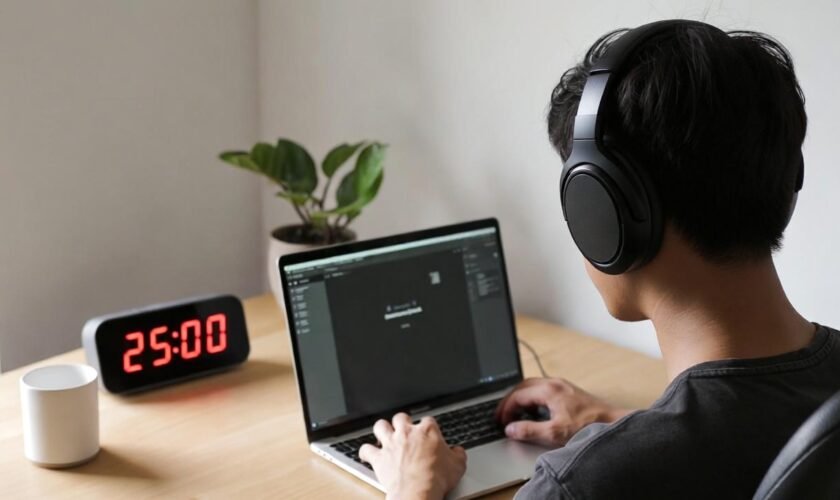
Smart timers and Pomodoro devices are designed to structure your work in focused intervals. The Pomodoro technique typically involves 25 minutes of concentrated work followed by a short break.

Smart timers automate this process, signaling when it’s time to focus and when to rest. By creating intentional blocks of attention, these gadgets reduce the tendency to multitask — a major source of mental exhaustion — and help your brain maintain long-term mental wellness.

Digital Wellbeing Apps

Digital wellbeing apps play a key role in helping you manage your device usage. Many apps track screen time, provide reminders to take breaks, or temporarily block distracting apps. Unlike mindless scrolling, these tools encourage intentional engagement, allowing you to regain control over your devices instead of being controlled by them.

When used consistently, they promote sustainable digital habits and help reduce stress caused by constant notifications.

Focus-Oriented Smart Lights

Focus-oriented smart lights subtly enhance your environment to support concentration. By adjusting brightness and color temperature, they can improve alertness, reduce eye strain, and set the tone for deep work. Pairing these lights with mindful routines — like working during natural daylight hours and taking screen-free breaks — can dramatically improve focus and mood.

These gadgets help integrate mindfulness into your workspace, creating a balanced and intentional digital environment.

For a more in-depth approach to daily mindful tech habits, see our article Top 10 Mindful Technology Habits That Reduce Digital Stress Daily. And for tools specifically designed to help you disconnect while staying productive, check out The Future of Mindful Technology: Tools That Help You Focus and Disconnect.

How to Integrate Gadgets Without Overloading Yourself

It’s easy to get carried away with gadgets. The goal of mindful technology is not to fill your life with more devices, but to use a few key tools intentionally. Start by choosing one or two gadgets that address your biggest distraction challenges. For example, if noise is your main problem, invest in noise-canceling headphones. If procrastination is your challenge, a Pomodoro timer or focus app may be better.

Next, set clear boundaries. Decide when and how you’ll use each gadget. Avoid using them in ways that replicate the very distractions you’re trying to reduce. For instance, using a phone timer is only effective if your phone isn’t simultaneously buzzing with notifications. Combining mindful habits with devices is key. Pair timers with short meditation breaks, use smart lights to signal transitions between tasks, or schedule screen-free windows to rest your mind.

Mindful tech integration is about sustainable digital habits and balanced screen time. The tools themselves don’t magically create focus — they amplify intentional behaviors. When used correctly, these gadgets help you maintain mental clarity, prevent burnout, and support overall wellbeing.

Benefits of Mindful Tech Gadgets on Mental Health

The advantages of integrating mindful tech gadgets extend beyond focus. Reducing digital distractions lowers stress and anxiety, especially for people who feel compelled to check their devices constantly. When your brain isn’t constantly interrupted, cognitive load decreases, giving your mind space to relax and recharge.

Sleep quality can also improve. By reducing device usage before bed and relying on timers or smart lights, your body can maintain healthier circadian rhythms. Mental clarity increases, and emotional regulation improves because your nervous system is no longer on high alert all day.

Even simple gadgets can promote long-term mental wellness. Using a Pomodoro timer with short breaks encourages sustained focus without fatigue. Noise-canceling headphones allow deeper engagement with work or study material. Mindful technology tools transform your digital environment from a source of stress into a resource that supports concentration and emotional balance.

Signs You Should Try Focus-Enhancing Gadgets

You might benefit from focus-oriented gadgets if you notice:

  • Difficulty concentrating for long stretches of time
  • Frequent multitasking and mental fatigue
  • Constantly checking notifications or social media
  • Feeling overwhelmed by your digital environment
  • Struggling to maintain productivity at work or study

These are not personal failings — they’re environmental responses. Our devices and apps are designed to grab attention. Mindful tech gadgets help you regain control, creating sustainable digital habits and long-term mental wellness in a world built for distraction.

Final Thoughts: Using Mindful Tech Gadgets Intentionally

Mindful tech gadgets aren’t about rejecting technology or living offline. They’re about intentional engagement, creating balanced screen time, and improving both focus and mental health. By thoughtfully integrating noise-canceling headphones, Pomodoro timers, smart lights, and digital wellbeing apps, you can design a workflow that supports your brain rather than draining it.

Start small, experiment with one tool at a time, and observe the results. Notice how reduced distractions improve your clarity, how structured intervals protect your energy, and how intentional tech use improves your overall mood.

For a deeper understanding of mindful technology practices for younger audiences, see [Mindful Technology for Teens: Teaching Healthy Screen Habits Early]. Combining practical gadgets with intentional habits is the key to long-term mental wellness and sustained focus.

Remember, focus-enhancing gadgets work best when paired with mindful routines. They help you shift from reactive, scattered attention to deliberate, purposeful engagement. You don’t need to abandon your devices — you just need to change your relationship with them. That small shift can have a profound effect on your productivity, mental clarity, and emotional wellbeing.

FAQ – Mindful Tech Gadgets and Focus

Q1: What are mindful tech gadgets?
Mindful tech gadgets are tools and devices designed to improve focus, reduce distractions, and support mental health. Unlike ordinary devices that can overwhelm you with notifications, these gadgets encourage intentional technology use, helping you maintain balanced screen time and sustainable digital habits. Examples include noise-canceling headphones, smart timers, Pomodoro devices, and digital wellbeing apps.

Q2: How do gadgets like Pomodoro timers improve focus?
Pomodoro timers structure work in focused intervals, typically 25 minutes of concentration followed by short breaks. This approach reduces multitasking, prevents cognitive fatigue, and improves productivity. Smart timers automate this method, allowing you to develop long-term mental wellness while maintaining consistent focus throughout the day.

Q3: Can digital wellbeing apps really reduce distractions?
Yes. Digital wellbeing apps track your screen time, remind you to take breaks, and can block distracting apps temporarily. By promoting intentional device usage, these tools help you regain control over your attention, reduce anxiety caused by constant notifications, and foster sustainable digital habits.

Q4: Are focus-oriented smart lights effective?
Focus-oriented smart lights adjust brightness and color temperature to enhance alertness, reduce eye strain, and create a conducive work environment. When paired with mindful routines like screen-free breaks or working in natural daylight, these lights improve concentration and mood, supporting balanced screen time and mental clarity.

Q5: How do mindful tech gadgets differ from digital detox methods?
Mindful tech gadgets are about intentional and sustainable digital habits, helping you integrate technology into your life without overwhelming your focus. Digital detoxes involve temporary breaks or complete avoidance of devices. Mindful gadgets enable long-term mental wellness by supporting consistent, deliberate engagement with technology.

Helpful Resources

read more
Tools We Use

Are Focus Extensions Safe? What They Track and What They Don’t

Focus extensions sit quietly in the background of modern workdays. They block a few sites, track time in the browser, and nudge attention back to what matters. Because they operate inside the same space as work emails, research tabs, and personal browsing, it’s reasonable to ask whether a focus extension safe to use is also respectful of privacy. The short answer is that most reputable tools are narrowly scoped, but understanding how they work removes guesswork and unnecessary fear.

This explainer breaks down access, limits, and common misunderstandings using how focus tools actually behave in real browser environments today.

Why Safety Questions Come Up So Often

Browsers have become operating systems for remote work. Project management tools, cloud documents, dashboards, and messaging apps all live behind tabs. When an extension asks for permission to “read and change data on websites,” the wording sounds broader than the reality. That mismatch between technical language and everyday understanding is where most safety concerns begin.

From a practical standpoint, focus extensions are designed to observe patterns, not content. Their job is to recognize when a site is visited and how long it stays active, not to interpret meaning or collect personal information.

What Focus Extensions Can Access

To do their job, focus extensions need limited visibility into browsing activity. This access is controlled by the browser and restricted to specific technical boundaries.

Website Addresses and Domain Recognition

Focus extensions can see which website is open, usually at the domain level. This is how they know when a blocked site loads or when a time limit should start counting down. Seeing a domain like a social platform or news site is enough to trigger a rule. The extension does not need to know what article is being read or what content appears on the page.

This distinction matters. Knowing where the browser is pointed is not the same as knowing what the user is doing there.

Tab Activity and Time Measurement

Another core function is timing. Focus tools track when a tab becomes active and when it fades into the background. This allows accurate measurement of time spent on certain sites without guessing.

In daily use, this is what enables behavior like pausing timers when switching tasks or stopping counts when a tab is minimized. The extension responds to browser state changes, not human behavior beyond the screen.

Local Storage for Preferences

Most focus extensions store settings directly inside the browser using local storage. This includes block lists, daily limits, and historical usage summaries. Because this data lives locally, it stays on the device unless a syncing feature is enabled.

This is why uninstalling an extension often removes its history entirely. There’s no hidden archive following the user across the internet.

Optional Sync Features

Some focus tools offer optional syncing across devices, usually through an account. When enabled intentionally, this typically transfers settings rather than raw activity logs. Reputable extensions make this choice explicit and allow full functionality without forced sign-ups.

A focus extension safe by design treats syncing as a convenience, not a requirement.

What Focus Extensions Typically Don’t Track

Just as important as access is understanding what’s outside their reach. Many common fears simply don’t align with how browser extensions are structured.

Typed Information and Keystrokes

Focus extensions do not record what is typed into forms, chats, or documents. Passwords, private messages, and search terms are not captured. Recording keystrokes would require permissions that browsers flag aggressively and users would notice immediately.

If an extension’s purpose is blocking time-wasting sites, there is no functional reason for it to observe typing behavior.

Page Content and Media

Although a focus extension knows a site is open, it does not read the page itself. Text, images, videos, and comments remain opaque. The extension reacts to the URL, not the content behind it.

This means a focus tool can block a video platform without knowing which video is playing or what topic it covers.

Files, Downloads, and Local Data

Focus extensions operate strictly within the browser sandbox. They do not access local files, scan downloads, or interact with folders on the device. Any extension requesting file system access for productivity blocking should raise questions, because it’s unnecessary for focus-related tasks.

Activity Outside the Browser

Focus tools do not monitor mobile apps, desktop software, or offline behavior. They don’t know when a phone is picked up or another application is opened. This limitation is often mistaken for weakness, but from a privacy standpoint, it’s a built-in safeguard.

Understanding Browser Permission Language

Permission prompts are written to cover broad technical possibilities, not specific intentions. When an extension asks to “read and change data on websites,” it usually means it can detect the site and inject a block screen when rules apply.

It does not mean unrestricted access to personal accounts or communications. Browsers isolate extensions so they can’t quietly escalate permissions without user approval.

Typical Data Access at a Glance

The table below summarizes what reputable focus tools usually access and why that access exists.

Data TypeTypical AccessPurposePractical Risk
Website domainsYesIdentify blocked or limited sitesLow
Time-on-site dataYesEnforce limits accuratelyLow
Page contentNoNot requiredNone
KeystrokesNoNot requiredNone
Local filesNoNot requiredNone
Cloud sync dataOptionalCross-device settingsLow when transparent

How to Judge Whether a Focus Extension Is Safe

Instead of looking for perfection, it helps to look for alignment. A focus extension safe to use usually requests only what it needs and explains why in plain language. Permissions should match features, not exceed them.

Clear privacy documentation, optional accounts, and regular updates are practical trust signals. Extensions that feel vague about data handling or force unnecessary permissions are worth avoiding.

A Practical Definition of Safety

In real-world productivity setups, safety is about proportionality. Focus extensions don’t need deep access to be effective, and most don’t ask for it. They exist to shape habits, not observe lives.

Understanding their limited scope allows users to benefit from distraction control without assuming silent surveillance. In the second half of this article, we’ll examine realistic risks, warning signs to watch for, and best practices for using focus tools responsibly over time.

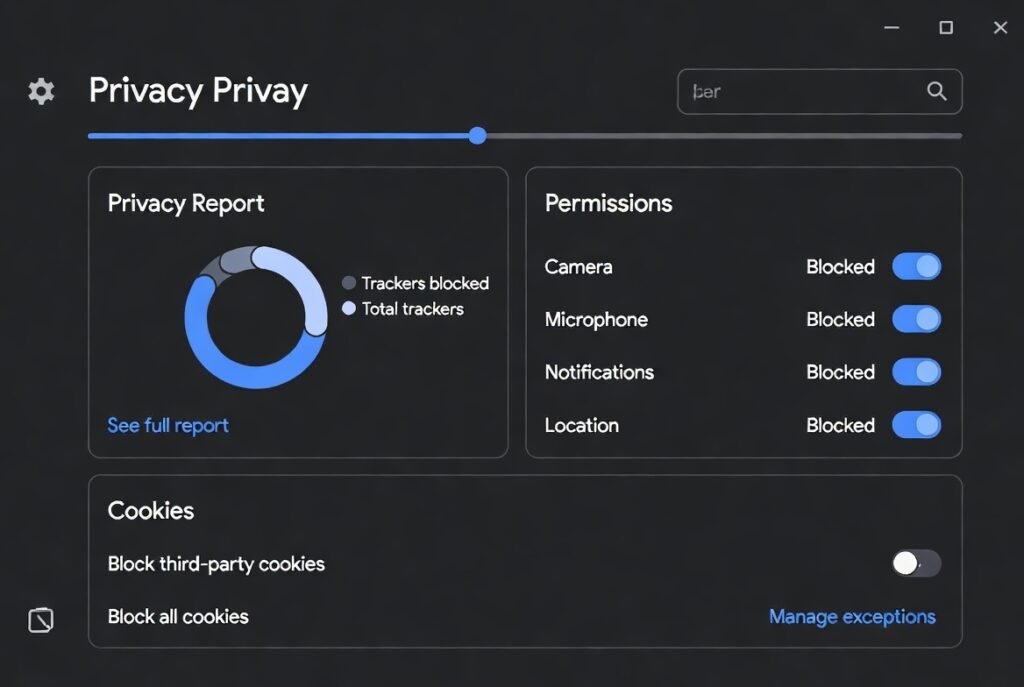
Clean modern browser privacy dashboard showing trackers blocked, permissions managed, and cookies settings – Are Focus Extensions Safe?
Secure browsing with privacy controls active

How to Audit Extension Permissions Before Installing

Auditing permissions is less technical than it sounds and fits naturally into everyday browser habits. Most browsers show requested permissions clearly at install time and again inside the extensions dashboard. Taking a moment here is similar to checking app permissions on a smartphone before tapping “Allow.”

The key is to compare permissions with purpose. A focus extension exists to limit access to certain websites and measure time. Seeing access to website domains and tabs makes sense in that context. Requests unrelated to focus, such as file system access or persistent background network activity, deserve closer attention. Reviewing permissions periodically also matters, especially after updates, since extensions can evolve over time.

Red Flags to Watch For

Not all risks are dramatic, but some signals consistently indicate poor privacy practices. One common red flag is forced account creation for basic functionality. If an extension can’t block websites or track time without signing in, the data relationship deserves scrutiny.

Another concern is vague or missing privacy documentation. Reputable tools explain data use in clear, human language rather than legal ambiguity. Excessive permissions unrelated to focus, frequent unexplained updates, or reviews mentioning unexpected behavior are also worth noting. None of these automatically mean harm, but together they suggest misalignment between function and access.

Best Practices for Safe Everyday Use

Safe use isn’t about constant vigilance; it’s about reasonable habits. Installing only a small number of extensions reduces overall exposure. Keeping browsers updated ensures security patches apply not just to the browser itself, but also to extension frameworks.

It also helps to periodically review installed extensions and remove those no longer used. Focus tools are meant to support behavior, not accumulate indefinitely. Choosing extensions that store data locally by default and treat cloud syncing as optional further limits exposure without sacrificing usability.

Balancing Productivity and Privacy

Focus extensions sit at an intersection of trust and convenience. They need limited access to work, but not unlimited insight into life. When users understand that scope, fear often gives way to practical confidence.

A focus extension safe to use doesn’t demand blind trust. It earns it through transparency, restraint, and alignment with its stated goal. Used thoughtfully, these tools remain helpers rather than observers.

Conclusion

Focus extensions are not silent recorders of online life. They operate within narrow, browser-defined boundaries designed to support attention, not invade privacy. When permissions align with purpose and users maintain simple auditing habits, these tools can be used comfortably in modern work routines.

Safety, in this context, is less about perfection and more about informed, mindful use that respects both productivity goals and personal boundaries.

FAQ Section

Are focus extensions safe to use on work computers?

In most cases, yes, when approved by workplace policy. Focus extensions operate at the browser level and typically access only website domains and timing data. They don’t read documents or messages. Still, reviewing permissions and choosing tools with clear privacy policies helps ensure alignment with professional environments and employer expectations.

Can focus extensions see passwords or private messages?

No. Focus extensions do not capture keystrokes or page content. Passwords, emails, and chat messages remain inaccessible. Their visibility stops at recognizing which website is open and how long it stays active. Anything deeper would require permissions that browsers clearly flag and users would notice.

Do focus extensions send data to external servers?

Most reputable focus tools store data locally by default. Some offer optional cloud sync for settings across devices, which is usually disabled unless enabled intentionally. Checking privacy documentation clarifies whether data ever leaves the browser and under what conditions.

Is it safer to use focus extensions without an account?

Generally, yes. Extensions that function fully without accounts minimize data sharing by design. Accounts can be convenient for syncing, but they’re not essential for basic focus features. When account creation is optional and clearly explained, it’s a positive trust signal.

How often should extension permissions be reviewed?

A practical rhythm is every few months or after major updates. Browsers make this easy through extension settings pages. Regular reviews ensure permissions still match functionality and help users stay aware without constant monitoring.

Helpful Resources

  1. National Institute of Standards and Technology (NIST) – Privacy & Cybersecurity Framework
    NIST provides practical standards, guidelines, and tools that help organizations and individuals manage privacy risk and design systems that respect user data. NIST Cybersecurity and Privacy Resources
  2. Federal Trade Commission (FTC) – Privacy & Security Guidance
    The FTC offers consumer‑focused information on online privacy practices, data security basics, and how companies should protect personal information. FTC Privacy and Security Guidance
read more