
Introduction: Why Scrolling Makes Me Sleepy
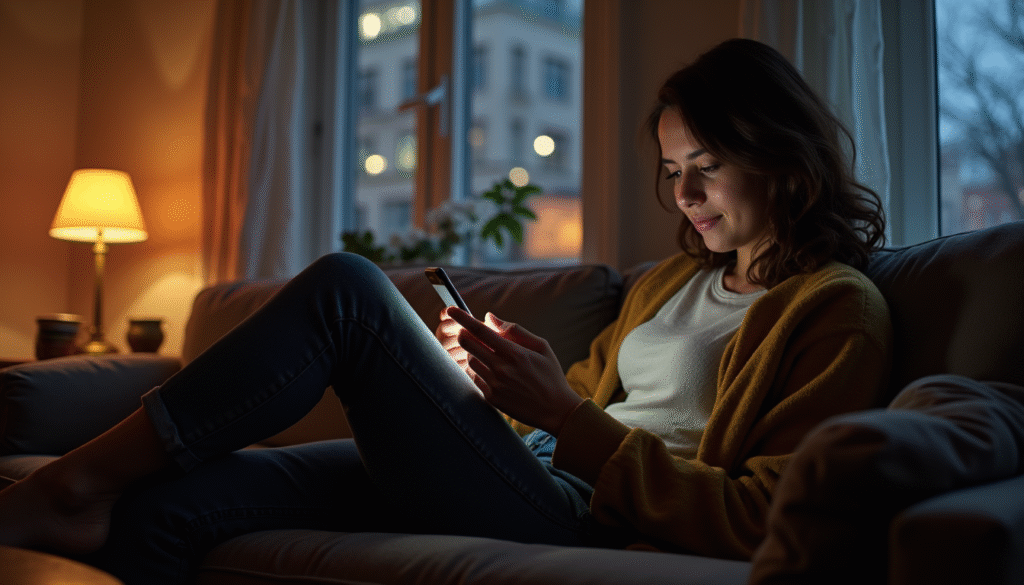
It’s late evening, and after a long day of work, you slump onto the couch, phone in hand. You tell yourself, “Just five more minutes,” and before you know it, the light from your screen feels heavy, your eyes droop, and your brain slows into a foggy haze. You aren’t physically tired—you’ve had your coffee, your steps were tracked, and your muscles feel fine—but scrolling makes you sleepy.
This subtle drowsiness isn’t about exhaustion; it’s about how your brain reacts to constant, low-effort digital input.
Everyday routines like these are familiar to many of us: scrolling while waiting for a show to start, post-work wind-down on the sofa, or browsing news feeds late at night.
Understanding why scrolling induces this sleepy sensation helps us differentiate between genuine fatigue and mental disengagement, giving us tools to regain focus and energy.
Table of Contents
Why Scrolling Creates Drowsiness
Scrolling doesn’t just pass the time—it actively changes how your brain functions. When you move through feeds of social media posts, videos, or articles, your attention is superficial and passive. The brain is constantly processing rapid streams of new information, but in small doses, it doesn’t engage deeply.
This shallow engagement triggers mental shutdown signals similar to what happens during fatigue.
Key Factors Behind the Drowsy Feeling
- Sensory Repetition: Endless scrolling exposes your brain to similar visual patterns, colors, and shapes. Over time, this repetition reduces alertness.
- Low Cognitive Load: Paradoxically, the minimal effort required to scroll can make the mind feel lazy. Without active problem-solving or critical thinking, neurons slow down.
- Circadian Influence: Evening scrolling coincides with your body’s natural drop in alertness, amplifying the sleepy feeling.
For example, after finishing work, many of us flop onto the couch. The TV hums softly in the background while the phone occupies our hands. Even though no demanding cognitive task is present, mental engagement dips, and the drowsiness feels real.
Passive Attention and Mental Shutdown
When scrolling becomes a passive activity, your brain treats it almost like rest—but not the kind that replenishes energy. Instead, it’s a semi-disengagement, where attention is still required but only at a surface level. This partial activation tricks the body into a sleepy state.
Passive attention differs from healthy relaxation in subtle ways:
- Reduced alertness: Your mind stops anticipating new tasks.
- Fragmented focus: Even if one post catches your interest, attention quickly jumps to the next.
- Delayed recovery: Unlike a nap or mindful rest, passive scrolling doesn’t restore cognitive energy fully.
A common scenario is post-work scrolling. You might sit on the couch after a full day of meetings and emails, intending to relax. The phone is within reach, and you flip through posts while thinking, “I’m just unwinding.” Yet within minutes, you notice eyelids drooping and attention waning.
It’s not that your body needs sleep—it’s your brain signaling low-stakes engagement that mimics fatigue.
Table: Mental Disengagement vs Healthy Relaxation
| Feature | Mental Disengagement (Scrolling) | Healthy Relaxation |
|---|---|---|
| Attention | Fragmented, shallow | Sustained, purposeful |
| Alertness | Reduced, foggy | Calm but aware |
| Recovery | Minimal cognitive refresh | Restores mental energy |
| Physical posture | Slouched, sedentary | Comfortable, supported |
| Stimuli | Continuous digital input | Low, soothing sensory input |
Everyday Examples
- Couch Scrolling: After dinner, you slump with your phone, flicking through feeds. You feel a mild drowsiness creeping in, though you aren’t physically tired.
- Waiting Room Browsing: Sitting for a routine appointment, scrolling fills the idle time. You notice your head nodding slightly, attention drifting.
- Post-Work Routine: Sitting down after finishing remote work, phone in hand, a few minutes of light scrolling suddenly turn into twenty, leaving you mentally sluggish.
These scenarios highlight a shared theme: drowsiness from scrolling is less about your body needing rest and more about how your brain responds to passive stimulation.
Why Drowsiness Doesn’t Equal Restoration
Feeling sleepy while scrolling can be confusing—your eyelids droop, your focus slips, yet your brain hasn’t truly rested. This drowsiness is a mental illusion, triggered by shallow engagement and sensory repetition. Unlike a nap or focused relaxation, scrolling rarely allows the prefrontal cortex to recover.
You may feel calm, but your cognitive resources remain taxed, meaning your attention, memory, and decision-making capacity haven’t truly recharged.
Understanding this distinction is essential. You can feel “tired” without being restored, which explains why you might scroll for hours yet wake up groggy or mentally drained.
How to Avoid Using Scrolling as a Sleep Substitute
Many of us instinctively reach for our phones to “wind down,” especially in the evening. Unfortunately, this habit often disrupts real sleep readiness:
- Shift your timing: Avoid scrolling 30–60 minutes before bed. Use this time for quiet, low-stimulation activities.
- Physical separation: Place your phone out of arm’s reach or in another room.
- Mindful replacement: Replace scrolling with light reading, journaling, or a brief walk.
- Set gentle limits: Use app timers to prevent unconscious extended browsing.
These adjustments help your body distinguish between true rest and pseudo-rest, improving both sleep quality and evening energy.
Small Habit Shifts for Better Evening Energy
Even minor tweaks can prevent post-scrolling drowsiness:
- Lighting adjustments: Dim overhead lights or use warmer tones to cue relaxation naturally.
- Screen management: Reduce blue light exposure and notifications in the evening.
- Micro-breaks: Every 20–30 minutes, stand, stretch, or shift focus from the screen.
- Intentional scrolling: Limit social feeds to one or two focused sessions rather than open-ended browsing.
- Hydration and snack habits: Avoid heavy snacks or caffeine too late, as these interact with alertness cues.
Over time, these practices help your brain recover from the overstimulation of constant digital input and maintain a healthier evening routine.
Conclusion
Scrolling makes you sleepy, but this drowsiness is often a trick of the mind, not genuine rest. By understanding the difference between passive mental disengagement and restorative relaxation, you can regain control of your evening energy.
Gentle habits, mindful awareness, and small environmental tweaks allow you to enjoy digital tools without compromising your alertness or sleep quality. Embrace these changes compassionately—your brain will thank you for it.
FAQ
1. Why does scrolling make me sleepy even if I’m not tired?
Scrolling triggers shallow attention and mental disengagement. Your brain is active but not deeply engaged, which can mimic the sensation of fatigue. This pseudo-drowsiness is common during low-effort digital browsing, especially in the evening when circadian rhythms naturally lower alertness.
2. Can scrolling before bed help me relax?
While scrolling may feel calming, it rarely provides true restoration. Passive browsing can reduce alertness temporarily, but it does not allow the brain to recover fully. Mindful, low-stimulation activities like reading or light journaling are more effective for pre-sleep relaxation.
3. How do I differentiate real fatigue from scrolling-induced drowsiness?
Real fatigue comes with cognitive and physical exhaustion, whereas scrolling-induced sleepiness is mental and superficial. Indicators include rapid attention lapses, eyelid heaviness, and a foggy feeling despite being physically alert.
4. Are certain apps more likely to make me sleepy?
Yes. Social media feeds, short-form video platforms, and endless news scrolling can cause rapid attention switching, sensory repetition, and mental disengagement, which intensifies the sleepy sensation.
5. How can I reduce the sleepy feeling without quitting my phone?
Set screen timers, reduce notifications, take micro-breaks, dim lights, and practice intentional scrolling. Even small adjustments like placing your phone slightly out of reach can help maintain focus and energy.
6. Is blue light the main cause of post-scrolling drowsiness?
Blue light affects circadian rhythms, but the drowsiness from scrolling is primarily due to passive attention and cognitive disengagement. Reducing blue light may help slightly, but mindful scrolling practices are more impactful.
7. Can mindful scrolling improve alertness?
Yes. Being aware of your intent, limiting session length, and engaging actively with content reduces mental fatigue. Mindful scrolling encourages focused attention and prevents the passive disengagement that often leads to sleepiness.
Helpful Resources
- Digital Fatigue and Cognitive Overload as Managerial Challenges – Research on how prolonged digital engagement contributes to mental strain. Read more
- Social Media Fatigue and Cognitive Depletion – Study on how constant information flow contributes to cognitive exhaustion. Read more
- Digital Overload and Cognitive Fatigue Among Adolescents – Empirical study linking digital engagement to cognitive fatigue. Read more