Working remotely for several years has taught me one uncomfortable truth: focus isn’t lost all at once. It leaks away in small, forgettable moments. A quick Twitter check between tasks. A “harmless” YouTube video during lunch that turns into three. By the end of the day, you’ve technically been at your desk for eight hours, but only a fraction of that time produced meaningful work.
That slow erosion is exactly what tools like StayFocusd promise to fix. This stayfocusd review looks at whether a strict, browser-based blocker still makes sense in 2026, when remote work, flexible hours, and smartphone habits blur the line between work and personal time more than ever.
We’ve used StayFocusd on and off during deep-focus seasons, deadline-heavy weeks, and periods of burnout. What follows is an honest, experience-based look at what it does well, where it struggles, and who it’s really for.
Table of Contents
What is StayFocusd and how does it work?
StayFocusd is a browser extension designed to limit the amount of time you can spend on distracting websites. Before diving into settings or features, it’s important to understand the philosophy behind it: this is not a gentle nudge. It’s a hard boundary.
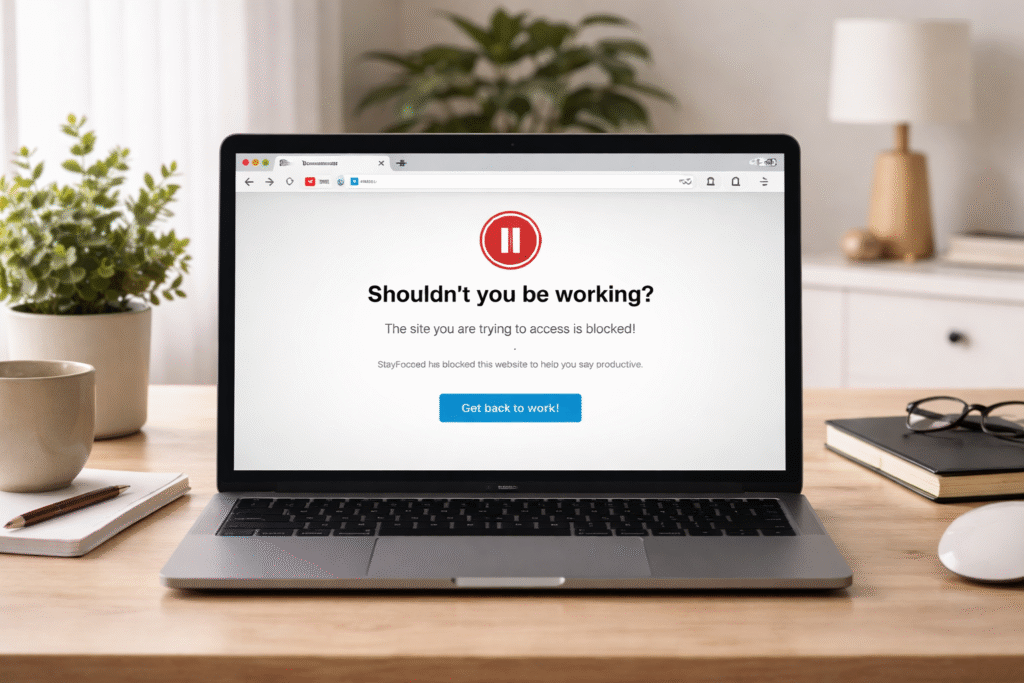
At its core, StayFocusd works by allowing you to set daily or hourly limits for specific websites. Once you hit that limit, access is blocked completely until the timer resets. The extension runs locally in your browser, which means it reacts immediately to your behavior rather than relying on cloud syncing or external dashboards.
From a practical standpoint, this makes StayFocusd feel fast and uncompromising. When I tested it during a heavy writing sprint, the block felt instant. There was no warning banner, no “are you sure?” prompt. One minute Reddit loaded. The next minute, it didn’t.
[IMAGE: Browser window showing blocked distracting sites, minimalist home office background, realistic style]
The tool is most commonly used on Chrome-based browsers, which aligns with modern remote work setups where Chrome dominates due to extensions, cloud tools, and shared work environments.
Why people turn to strict focus extensions
Most people don’t install strict blockers on their best days. They turn to them when softer systems have failed. This pattern shows up repeatedly in remote work circles.
When you work from home, your brain associates the same device with work, entertainment, communication, and rest. Slack, Gmail, YouTube, WhatsApp Web, and news sites all live one tab away. Over time, decision fatigue sets in. You’re not consciously choosing distraction; you’re defaulting to it.
Strict extensions like StayFocusd appeal because they remove choice entirely. Instead of asking, “Should I check this now?” the tool answers for you. During my own usage, this was especially helpful during cognitively demanding tasks like long-form writing, data analysis, or deep research. Once the block was active, the mental background noise dropped noticeably.
There’s also a psychological angle. Many remote workers feel guilty using “soft” focus tools because they’re easy to bypass. StayFocusd’s rigidity can feel reassuring, almost like handing your willpower over to an external system when your internal one is depleted.
StaFocusd Core features and settings explained clearly
StayFocusd’s feature set hasn’t changed drastically over the years, but its simplicity is intentional. Instead of overwhelming dashboards, it focuses on a few powerful controls.
The main feature is time-based blocking. You choose specific websites or entire domains and assign a daily time allowance. This can be as generous or as strict as you like. For example, I often set social media sites to 10 minutes per day, enough to respond to messages without falling into a scroll loop.
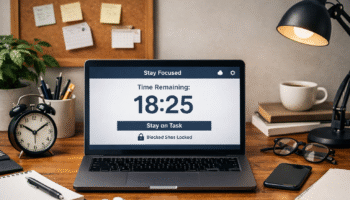
Another defining feature is the “Nuclear Option.” This allows you to block selected sites completely for a fixed period, regardless of remaining time. When enabled, there is no override. In real-world use, this is best reserved for short, high-stakes focus windows. I used it during client deadlines when even a brief distraction could derail momentum.
StayFocusd also includes scheduling options. You can restrict blocking to certain hours, which matters in flexible work setups. Blocking distractions from 9 a.m. to 1 p.m. while allowing free access later mirrors how many remote workers naturally structure their day.
There are also anti-cheating mechanisms. Settings can be locked, making them difficult to change once activated. This prevents the classic “I’ll just adjust it this once” loophole that undermines many productivity tools.
How StayFocusd fits into modern remote work
In 2026, remote work is less about fixed hours and more about energy management. Some days start early; others peak at night. StayFocusd fits best when used as a temporary structure rather than a permanent rule set.
During my own work-from-home routine, I noticed StayFocusd worked best in short cycles. I would activate strict blocks for two to three weeks during intense projects, then loosen or disable them during lighter periods. Used this way, it supported focus without creating resentment or rebound distraction.
It’s also worth noting how StayFocusd interacts with smartphone habits. Because it’s browser-based, it doesn’t control mobile apps. This means it works best when paired with basic phone discipline, like keeping your phone out of reach during deep work. On its own, it won’t solve cross-device distraction.
StayFocusd vs softer, mindful focus tools
Not all focus tools aim to block. Some emphasize awareness, reflection, and gradual behavior change. Understanding where StayFocusd sits on this spectrum helps set realistic expectations.
Below is a comparison based on practical, day-to-day use rather than marketing promises.
| Feature | StayFocusd | Softer Focus Tools |
|---|---|---|
| Approach | Strict, enforcement-based | Gentle, awareness-based |
| User Control | High upfront, low during use | High throughout |
| Best For | Deadline-driven work | Long-term habit building |
| Emotional Experience | Can feel restrictive | Feels supportive |
| Bypass Difficulty | Hard to override | Easy to ignore |
| Burnout Risk | Higher if overused | Lower, more flexible |
From experience, StayFocusd is not a replacement for mindful productivity practices. It’s a tactical tool. When used alongside reflection, scheduling, and rest, it can be effective. When used as the only strategy, it risks turning focus into a constant battle.
Pros and cons based on real-world usage
After using StayFocusd across different work seasons, its strengths and weaknesses become clearer in everyday practice rather than theory. This isn’t a tool you casually install and forget; it actively shapes how your workday feels.
On the positive side, StayFocusd excels at eliminating impulse-driven tab switching. During deadline-heavy weeks, I noticed fewer mental resets because the usual “escape hatches” simply weren’t available. Tasks that normally felt draining became more linear, with fewer interruptions breaking concentration. The simplicity of the interface also helps. There’s no learning curve, which matters when you’re already mentally overloaded.
However, the same rigidity that creates focus can also create friction. On low-energy days, being blocked from harmless browsing sometimes increased frustration rather than productivity. I’ve also seen people overcorrect by blocking too much, too aggressively, and then abandoning the tool entirely. StayFocusd works best when it’s used intentionally, not reactively.
Who benefits most from StayFocusd and who may struggle with it
StayFocusd tends to work well for a specific type of remote worker. If your work involves long, uninterrupted stretches of cognitive effort, such as writing, coding, research, or analysis, the strictness can be a relief. People who thrive with external structure often report feeling calmer once boundaries are enforced automatically.
On the other hand, workers whose roles depend on rapid context switching may struggle. Social media managers, community leads, or support roles often need frequent access to sites that StayFocusd typically labels as “distracting.” In those cases, the tool can feel like it’s fighting your job rather than supporting it.
There’s also a personality factor. If you’re already experiencing burnout or motivation fatigue, strict blockers can sometimes amplify feelings of loss of control. In those moments, softer tools or schedule-based focus sessions may be more sustainable.
Psychological trade-offs of restriction-based focus tools
Restriction-based tools like StayFocusd operate on a simple psychological principle: remove temptation, reduce cognitive load. In the short term, this often works. Your brain doesn’t have to negotiate with itself dozens of times per hour.
The trade-off is that restriction doesn’t teach discernment. When the tool is off, old habits can return quickly. I noticed this most clearly after long stretches of strict blocking. The first unrestricted day often led to rebound scrolling, not because I wanted distraction, but because my internal boundaries hadn’t been exercised.
This doesn’t mean restriction tools are harmful. It means they work best as scaffolding, not a permanent crutch. Pairing StayFocusd with reflection, intentional breaks, and awareness of energy levels helps turn enforced focus into learned focus over time.
Is StayFocusd still relevant in 2026?
With so many productivity tools now emphasizing mindfulness and balance, it’s fair to ask whether a blunt tool like StayFocusd still has a place. From my experience, the answer is yes, but only when used deliberately.
Modern remote work is unpredictable. Some days require deep isolation from noise. Other days benefit from flexibility and exploration. StayFocusd shines during the former. It’s not a lifestyle tool; it’s a situational one. Treated that way, it remains surprisingly effective even in today’s more nuanced productivity landscape.
Conclusion
This stayfocusd review shows that the extension does exactly what it claims: it blocks distractions firmly and reliably. For remote workers facing heavy cognitive demands, that reliability can feel like a lifeline during intense work periods.
At the same time, strict blocking comes with psychological costs if used without self-awareness. StayFocusd doesn’t replace mindful work habits; it temporarily enforces them. When paired with realistic expectations, flexible schedules, and rest, it can improve focus meaningfully. When used as a one-size-fits-all solution, it risks frustration.
Ultimately, StayFocusd is best viewed as a tool you reach for when focus truly matters, not something you rely on every single day.
FAQ on StayFocusd Chrome Extension
Does StayFocusd actually improve focus long term?
StayFocusd can improve focus in the short to medium term by removing immediate distractions. Long-term improvement depends on how it’s used. If paired with reflection and habit awareness, it can support lasting change. If used alone, focus may drop once restrictions are lifted.
Is StayFocusd too strict for daily remote work?
For many people, yes. Using it every day without breaks can feel restrictive. It works best during specific focus windows or high-pressure projects. Rotating between strict and flexible modes helps avoid burnout while still benefiting from reduced distractions.
Can StayFocusd block work-related sites by mistake?
It can if configured too aggressively. Sites like YouTube, Reddit, or Twitter may be essential for some roles. The key is precise setup and realistic time allowances. Overblocking often leads users to disable the tool entirely.
Does StayFocusd work across multiple devices?
No. StayFocusd operates at the browser level and does not sync across devices. This means smartphone usage remains unrestricted. For best results, it should be combined with basic phone discipline during deep work sessions.
Is StayFocusd better than mindful focus tools?
It depends on your needs. StayFocusd enforces behavior, while mindful tools encourage awareness. For deadline-driven tasks, enforcement can help. For long-term habit building, mindful tools often feel more sustainable and emotionally supportive.
Can StayFocusd increase stress or anxiety?
It can if used during periods of low motivation or exhaustion. Feeling “locked out” without adequate rest can increase frustration. Listening to your energy levels and using the tool selectively reduces this risk significantly.
Helpful Resources
- Attention and focus mechanisms ⇒ https://www.edresearch.edu.au/summaries-explainers/explainers/attention-and-focus — explains executive functions and how they support sustained attention and impulse control in cognitive tasks.
- Digital distraction research (systematic review) ⇒ https://link.springer.com/article/10.1007/s11423-025-10550-6 — summarises scientific evidence on causes, consequences, and strategies to reduce digital distraction.
- Self-regulation and attention in psychology research ⇒ https://pubmed.ncbi.nlm.nih.gov/38326361/ — shows how attentional feedback and self-regulation improve focus and task performance in work contexts.
- Workplace stress and productivity (NIOSH) ⇒ https://www.cdc.gov/niosh/docs/99-101/default.html — discusses how job stress impacts worker health and productivity, and approaches to mitigate these effects.