Stay Focused Browser Extension vs StayFocusd
Modern remote work often involves navigating multiple browser tabs, which can make staying on task challenging. Even well-planned workflows are prone to distraction when notifications, social media, or news sites pop up unexpectedly.
Two browser extensions—Stay Focused and StayFocusd—offer solutions, but they approach focus management in distinct ways. Understanding the differences between them helps individuals and teams maintain productive routines without excessive stress.
Table of Contents
How the Two Extensions Differ
Both extensions aim to limit distractions, but they differ in philosophy, flexibility, and user control. StayFocusd is built around strict enforcement, while Stay Focused emphasizes adaptable boundaries. These design differences translate into how users experience focus and productivity throughout a workday.
Core Functionality Differences
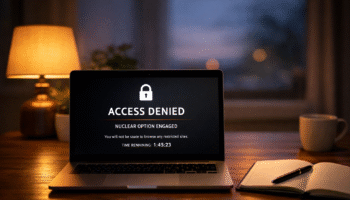
StayFocusd operates with absolute limits. Once a designated time is exhausted for a site, access is blocked until the reset period. This approach works effectively for users who benefit from external boundaries to resist temptation.
Stay Focused browser extension, by contrast, offers flexible controls. Users can allocate daily limits, manage categories of websites, and schedule allowances for different times of the day. This flexibility supports adaptive work routines without completely cutting off access, ideal for tasks requiring research or creative browsing.
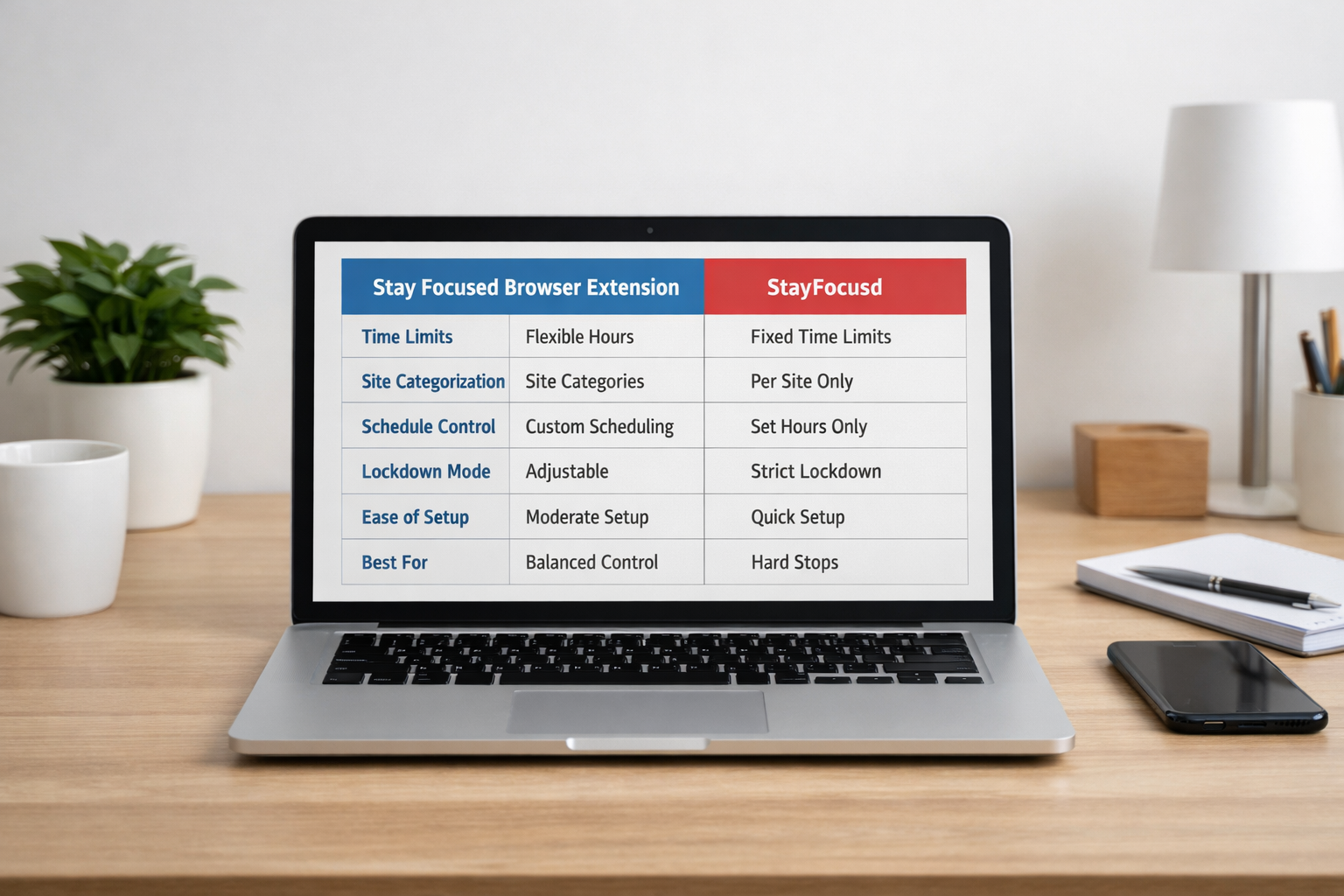
| Feature / Attribute | Stay Focused Browser Extension | StayFocusd |
|---|---|---|
| Time Blocking | Yes — daily/hourly limits, adjustable | Yes — fixed allowed time per domain |
| Site Categorization | Yes — group sites into categories | Limited — mainly per site |
| Schedule Control | Yes — customize by day and hour | Yes — enforce active hours |
| Strict Lock‑down Mode | Optional — can be adjusted | Mandatory — once limit reached, access denied |
| Ease of Setup | Moderate — more configuration options | Simple — quick setup with fewer choices |
| Best For | Balanced control and pacing | Hard stops for maximum accountability |
Behavioral Impact
Strict enforcement in StayFocusd reduces decision fatigue by removing choices mid-task. It is particularly effective for high-focus periods where even small distractions can derail work momentum. Stay Focused, meanwhile, uses pacing and customizable categories, making it ideal for mixed task days where work, research, and short mental breaks are interwoven.
Which Philosophy Each Tool Follows
Understanding the guiding philosophy behind each extension clarifies their intended impact on productivity.
StayFocusd: Discipline Through Enforcement
StayFocusd operates on the principle that hard limits reinforce discipline. Users set strict caps on site access, and once time expires, the block is irreversible until the next reset. This approach:
- Provides high friction at limits, ensuring interruptions are minimized.
- Requires minimal decision-making, as the rules are clear and non-negotiable.
- Serves as an external willpower support, reducing the temptation to override personal discipline.
This philosophy aligns with deep work frameworks, where uninterrupted focus is critical for cognitive performance.
Stay Focused Browser Extension: Sustainable Habit Formation
Stay Focused prioritizes adaptive and sustainable habits. Rather than strict cutoffs, it provides tools for pacing, scheduling, and categorizing sites. Key characteristics include:
- Customizable pacing across hours or categories.
- Adjustable schedules, balancing periods of work with short allowances for leisure browsing.
- Gradual habit shaping, supporting long-term discipline without punitive measures.
This design is well-suited for environments that require flexible attention management, such as research-heavy workflows or creative projects.
Technical and UX Differences
Beyond philosophy, the usability of each extension affects workflow integration.
Interface and Setup
StayFocusd features a simple setup with fewer decisions, ideal for quick activation during short work sprints. Stay Focused has a more detailed dashboard, requiring initial configuration but rewarding users with granular control over their browsing schedule.
Notifications and Reminders
StayFocusd uses clear countdowns and alerts to indicate when limits are approaching, fostering urgency. Stay Focused provides subtle reminders that guide users without breaking focus, suitable for longer sessions with mixed activities.
Which Users Benefit From Each Tool
Matching the extension to work habits maximizes productivity.
StayFocusd Users
- Individuals prone to impulse browsing.
- Professionals or students requiring uninterrupted focus.
- Users preferring straightforward, strict enforcement.
- People working in deep work blocks or tight deadlines.
Stay Focused Users
- Users seeking gradual habit formation rather than hard stops.
- Teams or individuals with mixed tasks and research needs.
- Those who want fine-tuned control over schedules, site categories, and daily pacing.
- Professionals managing creative or iterative workflows.
Trade-offs Between Strictness and Flexibility
Strictness Benefits
- Minimizes distraction through hard limits.
- Reduces decision fatigue, allowing users to concentrate fully.
- Supports intensive, uninterrupted focus sessions.
Flexibility Benefits
- Adapts to dynamic schedules and varied attention demands.
- Allows brief allowances for research or leisure without breaking workflow.
- Supports sustainable digital habits over time.
Strict tools provide immediate control but can feel punitive if misused. Flexible tools require thoughtful configuration but encourage long-term habit development.
Choosing Based on Work Style
- Deep Work Days: StayFocusd ensures uninterrupted attention for intensive tasks.
- Research or Creative Work: Stay Focused balances focus with selective browsing.
- Mixed Task Schedules: Flexible pacing of Stay Focused helps distribute attention efficiently.
Users can rotate tools depending on day-to-day goals to match their workflow, optimizing both productivity and mental energy.
Conclusion
Both Stay Focused and StayFocusd are effective for managing browser distractions, but they cater to different work philosophies. StayFocusd provides strict enforcement for high-discipline focus periods, while Stay Focused offers adaptive control for sustainable habits and mixed-task workflows.
Choosing the right tool enhances productivity, reduces digital distractions, and fosters mindful engagement with online work.
Frequently Asked Questions
What is the key difference between Stay Focused and StayFocusd?
StayFocusd enforces hard time limits per site, creating strict boundaries that cannot be bypassed, whereas Stay Focused offers flexible schedules, pacing, and site categorization, allowing gradual habit shaping alongside productivity needs.
Can both extensions be used simultaneously?
Using both extensions together may create conflicting rules and unpredictable blocking behavior. It is generally recommended to use one extension per workflow scenario to ensure consistent productivity enforcement.
Which extension is better for students?
Both are effective for students. StayFocusd works best for intense study sessions, limiting distraction entirely, while Stay Focused is suitable for research-heavy tasks requiring balanced access to educational content alongside social or collaborative platforms.
Do these tools affect browser performance?
Neither extension significantly impacts browser speed. They primarily monitor site access in the background. Minor slowdowns may occur with extensive rules, but optimizing settings typically resolves performance issues.
Are mobile versions available?
Both extensions are mainly designed for desktop browsers like Chrome. Mobile use is limited, though similar functionality can be achieved using device-specific screen time management apps.
How do these tools support long-term productivity habits?
Stay Focused encourages habit development by pacing browsing and structuring work periods, while StayFocusd strengthens short-term discipline with strict, non-negotiable limits. Combining either with mindful scheduling improves focus sustainability.
Helpful Resources
- Systematic research on digital distractions and prevention strategies – Digital distractions in education: causes & strategies.
- University guidance on attention management techniques – Attention Management
- Research summary on the science of digital distraction