Be honest — how many times have you checked your phone today? Five times? Ten? Maybe you’ve already glanced at it three times while reading this sentence.
You glance at your phone “just to check one thing.” Ten minutes later, you’re somewhere else entirely. A comment thread, a headline, a video. And the work you were supposed to do sits patiently (or not) on the side. That tiny buzz felt important in the moment. Later, it feels like theft.
We live in a world where pings, alerts, and pop-ups fight for our attention every few seconds. And without realizing it, we’ve become addicted to notifications — those tiny dopamine hits that make us feel connected, even when they’re quietly draining our focus and energy.
Notifications aren’t neutral. They hijack attention, fragment thinking, and over time, erode your capacity for sustained focus. If you’re tired of being constantly distracted, this article is for you.
This article explains why notifications are so effective at stealing your attention (with studies to prove it), then gives a practical, science-backed plan to stop chasing them and get your time and your calm back.
Why notifications hijack your brain
Smartphones and apps aren’t just tools; they’re behavior design platforms. Notifications are a carefully engineered signal: short, immediate, and emotionally salient. They create exactly the kind of intermittent reward system our brains love — unpredictability, novelty, and a sliver of social validation.
Two points from the research are especially important:
Interruptions cost time (and stress). Gloria Mark and colleagues measured interruptions in real work settings and found people often needed about 23 minutes to get back to full focus after an interruption. The study reported that frequent interruptions force people to work faster but also cause higher stress and frustration.
Notifications reduce cognitive control. Experimental research shows that smartphone notifications can impair cognitive control and attention, even when the notification task is small. A 2022 study on smartphone notifications reported measurable declines in attention and cognitive performance following notification exposure.
Put simply: each ping is not just a two-second distraction — it can collapse a long stretch of focused work into fragments you constantly try to reassemble. That’s why people feel “busy but unproductive.”
The emotional and health cost: it’s more than lost minutes
Notifications don’t only steal time; they increase anxiety, worsen sleep, and correlate with poorer mental health when combined with heavy screen use.
A growing body of research links higher screen time and problematic digital habits to increased depressive symptoms and anxiety levels across populations. For example, a 2022 meta-analysis found screen time to be a predictor of depressive symptoms in cohort studies. This is an important reminder that chronic digital overload relates to emotional health, not just productivity.
Experimental and observational studies also suggest that active notifications (not mere phone presence) are associated with inattention and “ADHD-like” symptoms in non-clinical populations — more restlessness, less sustained attention — reinforcing the idea that constant interruptions change how we feel and perform.
A reality check: turning off every notification doesn’t always solve the problem
Before you go into full disable mode, two important nuances from recent research:
- Behavioral rebound and anxiety. Some people who disable notifications report feeling anxious about missing important information, which can cause them to check the phone more often in other ways. Intervention studies show mixed results: disabling notifications sometimes reduces stress, but sometimes causes checking anxiety.
- Context matters. Notifications for urgent work matters (a manager pinging about a live incident) are different from social media pushes. The goal is not to ban notifications forever but to design intentional notification rules that match your life and priorities.
How to reclaim focus — a practical, research-backed roadmap
Below is a staged, human approach that combines behavioral design, tech settings, and simple habit shifts. Each step is practical and backed by cognitive or behavioral research.
1. Audit — know what’s actually interrupting you
Spend one sitting to list every app that pushes notifications. For each app ask:
- Do I need this in real time? (Work tools, family messages, security alerts = yes)
- Do I want to see this immediately, later, or never? (Social media, shopping, games = usually later or never)
Knowing what sends signals is the first step to control.
2. Triage — set notification rules (don’t go nuclear)
Use your phone’s settings to categorize:
- Critical: calls and messages from close contacts, calendar alerts for meetings.
- Batched: social networks, news — set these to deliver twice daily or check manually.
- Silent/Off: promotional emails, game invites, trivial app updates.
Batching notifications (delivering them at set times instead of continuously) has been shown to reduce stress and improve subjective focus in controlled tests. Google and other platforms have experimented with batching features for that reason.
3. Create Focus Blocks — protect them like meetings
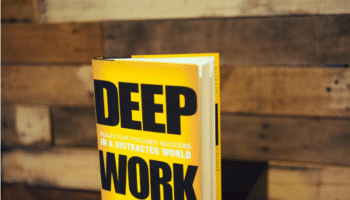
Research shows that recovering focus takes time after interruptions. Make “deep work” blocks (60–90 minutes) where:
- Notifications are silenced (use Do Not Disturb or app blockers).
- Only a single window/app is open for the task.
- Colleagues know your deep work windows (add to calendar if needed).
The cost of a single interruption is high; protecting blocks multiplies your productive time and reduces switching costs.
4. Reduce visibility — make distractions harder to reach
Small friction reduces automatic checking. Move social apps off your home screen, use a folder, or enable grayscale mode to make icons less appealing. Behavioral science shows that adding a tiny obstacle (even a two-tap folder) reduces impulse actions significantly.
5. Practice a “pre-check” pause
Before unlocking your phone or opening an app, pause for 5 seconds and ask: What am I trying to do? That micro-pause interrupts automaticity and reduces mindless checking. Mindfulness research suggests even brief reflective pauses increase intentional behavior.
6. Reclaim boredom — schedule low-stimulus time
Our brains need unstructured time to consolidate thoughts and foster creativity. Replace one “idle scroll” session a day with a short walk, a notebook session, or reading one page of a book. Studies on creativity and attention show that downtime fuels better problem-solving than constant stimulation.
7. Reassess weekly
Every Sunday evening (or any day that suits you), glance at your phone usage stats and ask: did my rules work? Where did I slip? Using data (Toggl, iOS/Android screen time) to inform small adjustments is more effective than grand resolutions.
Tools that help (without adding noise)
- Focus/Do Not Disturb (built into iOS/Android): schedule times and allow exceptions.
- Freedom / Serene / Focus apps: block websites/apps across devices during focus blocks. Evidence supports that removing temptation improves sustained attention.
- Batching features (email digest, notification batching): use if your phone or apps offer it. Experimental studies show batched delivery can reduce stress. WIRED
- Screen-time dashboards (iOS Screen Time, Android Digital Wellbeing): use these to build awareness rather than guilt.
You can get the full-list of minimalistic tools here.
Tools that help (without adding noise)
- Focus/Do Not Disturb (built into iOS/Android): schedule times and allow exceptions.
- Freedom / Serene / Focus apps: block websites/apps across devices during focus blocks. Evidence supports that removing temptation improves sustained attention.
- Batching features (email digest, notification batching): use if your phone or apps offer it. Experimental studies show batched delivery can reduce stress.
- Screen-time dashboards (iOS Screen Time, Android Digital Wellbeing): use these to build awareness rather than guilt.
Quick, practical checklist you can apply today
- Do a 10-minute notification audit (list & triage).
- Schedule two 90-minute focus blocks tomorrow and turn on Do Not Disturb.
- Move one socially tempting app off your home screen.
- Set one daily “no-phone” time of 30 minutes (walk, read, reflect).
- Review your phone’s weekly screen time on Sunday evening and tweak.
Final thought
Notifications were designed to make life easier. But in the attention economy they often do the opposite. The trick isn’t to wage war on your phone — it’s to redesign your relationship with it.
Audit, triage, protect, and reflect.
With small changes, you won’t just reclaim minutes — you’ll reclaim the ability to think deeply, create freely, and live with a little more calm.
FAQs
Q: Won’t disabling notifications make me miss important things?
A: It depends on what you call “important.” Use an exceptions list: allow calls/texts from family or critical work contacts. For everything else, batched checks will do. Most people find they don’t miss critical items and instead miss less noise. Studies show some people initially feel anxious, but anxiety often fades as they regain control.
Q: How long before I notice a difference?
A: Many people report feeling calmer within days of batching notifications and protecting focus blocks. Cognitive recovery and deeper productivity gains often accumulate across 1–3 weeks as new habits stabilize. The window is personal; use weekly check-ins to track progress.
Q: Should I disable social media notifications completely?
A: For many, yes — especially if social feeds are a primary source of distraction. Try a 30-day “digital declutter” (as Cal Newport recommends): disable optional social notifications and reintroduce only what truly supports your values. That experiment reveals what’s genuinely useful.
Q: My job requires responsiveness — how do I balance that?
A: Clarify what “responsive” means with your team. Use status indicators, designate triage times, and use channel labeling (urgent vs. async). Often teams can agree on windows for immediate responses and windows for concentrated work.
Q: Are there situations when turned-on notifications are helpful?
A: Absolutely. Emergency alerts, certain collaboration contexts, and time-sensitive operational roles require live notifications. The goal is to be deliberate about which notifications you keep and which you silence.