


close

Tools We Use

In a world full of apps and notifications, the right tools can bring calm—not chaos. This section features minimalist, mindful, and high-performing digital tools that help you stay organized, focused, and productive without overwhelming your day. Each recommendation is tested for simplicity and impact, so you can work smarter and live lighter.

Tools We Use

Are Focus Extensions Safe? What They Track and What They Don’t

Focus extensions sit quietly in the background of modern workdays. They block a few sites, track time in the browser, and nudge attention back to what matters. Because they operate inside the same space as work emails, research tabs, and personal browsing, it’s reasonable to ask whether a focus extension safe to use is also respectful of privacy. The short answer is that most reputable tools are narrowly scoped, but understanding how they work removes guesswork and unnecessary fear.

This explainer breaks down access, limits, and common misunderstandings using how focus tools actually behave in real browser environments today.

Why Safety Questions Come Up So Often

Browsers have become operating systems for remote work. Project management tools, cloud documents, dashboards, and messaging apps all live behind tabs. When an extension asks for permission to “read and change data on websites,” the wording sounds broader than the reality. That mismatch between technical language and everyday understanding is where most safety concerns begin.

From a practical standpoint, focus extensions are designed to observe patterns, not content. Their job is to recognize when a site is visited and how long it stays active, not to interpret meaning or collect personal information.

What Focus Extensions Can Access

To do their job, focus extensions need limited visibility into browsing activity. This access is controlled by the browser and restricted to specific technical boundaries.

Website Addresses and Domain Recognition

Focus extensions can see which website is open, usually at the domain level. This is how they know when a blocked site loads or when a time limit should start counting down. Seeing a domain like a social platform or news site is enough to trigger a rule. The extension does not need to know what article is being read or what content appears on the page.

This distinction matters. Knowing where the browser is pointed is not the same as knowing what the user is doing there.

Tab Activity and Time Measurement

Another core function is timing. Focus tools track when a tab becomes active and when it fades into the background. This allows accurate measurement of time spent on certain sites without guessing.

In daily use, this is what enables behavior like pausing timers when switching tasks or stopping counts when a tab is minimized. The extension responds to browser state changes, not human behavior beyond the screen.

Local Storage for Preferences

Most focus extensions store settings directly inside the browser using local storage. This includes block lists, daily limits, and historical usage summaries. Because this data lives locally, it stays on the device unless a syncing feature is enabled.

This is why uninstalling an extension often removes its history entirely. There’s no hidden archive following the user across the internet.

Optional Sync Features

Some focus tools offer optional syncing across devices, usually through an account. When enabled intentionally, this typically transfers settings rather than raw activity logs. Reputable extensions make this choice explicit and allow full functionality without forced sign-ups.

A focus extension safe by design treats syncing as a convenience, not a requirement.

What Focus Extensions Typically Don’t Track

Just as important as access is understanding what’s outside their reach. Many common fears simply don’t align with how browser extensions are structured.

Typed Information and Keystrokes

Focus extensions do not record what is typed into forms, chats, or documents. Passwords, private messages, and search terms are not captured. Recording keystrokes would require permissions that browsers flag aggressively and users would notice immediately.

If an extension’s purpose is blocking time-wasting sites, there is no functional reason for it to observe typing behavior.

Page Content and Media

Although a focus extension knows a site is open, it does not read the page itself. Text, images, videos, and comments remain opaque. The extension reacts to the URL, not the content behind it.

This means a focus tool can block a video platform without knowing which video is playing or what topic it covers.

Files, Downloads, and Local Data

Focus extensions operate strictly within the browser sandbox. They do not access local files, scan downloads, or interact with folders on the device. Any extension requesting file system access for productivity blocking should raise questions, because it’s unnecessary for focus-related tasks.

Activity Outside the Browser

Focus tools do not monitor mobile apps, desktop software, or offline behavior. They don’t know when a phone is picked up or another application is opened. This limitation is often mistaken for weakness, but from a privacy standpoint, it’s a built-in safeguard.

Understanding Browser Permission Language

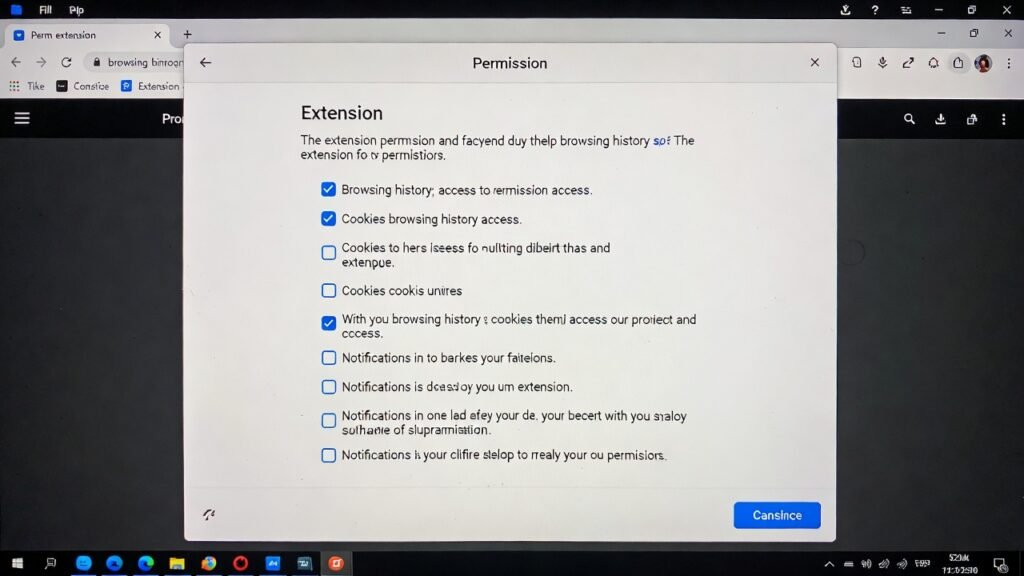
Permission prompts are written to cover broad technical possibilities, not specific intentions. When an extension asks to “read and change data on websites,” it usually means it can detect the site and inject a block screen when rules apply.

It does not mean unrestricted access to personal accounts or communications. Browsers isolate extensions so they can’t quietly escalate permissions without user approval.

Typical Data Access at a Glance

The table below summarizes what reputable focus tools usually access and why that access exists.

Data TypeTypical AccessPurposePractical Risk
Website domainsYesIdentify blocked or limited sitesLow
Time-on-site dataYesEnforce limits accuratelyLow
Page contentNoNot requiredNone
KeystrokesNoNot requiredNone
Local filesNoNot requiredNone
Cloud sync dataOptionalCross-device settingsLow when transparent

How to Judge Whether a Focus Extension Is Safe

Instead of looking for perfection, it helps to look for alignment. A focus extension safe to use usually requests only what it needs and explains why in plain language. Permissions should match features, not exceed them.

Clear privacy documentation, optional accounts, and regular updates are practical trust signals. Extensions that feel vague about data handling or force unnecessary permissions are worth avoiding.

A Practical Definition of Safety

In real-world productivity setups, safety is about proportionality. Focus extensions don’t need deep access to be effective, and most don’t ask for it. They exist to shape habits, not observe lives.

Understanding their limited scope allows users to benefit from distraction control without assuming silent surveillance. In the second half of this article, we’ll examine realistic risks, warning signs to watch for, and best practices for using focus tools responsibly over time.

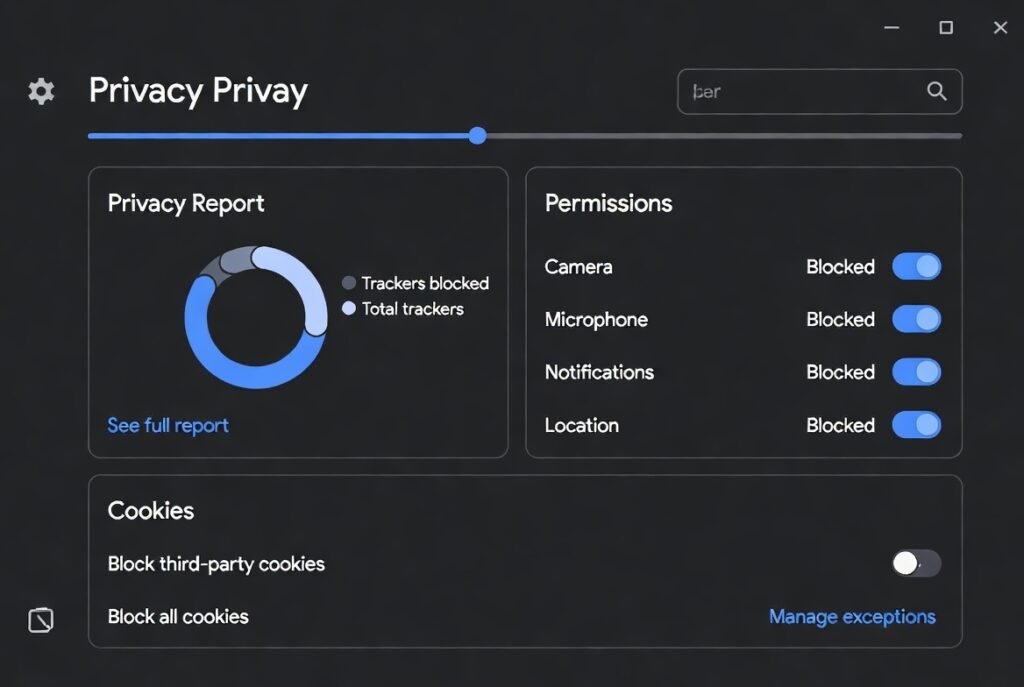
Clean modern browser privacy dashboard showing trackers blocked, permissions managed, and cookies settings – Are Focus Extensions Safe?
Secure browsing with privacy controls active

How to Audit Extension Permissions Before Installing

Auditing permissions is less technical than it sounds and fits naturally into everyday browser habits. Most browsers show requested permissions clearly at install time and again inside the extensions dashboard. Taking a moment here is similar to checking app permissions on a smartphone before tapping “Allow.”

The key is to compare permissions with purpose. A focus extension exists to limit access to certain websites and measure time. Seeing access to website domains and tabs makes sense in that context. Requests unrelated to focus, such as file system access or persistent background network activity, deserve closer attention. Reviewing permissions periodically also matters, especially after updates, since extensions can evolve over time.

Red Flags to Watch For

Not all risks are dramatic, but some signals consistently indicate poor privacy practices. One common red flag is forced account creation for basic functionality. If an extension can’t block websites or track time without signing in, the data relationship deserves scrutiny.

Another concern is vague or missing privacy documentation. Reputable tools explain data use in clear, human language rather than legal ambiguity. Excessive permissions unrelated to focus, frequent unexplained updates, or reviews mentioning unexpected behavior are also worth noting. None of these automatically mean harm, but together they suggest misalignment between function and access.

Best Practices for Safe Everyday Use

Safe use isn’t about constant vigilance; it’s about reasonable habits. Installing only a small number of extensions reduces overall exposure. Keeping browsers updated ensures security patches apply not just to the browser itself, but also to extension frameworks.

It also helps to periodically review installed extensions and remove those no longer used. Focus tools are meant to support behavior, not accumulate indefinitely. Choosing extensions that store data locally by default and treat cloud syncing as optional further limits exposure without sacrificing usability.

Balancing Productivity and Privacy

Focus extensions sit at an intersection of trust and convenience. They need limited access to work, but not unlimited insight into life. When users understand that scope, fear often gives way to practical confidence.

A focus extension safe to use doesn’t demand blind trust. It earns it through transparency, restraint, and alignment with its stated goal. Used thoughtfully, these tools remain helpers rather than observers.

Conclusion

Focus extensions are not silent recorders of online life. They operate within narrow, browser-defined boundaries designed to support attention, not invade privacy. When permissions align with purpose and users maintain simple auditing habits, these tools can be used comfortably in modern work routines.

Safety, in this context, is less about perfection and more about informed, mindful use that respects both productivity goals and personal boundaries.

FAQ Section

Are focus extensions safe to use on work computers?

In most cases, yes, when approved by workplace policy. Focus extensions operate at the browser level and typically access only website domains and timing data. They don’t read documents or messages. Still, reviewing permissions and choosing tools with clear privacy policies helps ensure alignment with professional environments and employer expectations.

Can focus extensions see passwords or private messages?

No. Focus extensions do not capture keystrokes or page content. Passwords, emails, and chat messages remain inaccessible. Their visibility stops at recognizing which website is open and how long it stays active. Anything deeper would require permissions that browsers clearly flag and users would notice.

Do focus extensions send data to external servers?

Most reputable focus tools store data locally by default. Some offer optional cloud sync for settings across devices, which is usually disabled unless enabled intentionally. Checking privacy documentation clarifies whether data ever leaves the browser and under what conditions.

Is it safer to use focus extensions without an account?

Generally, yes. Extensions that function fully without accounts minimize data sharing by design. Accounts can be convenient for syncing, but they’re not essential for basic focus features. When account creation is optional and clearly explained, it’s a positive trust signal.

How often should extension permissions be reviewed?

A practical rhythm is every few months or after major updates. Browsers make this easy through extension settings pages. Regular reviews ensure permissions still match functionality and help users stay aware without constant monitoring.

Helpful Resources

  1. National Institute of Standards and Technology (NIST) – Privacy & Cybersecurity Framework
    NIST provides practical standards, guidelines, and tools that help organizations and individuals manage privacy risk and design systems that respect user data. NIST Cybersecurity and Privacy Resources
  2. Federal Trade Commission (FTC) – Privacy & Security Guidance
    The FTC offers consumer‑focused information on online privacy practices, data security basics, and how companies should protect personal information. FTC Privacy and Security Guidance
read more
Tools We Use

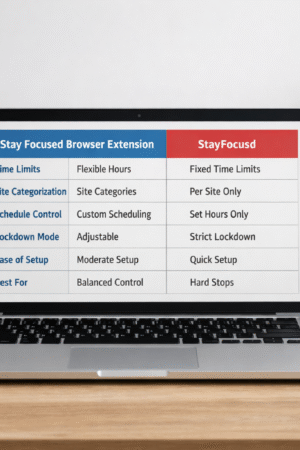
Stay Focused Browser Extension vs StayFocusd: Key Differences

Stay Focused Browser Extension vs StayFocusd

Stay Focused Browser Extension vs StayFocusd

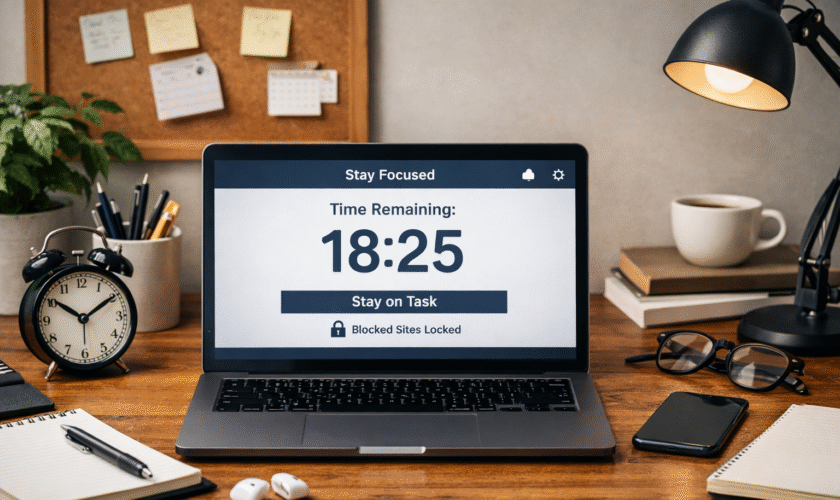
Modern remote work often involves navigating multiple browser tabs, which can make staying on task challenging. Even well-planned workflows are prone to distraction when notifications, social media, or news sites pop up unexpectedly.

Two browser extensions—Stay Focused and StayFocusd—offer solutions, but they approach focus management in distinct ways. Understanding the differences between them helps individuals and teams maintain productive routines without excessive stress.

How the Two Extensions Differ

Both extensions aim to limit distractions, but they differ in philosophy, flexibility, and user control. StayFocusd is built around strict enforcement, while Stay Focused emphasizes adaptable boundaries. These design differences translate into how users experience focus and productivity throughout a workday.

Core Functionality Differences

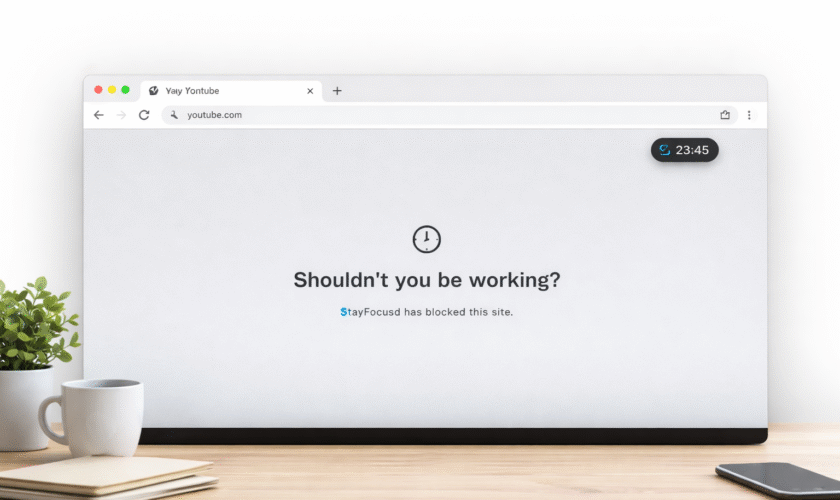
StayFocusd operates with absolute limits. Once a designated time is exhausted for a site, access is blocked until the reset period. This approach works effectively for users who benefit from external boundaries to resist temptation.

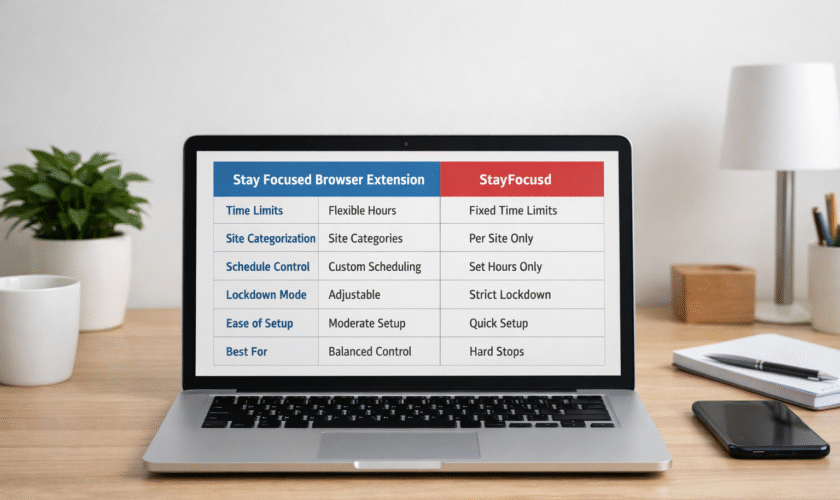
Stay Focused browser extension, by contrast, offers flexible controls. Users can allocate daily limits, manage categories of websites, and schedule allowances for different times of the day. This flexibility supports adaptive work routines without completely cutting off access, ideal for tasks requiring research or creative browsing.

Feature / AttributeStay Focused Browser ExtensionStayFocusd
Time BlockingYes — daily/hourly limits, adjustableYes — fixed allowed time per domain
Site CategorizationYes — group sites into categoriesLimited — mainly per site
Schedule ControlYes — customize by day and hourYes — enforce active hours
Strict Lock‑down ModeOptional — can be adjustedMandatory — once limit reached, access denied
Ease of SetupModerate — more configuration optionsSimple — quick setup with fewer choices
Best ForBalanced control and pacingHard stops for maximum accountability

Behavioral Impact

Strict enforcement in StayFocusd reduces decision fatigue by removing choices mid-task. It is particularly effective for high-focus periods where even small distractions can derail work momentum. Stay Focused, meanwhile, uses pacing and customizable categories, making it ideal for mixed task days where work, research, and short mental breaks are interwoven.

Which Philosophy Each Tool Follows

Understanding the guiding philosophy behind each extension clarifies their intended impact on productivity.

StayFocusd: Discipline Through Enforcement

StayFocusd operates on the principle that hard limits reinforce discipline. Users set strict caps on site access, and once time expires, the block is irreversible until the next reset. This approach:

  • Provides high friction at limits, ensuring interruptions are minimized.
  • Requires minimal decision-making, as the rules are clear and non-negotiable.
  • Serves as an external willpower support, reducing the temptation to override personal discipline.

This philosophy aligns with deep work frameworks, where uninterrupted focus is critical for cognitive performance.

Stay Focused Browser Extension: Sustainable Habit Formation

Stay Focused prioritizes adaptive and sustainable habits. Rather than strict cutoffs, it provides tools for pacing, scheduling, and categorizing sites. Key characteristics include:

  • Customizable pacing across hours or categories.
  • Adjustable schedules, balancing periods of work with short allowances for leisure browsing.
  • Gradual habit shaping, supporting long-term discipline without punitive measures.

This design is well-suited for environments that require flexible attention management, such as research-heavy workflows or creative projects.

Technical and UX Differences

Beyond philosophy, the usability of each extension affects workflow integration.

Interface and Setup

StayFocusd features a simple setup with fewer decisions, ideal for quick activation during short work sprints. Stay Focused has a more detailed dashboard, requiring initial configuration but rewarding users with granular control over their browsing schedule.

Notifications and Reminders

StayFocusd uses clear countdowns and alerts to indicate when limits are approaching, fostering urgency. Stay Focused provides subtle reminders that guide users without breaking focus, suitable for longer sessions with mixed activities.

Which Users Benefit From Each Tool

Matching the extension to work habits maximizes productivity.

StayFocusd Users

  • Individuals prone to impulse browsing.
  • Professionals or students requiring uninterrupted focus.
  • Users preferring straightforward, strict enforcement.
  • People working in deep work blocks or tight deadlines.

Stay Focused Users

  • Users seeking gradual habit formation rather than hard stops.
  • Teams or individuals with mixed tasks and research needs.
  • Those who want fine-tuned control over schedules, site categories, and daily pacing.
  • Professionals managing creative or iterative workflows.

Trade-offs Between Strictness and Flexibility

Strictness Benefits

  • Minimizes distraction through hard limits.
  • Reduces decision fatigue, allowing users to concentrate fully.
  • Supports intensive, uninterrupted focus sessions.

Flexibility Benefits

  • Adapts to dynamic schedules and varied attention demands.
  • Allows brief allowances for research or leisure without breaking workflow.
  • Supports sustainable digital habits over time.

Strict tools provide immediate control but can feel punitive if misused. Flexible tools require thoughtful configuration but encourage long-term habit development.

Choosing Based on Work Style

  • Deep Work Days: StayFocusd ensures uninterrupted attention for intensive tasks.
  • Research or Creative Work: Stay Focused balances focus with selective browsing.
  • Mixed Task Schedules: Flexible pacing of Stay Focused helps distribute attention efficiently.

Users can rotate tools depending on day-to-day goals to match their workflow, optimizing both productivity and mental energy.

Conclusion

Both Stay Focused and StayFocusd are effective for managing browser distractions, but they cater to different work philosophies. StayFocusd provides strict enforcement for high-discipline focus periods, while Stay Focused offers adaptive control for sustainable habits and mixed-task workflows.

Choosing the right tool enhances productivity, reduces digital distractions, and fosters mindful engagement with online work.

Frequently Asked Questions

What is the key difference between Stay Focused and StayFocusd?
StayFocusd enforces hard time limits per site, creating strict boundaries that cannot be bypassed, whereas Stay Focused offers flexible schedules, pacing, and site categorization, allowing gradual habit shaping alongside productivity needs.

Can both extensions be used simultaneously?
Using both extensions together may create conflicting rules and unpredictable blocking behavior. It is generally recommended to use one extension per workflow scenario to ensure consistent productivity enforcement.

Which extension is better for students?
Both are effective for students. StayFocusd works best for intense study sessions, limiting distraction entirely, while Stay Focused is suitable for research-heavy tasks requiring balanced access to educational content alongside social or collaborative platforms.

Do these tools affect browser performance?
Neither extension significantly impacts browser speed. They primarily monitor site access in the background. Minor slowdowns may occur with extensive rules, but optimizing settings typically resolves performance issues.

Are mobile versions available?
Both extensions are mainly designed for desktop browsers like Chrome. Mobile use is limited, though similar functionality can be achieved using device-specific screen time management apps.

How do these tools support long-term productivity habits?
Stay Focused encourages habit development by pacing browsing and structuring work periods, while StayFocusd strengthens short-term discipline with strict, non-negotiable limits. Combining either with mindful scheduling improves focus sustainability.

Helpful Resources

read more
Tools We Use

Focused Browser Extensions: Which Ones Actually Work in 2026?

Focused Browser Extensions

In our increasingly digital workspaces, staying focused has become more challenging than ever. With social media notifications, endless tabs, and streaming distractions just a click away, the need for tools that genuinely help maintain attention is clear.

Focused browser extensions have emerged as practical solutions, designed to limit distractions, streamline online tasks, and foster deep work. But not all extensions live up to their promises—some add more friction than value, while others quietly track your activity without improving productivity.

In 2026, choosing the right tool requires understanding both the psychology of focus and the evolving capabilities of modern browsers.

What Makes a Browser Extension Effective

A browser extension can claim to “boost focus,” but the real test lies in its design and alignment with human attention patterns. Effective extensions share several key traits that make them genuinely helpful:

1. Minimal Cognitive Load
An effective extension simplifies your decisions. Rather than presenting endless settings, it offers clear choices: block, allow, or schedule access. For example, extensions like Forest use gamified timers that require almost no conscious effort to set up but provide immediate feedback on progress, reinforcing sustained focus.

2. Customization That Matches Real Workflows
People’s attention patterns differ depending on tasks. Some need full isolation, while others benefit from limited, structured browsing. High-quality focus extensions let users tailor block lists, work intervals, and reward systems, accommodating both short sprints and extended deep work sessions.

3. Transparent Permissions and Privacy
A productive extension doesn’t hide what it can access. Users in 2026 are more privacy-conscious, often looking for open-source or verified extensions with minimal data collection. An effective tool will clearly indicate whether it tracks websites visited, time spent, or personal identifiers—and offer an opt-out.

4. Integration With Modern Work Tools
Many productive workflows rely on web-based apps. Extensions that integrate with Google Workspace, Microsoft 365, or Slack reminders help maintain attention without forcing users to leave their task environment. Tools that sync focus sessions across devices are particularly valuable for hybrid remote work.

5. Real-Time, Actionable Feedback
Simply blocking websites isn’t always enough. Leading extensions provide insights: time spent on focus versus distraction, streaks of productive sessions, or gentle nudges when attention drifts. These micro-feedback loops help reinforce behavioral changes without inducing stress.

Why Many Focus Tools Fail

Despite the proliferation of browser extensions, many users report limited improvement in concentration.

Extensions that are too strict can sometimes backfire. For instance, using the StayFocusd nuclear option can completely lock access to sites, which is helpful for some users but may trigger frustration if applied without careful planning

Understanding why some tools fail can help you avoid wasted time and frustration.

1. Overly Restrictive Features
Extensions that block too much or lock users out completely can trigger anxiety or resistance. In practice, too rigid a system often leads to workarounds, like switching browsers, using incognito modes, or mentally rebelling against the tool’s limitations.

2. Lack of Personalization
A “one-size-fits-all” approach ignores individual work habits. Some users thrive with time-blocked interruptions, while others need gradual distraction reduction. Without the ability to adjust rules or timing, extensions become more of a nuisance than an aid.

3. Ignoring Multitasking Realities
Modern work often requires hopping between tabs and apps. Extensions that indiscriminately block sites without context fail to recognize productive multitasking. For example, a student researching for a report may find a blocklist that includes social media research sources ironically reducing efficiency.

4. Poor User Experience
Clunky interfaces, confusing settings, or frequent bugs can break concentration rather than improve it. An extension should fade into the background, operating smoothly in the workflow without adding friction.

5. False Sense of Productivity
Some extensions provide gamified streaks or alerts but fail to address core distractions. Users may feel they are focusing while their attention still drifts, creating an illusion of productivity. Real gains require measurable behavioral changes, not just app metrics.

focused browser extension
Frustrated user with multiple browser notifications

To help navigate the crowded market of productivity tools, the table below compares the leading focused browser extensions currently used by remote workers, students, and knowledge professionals in 2026. The evaluation includes effectiveness, customization, privacy, and integration.

For users who prefer a simple setup without excessive options, extensions like Mindful Web or Forest are often considered the best focus extension for minimalists. These tools keep the interface clean while still supporting productive workflows.”

ExtensionMain FocusCustomization OptionsPrivacy & PermissionsIntegration FeaturesIdeal For
StayFocusdTime-limited site blockingCustomizable blocklists, nuclear modeMinimal tracking, optional data sharingWorks across Chrome ecosystemUsers needing strict time control
ForestGamified focus sessionsSet timers, plant virtual treesOffline-first, no trackingSync across devicesGamified focus seekers
LeechBlock NGHighly granular blockingAdvanced rules, schedules, regexLocal storage onlyWorks on multiple browsersUsers needing precise control
FreedomCross-device distraction controlBlock apps/websites, schedule sessionsEncrypted sync, transparent policiesDesktop & mobile integrationProfessionals needing device-wide focus
Mindful WebGentle nudges & remindersAdjustable nudges, weekly reportsMinimal tracking, opt-outGoogle Workspace, Slack remindersUsers building awareness habits

This comparison highlights how modern focus tools differ not just in blocking capability, but in workflow integration, personalization, and user experience. Choosing the right extension depends on your work style, attention needs, and tolerance for rigidity.

Realistic Expectations for Focus Tools

No extension can magically create focus. Their role is to provide structure and reduce friction around attention. Expect incremental gains rather than overnight transformation. Some days, you may drift despite blocks; other days, you may experience heightened concentration. Combining extensions with disciplined routines—like Pomodoro cycles, morning planning, and regular breaks—ensures a practical, sustainable approach to productivity.

Before committing to a tool, it’s helpful to understand its boundaries. Reviewing the Stay Focused extension features and limits can guide users in setting realistic rules that match their workflow without causing unnecessary stress.

How to Test Effectiveness Personally

Testing focus tools is about observing your behavior over time, not chasing metrics alone. Try these steps:

  1. Baseline Your Attention: Track how long you focus on a task without any extension.
  2. Implement One Tool at a Time: Avoid stacking multiple extensions at once.
  3. Set Clear Goals: Decide whether the goal is reducing social media, improving deep work, or maintaining streaks.
  4. Observe Changes: Take notes on task completion, stress levels, and distraction frequency.
  5. Adjust Rules: Tweak settings to match real-life needs, avoiding overly rigid blocking.

Consistency over a few weeks provides a clearer picture than short-term spikes in focus.

Long-Term Focus Strategies Beyond Extensions

Browser extensions can help, but lasting attention improvement relies on broader habits:

  • Structured Work Routines: Use consistent start times, time-blocking, and task prioritization.
  • Digital Hygiene: Limit unnecessary notifications across devices, keep browser tabs minimal, and archive irrelevant emails.
  • Mindfulness Practices: Brief meditation or focus exercises help train attention control beyond the digital workspace.
  • Physical Environment Optimization: Light, ergonomics, and minimal clutter reduce cognitive friction.
  • Accountability Systems: Share goals with a colleague, friend, or team to reinforce behavioral change.

Extensions work best as part of a comprehensive attention strategy rather than a standalone solution.

Conclusion

So, is a focused browser extension the key to productivity? Here’s our final thoughts on the matter. Extensions like StayFocusd, Forest, LeechBlock NG, Freedom, and Mindful Web can meaningfully reduce digital distractions when used thoughtfully.

The best results come from combining these tools with realistic expectations, personal experimentation, and long-term attention-building habits. They are aids, not magic bullets—helpful guides to keep your focus aligned with the demands of modern work life.

FAQ

1. Can focused browser extensions replace self-discipline?
No. Extensions help create structure, but self-discipline remains essential. They work best when paired with personal routines, time-blocking, and mindful strategies. Without conscious effort, tools alone won’t sustain deep work habits over the long term.

2. Are there risks to using multiple extensions?
Yes. Installing several focus extensions simultaneously can cause conflicts, slow browsers, or create overlapping block rules that disrupt workflow. Start with one tool, evaluate effectiveness, then consider adding additional extensions gradually.

3. How often should I review extension settings?
At least once a month. Attention needs and work demands shift over time. Reviewing settings ensures rules remain practical, prevents over-restriction, and maintains alignment with current tasks and productivity goals.

4. Do focus extensions track my data?
It depends on the extension. Many modern tools prioritize privacy and offer offline-first operation. Always check permissions and privacy policies. Choose tools with minimal tracking and transparent data practices, especially if using multiple devices.

5. Can focus extensions help with multitasking?
Yes, if configured thoughtfully. Extensions that allow selective site access or scheduled blocks support productive multitasking. Overly rigid tools, however, may hinder workflows that require switching between research, communication, and task management.

6. How long before I notice improvements?
It varies, but most users see measurable improvements in 1–3 weeks. Combining extensions with consistent routines, breaks, and attention-awareness exercises accelerates results and makes focus gains more sustainable.

7. Are some extensions better for students than professionals?
Yes. Gamified tools like Forest are particularly effective for students or casual focus sessions, while professional users may benefit from Freedom or StayFocusd for multi-device, work-critical control.

Further Reading

  • The Science of Focus: A recent evidence‑based guide to rebuilding attention span with strategies like mindfulness and digital hygiene — great for grounding the psychology discussion. The Science of Focus: Rebuild Your Attention Span
  • Pomodoro Technique (Wikipedia): Authoritative explanation of this time management method, which is a strong alternative to extreme blocking strategies. Pomodoro Technique Overview
  • Timeblocking (Wikipedia): A well‑established productivity technique that complements tools like StayFocusd without the downsides of full lockdown modes. Timeblocking Productivity Technique
read more
Tools We Use

The Best Focus Extension for Minimalists (Compared Honestly)

focus extension

In a world where notifications, tabs, and digital distractions are constant, minimalists approach productivity differently. For them, focus is not about adding more tools or bells and whistles; it’s about stripping away the clutter and keeping the digital workspace as simple and intentional as possible.

Constant pings and alerts can fragment your attention and reduce productivity—if you’re struggling with this, check out our guide on Notification Overload Is Stealing Your Focus — Here’s How to Take It Back for strategies to reclaim your focus.

Choosing a focus extension should follow the same philosophy—lightweight, purposeful, and distraction-free.

What Minimalists Need from Focus Tools

Minimalists prioritize calm, intentional workflows. They don’t want a dashboard full of analytics or hundreds of settings to tweak—they want simplicity that actually improves attention without introducing new stressors.

A focus extension for minimalists should ideally offer:

  • Distraction blocking without excess: The tool should limit access to specific websites or apps without requiring constant monitoring or complex setup.
  • Clear, unobtrusive interface: Minimalists value a clean browser or desktop, so focus tools should integrate without cluttering the screen.
  • Time-based reminders, not nagging: Gentle nudges to stay on task work better than constant pop-ups or alerts.
  • Customizable but simple controls: Flexibility is important, but options should be few, intuitive, and relevant to real-world productivity.
  • Lightweight performance: Minimalists prefer tools that don’t slow down the system or drain resources.

In short, the ideal focus extension supports focus without being a distraction itself. A minimalist approach treats the tool as a quiet assistant, not a personal trainer shouting at you.

Why More Features Don’t Mean Better Focus

It’s tempting to think that a feature-rich extension—one with analytics, gamification, and deep reporting—will automatically improve your attention. But real-world use shows the opposite: complexity can create cognitive overload, leading to decision fatigue rather than improved focus.

Many popular focus extensions include:

  • Extensive dashboards tracking every second of online activity
  • Gamified streaks and badges
  • Complex schedules and multiple blocking profiles

While these may feel productive, minimalists notice they often distract more than they help. Each extra feature requires attention, judgment, and energy, which defeats the purpose of a focus tool.

Instead, minimalist productivity emphasizes:

  • Fewer decisions: Simple enable/disable toggles for site blocking reduce mental load.
  • Intentional pauses: Subtle timers and reminders to return to work maintain focus without adding stress.
  • Seamless workflow: The extension should blend into the browser or device environment instead of drawing attention to itself.

A minimalist knows that focus is a behavior, not a feature count. Even the most advanced dashboard cannot replace disciplined work habits and intentional environment design.

To illustrate, here’s a comparison of widely used focus extensions. The table highlights which features align with minimalist principles versus which may add unnecessary complexity.

For a broader overview of popular focus tools beyond the minimalist-friendly options, see our list of 5 Browser Extensions That Help You Focus (and One to Avoid).

ExtensionMinimalist-Friendly?Key FeaturesComplexity LevelBest Use Case
StayFocusdBlock specific sites, nuclear mode, time limitsLowSimple site blocking with strong focus sessions
Forest⚠️Gamification, tree-growing, multiple devicesMediumUsers who enjoy visual motivation but can tolerate extra features
LeechBlock NGAdvanced site blocking, schedulesMediumPower users needing granular control without heavy dashboards
Freedom⚠️Multi-device blocking, scheduling, reportsHighCross-platform focus but can be overkill for minimalists
Cold TurkeyScheduled blocks, freeze modeLowOffline focus sessions with minimal UI clutter

From the table, it’s clear that the most minimalist-friendly tools are those that limit features while staying highly functional. StayFocusd, LeechBlock NG, and Cold Turkey all align with a simple, distraction-free philosophy. Features like gamification or analytics can feel rewarding initially but may slowly shift attention away from work.

focus extension
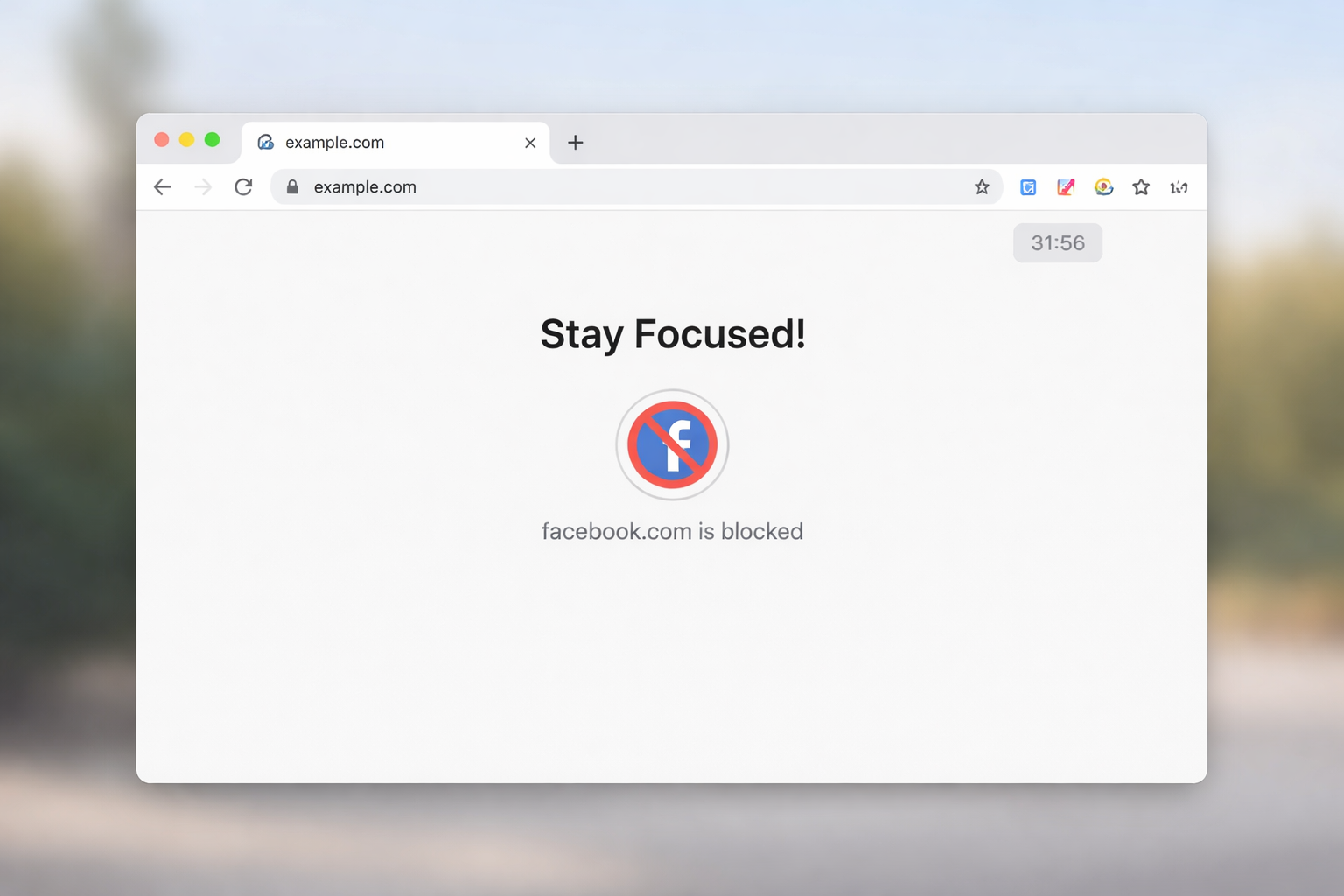
Minimalist browser view showing Facebook blocked by StayFocusd

Here are the pros and cons of some widely used focus extensions, highlighting which align with minimalist principles and which may add unnecessary complexity.

ExtensionProsConsFits Best For
StayFocusdLightweight, simple blocking, nuclear mode for strong focusLimited cross-device syncUsers seeking a clean, no-frills focus tool
ForestVisual motivation, gamification encourages engagementCan be distracting, extra features add noiseCreative users who enjoy subtle rewards while working
LeechBlock NGFlexible scheduling, granular blocking, no flashy UISetup can feel complexUsers wanting precise control without heavy dashboards
FreedomMulti-device blocking, timed sessions, reportsCan feel overwhelming, subscription requiredProfessionals needing cross-platform focus but tolerating extra complexity
Cold TurkeySimple freeze mode, scheduled blocks, offline functionalityCan be hard to override in emergenciesWorkers needing strong, distraction-proof offline sessions

Minimalists also benefit from understanding how feature overload can sneak in unnoticed. Even subtle options like “daily reports” or “achievement badges” create mental noise. While they seem harmless, each notification or visual cue can fragment attention, defeating the core purpose of a focus extension.

Honest Pros and Cons of Minimalist Tools

  • StayFocusd: Simple, fast, effective—but lacks multi-device sync.
  • Forest: Fun visual feedback, encourages habit building—but gamification may be distracting.
  • LeechBlock NG: Powerful customization, blocks multiple sites—initial setup can be complex.
  • Freedom: Cross-device and detailed scheduling—may feel heavy for minimalist users.
  • Cold Turkey: Extremely strict blocking offline—can be frustrating if flexibility is needed.

To make the most of StayFocusd without feeling restricted or stressed, we recommend reading How to Use StayFocusd Effectively Without Burning Out for practical tips and setup strategies.

Who Each Extension Fits Best

  • StayFocusd: Ideal for minimalists who want a quick, no-nonsense tool in Chrome.
  • Forest: Great for creative users who respond to visual reinforcement.
  • LeechBlock NG: Best for users who need tailored schedules but still value simplicity.
  • Freedom: Suitable for professionals working across devices who don’t mind some complexity.
  • Cold Turkey: Perfect for those seeking total, offline distraction-proof focus sessions.

If you’re considering alternative focus tools, our detailed analysis of the Stay Focused Extension: Features, Limits, and Who It’s Best For can help you decide whether it suits your minimalist workflow.

How to Avoid Tool Overload

Even minimal extensions can become distractions if mismanaged. To prevent “tool fatigue”:

  1. Start simple: Install one extension, configure it minimally, and track results.
  2. Ignore non-essential features: Turn off dashboards, badges, and notifications you don’t need.
  3. Time-limit extensions themselves: Don’t let focus tools dominate your attention.
  4. Regularly reassess: Ask if the tool is helping or adding friction; remove it if not.
  5. Pair with mindful habits: Breaks, environment design, and intentional workflows amplify tool effectiveness.

The key is to treat the extension as a supporting element, not the main driver of productivity.

Conclusion

So, are minimalist-friendly focus extensions safe and effective?

Here’s our final thoughts on the matter. When chosen thoughtfully, these tools can significantly improve attention, reduce digital clutter, and help you stay present in your tasks. The best extension isn’t the one with the most features—it’s the one that complements your workflow, respects your mental bandwidth, and supports sustained focus.

Minimalists thrive when focus tools remain subtle, supportive, and intentionally simple.

FAQ

1. Are focus extensions safe for personal data?
Yes, most reputable focus extensions use minimal permissions and don’t collect personal data. Always check privacy policies and avoid extensions requesting unnecessary access. Browser-based tools like StayFocusd and LeechBlock NG prioritize user privacy and don’t sync sensitive data by default.

2. Can I use multiple focus extensions at once?
You can, but it may lead to conflicts or cognitive overload. Minimalists usually benefit from one primary extension to maintain simplicity. If using multiple, ensure each serves a distinct purpose without duplicating features.

3. How do I choose the right focus extension?
Consider simplicity, lightweight performance, and your workflow. Test the extension for a week, observe productivity improvements, and remove features or tools that distract more than they help. Prioritize extensions that blend seamlessly into your browser.

4. Will focus extensions work across devices?
Some, like Freedom, support multiple devices, while others, like StayFocusd, are limited to a single browser. Choose based on whether you need cross-device consistency or just desktop focus. Multi-device features can be useful but may add complexity.

5. Do focus extensions replace discipline?
No. Extensions support focus but do not replace self-discipline. Minimalists use them to remove friction, but intentional workflows, environment design, and mindful work habits remain essential to sustained productivity.

6. Can focus extensions help with creative work?
Yes, especially those with subtle visual cues like Forest. However, avoid overly gamified tools that fragment attention. The goal is to enhance focus without introducing new distractions, allowing creativity to flow in a structured digital environment.

7. Are free focus extensions sufficient for minimalists?
Often, yes. Free tools like StayFocusd and LeechBlock NG provide core blocking functionality with minimal clutter. Paid tools may offer cross-device sync or advanced scheduling but aren’t essential for a minimalist workflow.

Further Reading

  1. Harvard Health – Staying Focused in the Era of Digital Distractions
    Practical insights from Harvard Medical School on how digital alerts and smartphone use can break concentration and what strategies support sustained focus.
    https://www.health.harvard.edu/staying-healthy/staying-focused-in-the-era-of-digital-distractions
  2. Northern Illinois University – Digital Distractions Guide
    An academic student success center’s guide to understanding and managing digital distractions with evidence‑based tips relevant to both students and remote workers.
    https://www.niu.edu/academic-support/student-guides/digital-distractions.shtml
  3. Princeton University – Digital Distraction & Attention
    Princeton’s scholarly overview of attention in the age of digital technology and why it matters for learning and productivity.
    https://www.princeton.edu/news/2019/04/11/liberation-attention-digital-distraction-princeton-pre-read
  4. Brookings Institution – How to Measure and Regulate Attention Costs
    Policy and research context from this U.S. think tank on how consumer tech captures attention and what broader frameworks exist to support focus and digital well‑being.
    https://www.brookings.edu/articles/how-to-measure-and-regulate-the-attention-costs-of-consumer-technology/
read more
Tools We Use

How to Use StayFocusd Effectively Without Burning Out

How to Use StayFocusd

Digital distractions are a major challenge for modern remote work, but overcorrecting with strict productivity tools can be just as damaging as the distractions themselves. Many remote workers attempt to block every website and app aggressively, only to find themselves stressed, frustrated, or creatively stifled.

Understanding how to use StayFocusd effectively without triggering burnout is about balance: protecting focus while preserving autonomy, motivation, and mental energy.

How StayFocusd Is Commonly Misused

Many users approach StayFocusd with an all-or-nothing mindset, believing that total restriction equals maximum productivity. While this can produce short-term results, it often leads to stress, resentment, or counterproductive behavior.

Common Patterns of Misuse

  1. Overly Aggressive Time Limits
    Setting minimal daily allowances for social media or leisure sites may seem logical, but it can generate frustration and frequent work interruptions. Users may feel punished for natural breaks, leading to tension that undermines focus rather than supporting it.
  2. Overreliance on the Nuclear Option
    Engaging the Nuclear Option repeatedly as a default strategy removes choice entirely. While it guarantees a distraction-free environment, it also reduces intrinsic motivation and can create a rebound effect, where users binge content once restrictions end.
  3. Ignoring Work Flow Needs
    Blocking websites without considering work tasks can backfire. Some research or collaboration platforms may be mistakenly restricted, causing workflow interruptions and additional stress.
  4. Skipping Gradual Habit-Building
    Expecting instant behavior change is common. Users often set extreme rules without accompanying strategies for building sustainable focus, which can result in burnout within days or weeks.

What Effective Use Actually Looks Like

Balanced StayFocusd usage prioritizes sustainable focus, autonomy, and mental well-being. The goal is not to eliminate all distractions but to strategically manage them in alignment with energy levels, work rhythm, and real-world deadlines.

Principles of Effective Use

  1. Flexibility Over Rigidity
    Configure site restrictions based on time of day and task type. For example, block social media heavily during deep work sessions but allow moderate access for breaks or inspiration.
  2. Gradual Adjustment
    Begin with moderate limits and adjust based on observed behavior. Incrementally tightening restrictions allows the mind to adapt and reduces stress associated with abrupt deprivation.
  3. Alignment With Goals
    Customize blocked and allowed sites according to specific work objectives. Keep frequently used work platforms unrestricted while limiting known distraction sources.
  4. Mindful Breaks
    Incorporate short, intentional breaks where browsing is allowed. This prevents feelings of punishment and supports sustained attention throughout the day.
  5. Routine and Planning Integration
    Integrate StayFocusd usage into existing work schedules, such as the Pomodoro technique or timeblocking. Effective implementation considers natural energy peaks and troughs to maximize productivity without overtaxing mental resources.

Step-by-Step Setup Guidance

Setting up StayFocusd for effective, burnout-aware productivity involves clear planning, thoughtful configuration, and periodic review:

  1. Install the Extension
    Download StayFocusd from the Chrome Web Store and add it to your browser. Ensure it has proper permissions to control the sites you want to manage.
  2. Identify Distraction Sites
    List websites and apps that consistently derail focus. Prioritize high-distraction sites first, keeping work-critical platforms unrestricted.
  3. Set Daily Allowances
    Assign reasonable time limits for each site. Start conservatively rather than overly strict; the aim is to nudge behavior, not provoke stress.
  4. Configure Nuclear Option or Active Days
    Reserve extreme lockdowns for specific high-stakes tasks or deadlines, rather than using them as a default. Activate only when a concentrated work sprint is planned.
  5. Review and Adjust Weekly
    Track your focus patterns, assess where rules may be too strict or too lenient, and adjust daily allowances or blocked sites accordingly.

Aggressive vs Balanced Configurations

Configuration TypeDescriptionBenefitsRisks
AggressiveMinimal daily allowances, frequent Nuclear Option usage, blanket site blocksShort-term productivity spikesHigh stress, burnout, rebound browsing, reduced autonomy
BalancedModerate allowances, selective blocking, scheduled extreme locks for key tasksSustainable focus, supports breaks, promotes autonomySlower initial behavior change, requires self-monitoring

Effective configurations focus on steady improvements rather than immediate perfection. Overly aggressive settings may feel productive but often erode mental resilience, while balanced setups maintain attention without exhausting cognitive resources.

This approach helps remote workers maintain attention, prevent burnout, and integrate focus tools as part of a broader productivity strategy rather than as punitive measures.

Sustainable Focus Strategies

Maintaining productivity without burnout requires approaches that extend beyond software limitations. Sustainable focus strategies emphasize managing energy, attention, and environment alongside tools like StayFocusd.

  1. Timeblocking for Deep Work
    Plan blocks of uninterrupted work aligned with natural energy peaks. StayFocusd can enforce boundaries during these periods, but the schedule itself guides realistic output expectations.
  2. Intentional Breaks
    Short, mindful breaks support cognitive recovery and prevent fatigue. Allowing controlled access to leisure sites or apps during these intervals preserves balance without compromising attention.
  3. Task Prioritization
    Use to-do lists or project boards to identify high-priority tasks. Focused work on essential tasks reduces reliance on extreme browser restrictions, ensuring that energy is spent on meaningful outcomes.
  4. Digital Environment Optimization
    Close unnecessary tabs, mute non-essential notifications, and maintain a clutter-free workspace. These environmental adjustments reduce cognitive load and complement StayFocusd’s blocking capabilities.
  5. Reflection and Adjustment
    Weekly reviews of focus patterns, task completion, and tool usage provide insight into effectiveness and mental well-being. Adjust site allowances or work periods to prevent over-restriction and support long-term productivity.

Signs Your Settings Are Too Restrictive

Overly strict configurations can undermine both focus and well-being. Key indicators include:

  • Stress or anxiety during blocked periods
  • Frequent attempts to bypass or deactivate the extension
  • Frustration interfering with work flow or creativity
  • Rebound behavior once restrictions lift
  • Feeling punished rather than supported by the tool

When these signs appear, it is often a cue to moderate limits, introduce intentional breaks, or pair StayFocusd with task-based planning rather than relying on raw restriction.

Mindful Productivity Habits to Pair With StayFocusd

StayFocusd is most effective when combined with mindful habits that strengthen internal focus:

  • Single-tasking: Concentrate on one task at a time rather than toggling between multiple tabs or projects.
  • Pomodoro or Focus Sprints: Use 25–50 minute work periods with short breaks to maintain attention without mental fatigue.
  • Reflection Journals: Note distractions, emotional triggers, and peak performance times to inform future adjustments.
  • Physical Reset: Stretching, walking, or brief movement helps reset mental energy and complements digital focus periods.
  • Intentional Screen Use: Treat leisure browsing as a planned activity rather than a reward for avoiding work, reinforcing autonomy and control.

Conclusion

Using StayFocusd effectively is less about extreme restriction and more about balance, intention, and self-awareness. Sustainable productivity emerges from integrating software tools with mindful habits, task planning, and energy management. Properly configured, StayFocusd can prevent distraction while supporting autonomy, mental resilience, and consistent focus.

Burnout is minimized when users combine strategic site blocking with reflective practices, intentional breaks, and realistic goal-setting. Productivity is most durable when it respects human cognitive limits.

Frequently Asked Questions

How do I know if my StayFocusd settings are too strict?

Signs of over-restriction include stress during blocks, frequent bypass attempts, frustration with normal workflows, and rebound behavior after restrictions end. If blocked sites interfere with work or mental well-being, it may be necessary to moderate limits and introduce planned breaks.

Can StayFocusd replace other focus strategies?

StayFocusd is a supportive tool rather than a standalone solution. Combining it with timeblocking, task prioritization, and mindful breaks ensures that focus is sustained without reliance on extreme restrictions. Using it in isolation may create temporary gains but risks burnout.

How long should focus sessions last?

Focus sessions typically range from 25 to 90 minutes, depending on task complexity and energy levels. Shorter sessions reduce fatigue and maintain attention, while longer sessions can be effective when paired with intentional breaks and mental preparation.

Is the Stayfocusd Nuclear Option necessary for all users?

No. The Nuclear Option should be reserved for short, high-stakes tasks that require complete focus. Regular use can undermine autonomy, create stress, and encourage rebound browsing. Moderate, flexible settings are sufficient for most productivity goals.

How can I integrate StayFocusd into a daily routine?

Align StayFocusd blocks with natural work rhythms, peak energy periods, and task priorities. Pair with timeblocking, Pomodoro sessions, and scheduled breaks. Weekly reviews help fine-tune limits for effectiveness without causing fatigue or frustration.

What are alternatives if StayFocusd feels restrictive?

Gradual limits, task-based focus sessions, environmental adjustments, and mindful tech practices can achieve sustained attention. These methods build intrinsic focus skills, reduce dependence on software, and prevent burnout associated with extreme restrictions.

Further Reading

  • The Science of Focus: A recent evidence‑based guide to rebuilding attention span with strategies like mindfulness and digital hygiene — great for grounding the psychology discussion. The Science of Focus: Rebuild Your Attention Span
  • Pomodoro Technique (Wikipedia): Authoritative explanation of this time management method, which is a strong alternative to extreme blocking strategies. Pomodoro Technique Overview
  • Timeblocking (Wikipedia): A well‑established productivity technique that complements tools like StayFocusd without the downsides of full lockdown modes. Timeblocking Productivity Technique
read more
Tools We Use

StayFocusd Nuclear Option: What It Does and When to Use It

Strict blocking tools can feel appealing when distractions consistently derail work, but they also introduce trade-offs that are easy to underestimate. In modern remote work environments—where laptops double as offices, smartphones act as both tools and temptations, and attention is fragmented across platforms—extreme productivity measures can shape not just output, but mental well-being.

The StayFocusd Nuclear Option represents one of the strictest forms of browser control available, and it should be understood carefully before being used.

For a deeper breakdown of how StayFocusd works beyond extreme modes, including safety considerations, permissions, and everyday use cases, see the full StayFocusd review for a balanced look at whether it fits sustainable focus habits.

What the StayFocusd Nuclear Option Is

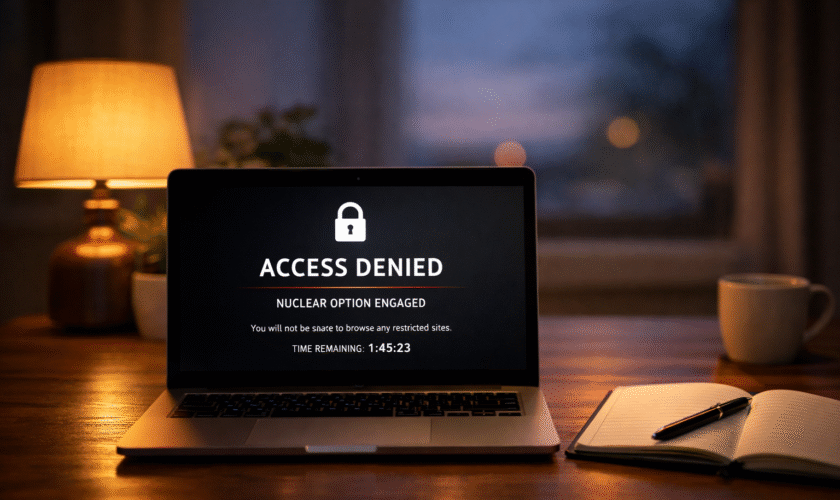
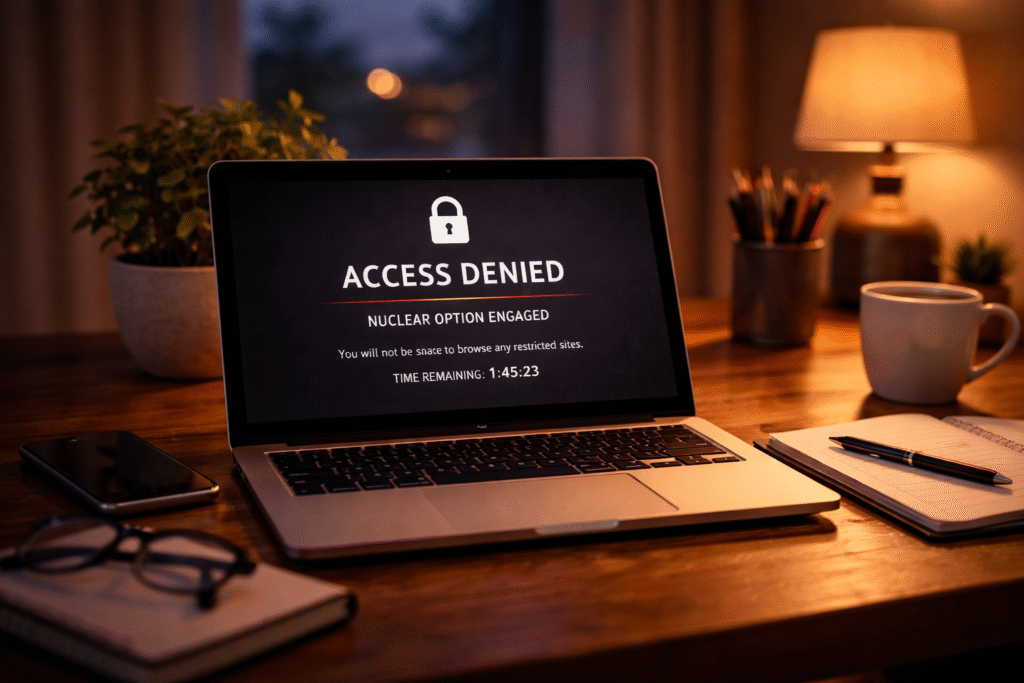
The StayFocusd Nuclear Option is a hard-lock feature that enforces complete browsing restrictions for a set period of time. Unlike standard blocking rules that allow adjustments, overrides, or gradual limits, this mode removes the ability to change settings, pause restrictions, or uninstall the extension until the countdown finishes.

Once activated, access to blocked websites, configuration panels, and even workaround methods is effectively sealed. The browser becomes a controlled environment focused solely on permitted tasks. This design is intentional and reflects the philosophy behind the feature: eliminate choice entirely to prevent distraction-driven decisions.

In real-world use, this feels less like a reminder and more like a system-level lock. The experience is immediate and binary. Either the block is active, or it isn’t. There is no negotiation with the tool once the timer starts.

stayfocusd nuclear option
A locked browser can create instant focus—but lasting productivity depends on how intentionally it’s used.

How It Differs from Regular StayFocusd Blocking

Standard StayFocusd features rely on behavioral nudges. They allow daily time limits, scheduled blocks, and customizable rules that adapt over time. These tools are designed to encourage awareness and gradual habit change.

The Nuclear Option removes that flexibility. Instead of reinforcing limits, it enforces them absolutely. There are no grace periods, no quick exceptions, and no second chances during the active window. This sharp distinction is what makes the feature effective for some users and overwhelming for others.

Why People Use Extreme Restrictions

Extreme productivity tools are rarely adopted casually. They are often activated during periods of high pressure, repeated distraction cycles, or frustration with softer interventions that no longer seem effective.

In remote and hybrid work settings, distractions are not occasional interruptions but persistent background noise. Social feeds, news tabs, messaging apps, and entertainment platforms coexist in the same browser used for work. Over time, this constant availability can erode focus and increase cognitive fatigue.

The Appeal of Removing Choice

One reason the stayfocusd nuclear option feels attractive is its ability to eliminate decision fatigue. When access is fully blocked, there is no internal debate about whether to check a site “just for a minute.” The decision is already made by the system.

This can create a sense of relief. Mental energy that would otherwise be spent resisting temptation is redirected toward the task at hand. For short, high-stakes work sessions, this structure can feel stabilizing.

However, the relief often comes from suppression rather than skill-building. The underlying habits and triggers that lead to distraction remain unchanged.

Modern Work Patterns That Encourage Its Use

The rise of asynchronous work, flexible schedules, and solo productivity has shifted responsibility for focus entirely onto individuals. Without external structure—such as office hours or physical separation between work and leisure—many people look to software to recreate boundaries.

Students, freelancers, and remote professionals are especially likely to experiment with extreme tools. The Nuclear Option can feel like a substitute for environmental control, replacing physical boundaries with digital ones.

Psychological Impact of the Nuclear Option

Tools that override choice influence more than productivity metrics. They affect motivation, stress levels, and long-term relationships with technology.

In the short term, users often experience a noticeable boost in focus. Tasks that have been delayed may finally receive sustained attention. The absence of alternatives simplifies cognitive load and can create a narrow but effective work tunnel.

Over longer periods, the psychological effects become more mixed.

Focus Versus Autonomy

Autonomy is a foundational component of intrinsic motivation. When a tool removes autonomy completely, it can generate internal resistance, especially if used frequently or for extended durations.

Some users experience a rebound effect once the block expires. Access returns suddenly, and the urge to overconsume previously restricted content intensifies. This response is not a lack of discipline but a common reaction to strict deprivation.

Others report heightened restlessness during active blocks, particularly when blocked sites are occasionally needed for legitimate work tasks or emotional regulation.

Cognitive Load and Background Stress

While the Nuclear Option removes moment-to-moment decision-making, it can introduce a different kind of mental strain. Knowing that access is impossible—even temporarily—can create low-level anxiety, especially in roles that require responsiveness or quick information retrieval.

In modern work culture, where collaboration tools, research sources, and communication platforms often overlap, total blocking may conflict with how work realistically unfolds. This mismatch can undermine the intended focus benefits.

Short-Term Gains vs Long-Term Risks

Extreme restrictions often deliver fast results, but those results come with trade-offs. Observed usage patterns tend to follow a similar trajectory across users and contexts.

AspectShort-Term GainsLong-Term Risks
FocusImmediate reduction in digital distractionsReliance on external enforcement
ProductivityFaster task completion during lock periodsWeakened self-regulation over time
Mental LoadFewer micro-decisions during workElevated stress from loss of control
Habit FormationTemporary disruption of distraction loopsLimited development of sustainable habits
Tech RelationshipBrief sense of controlPotential resentment toward blocking tools

This contrast highlights why the Nuclear Option works best as a temporary scaffold rather than a default productivity strategy.

Situations Where the Nuclear Option Can Be Helpful

There are specific contexts where extreme blocking can be appropriate. Time-bound scenarios such as exam preparation, deadline-driven writing, or focused revision sessions benefit most from rigid constraints.

In these cases, effectiveness depends on intentional use. Clear start and end points, realistic expectations, and alignment with the task reduce the risk of negative side effects.

Situations Where It Commonly Backfires

Problems tend to arise when extreme blocking is used to compensate for burnout, unclear priorities, or unrealistic workloads. In these situations, the Nuclear Option addresses symptoms rather than causes.

Overuse can also disrupt the development of internal focus cues. Productivity becomes associated with pressure and restriction rather than clarity and rhythm, which is difficult to sustain in long-term remote work settings.

The StayFocusd Nuclear Option is a powerful tool, but power alone does not guarantee better outcomes. Understanding the psychological and behavioral context in which it is used is essential before relying on it as a productivity solution.

When the Nuclear Option May Be Appropriate

Extreme tools are most effective when they are used deliberately, for a narrow purpose, and for a clearly defined period. The StayFocusd Nuclear Option can be appropriate in situations where the cost of distraction is unusually high and the time window is limited.

One common example is deadline-driven work that requires uninterrupted concentration. This includes final exam revision, grant writing, long-form editing, or completing a deliverable with a fixed submission time. In these cases, the Nuclear Option acts as a temporary barrier that protects attention during a critical window.

Another appropriate scenario is breaking a short-term distraction loop. When someone notices a pattern of compulsive tab-switching or social feed checking during a specific time of day, a brief, pre-planned lock can help reset that pattern. The key factor is intentionality. The block should support a specific goal, not serve as a reaction to guilt or frustration.

The Nuclear Option is also more suitable when work does not depend on real-time communication or spontaneous research. Roles that allow for offline preparation, clearly defined tasks, and minimal collaboration during focus periods align better with strict blocking.

Situations Where the Nuclear Option Backfires

While the Nuclear Option can feel decisive, it often fails when used as a general productivity solution rather than a situational tool. One of the most common failure points is overuse.

When strict blocking becomes a daily or default setting, it can erode internal focus skills. Instead of learning to notice distraction cues and respond intentionally, users begin to rely on forced restriction. Over time, productivity becomes dependent on external control rather than internal regulation.

Another situation where it backfires is during emotionally demanding periods. If distraction is being used as a coping mechanism for stress, burnout, or low motivation, removing access entirely can intensify discomfort rather than resolve it. This often leads to rebound behavior once the block ends.

The Nuclear Option also clashes with modern work realities that require flexibility. Jobs involving client communication, research across platforms, or rapid context switching can suffer when access is completely locked. Missed messages or blocked resources introduce friction that undermines trust in the tool.

Finally, strict blocking can backfire when expectations are unrealistic. Locking the browser does not resolve unclear goals, overpacked schedules, or fatigue. In those cases, the block becomes another source of pressure rather than support.

Safer Alternatives for Sustainable Focus

Long-term focus is usually built through systems that balance structure with autonomy. For many people, these alternatives produce more durable results than extreme restriction.

Scheduled Soft Blocks

Using time-based limits or scheduled blocks during known distraction windows preserves flexibility while still providing boundaries. This approach aligns better with fluctuating energy levels and real-world interruptions.

Task-Based Focus Sessions

Pairing focused work sessions with clearly defined tasks reduces the urge to wander online. When the brain knows exactly what it is working toward, distraction loses some of its appeal. Short sessions followed by intentional breaks often outperform marathon lock-ins.

Environmental Adjustments

Changing the physical or digital environment can reduce reliance on blocking tools. This includes closing unused tabs, using a dedicated work browser profile, silencing non-essential notifications, or working offline when possible.

Mindful Technology Practices

Building awareness around why and when distraction occurs helps address root causes. Noticing patterns—such as stress-triggered scrolling or boredom-driven tab hopping—creates opportunities to respond with intention rather than restriction.

Gradual Habit Building

Sustainable focus develops through repetition, not enforcement. Tools that encourage reflection, limit usage gently, and support autonomy tend to foster healthier long-term relationships with work and technology.

Conclusion

The StayFocusd Nuclear Option is neither a cure-all nor a mistake by default. It is a powerful intervention that works best when treated as a temporary scaffold rather than a permanent solution. Strict blocking can protect attention during high-stakes moments, but it cannot replace clarity, rest, or healthy focus habits.

Used intentionally, the Nuclear Option can provide short-term structure. Used reactively or repeatedly, it risks undermining autonomy and increasing stress. Sustainable productivity in modern digital life usually comes from balanced systems—ones that respect human limits while supporting meaningful work.

Frequently Asked Questions

Is the StayFocusd Nuclear Option safe to use regularly?

The Nuclear Option is technically safe, but regular use can create dependence on forced restriction. When used frequently, it may weaken self-regulation skills and increase rebound distraction. It works best as an occasional tool rather than a daily productivity strategy.

Can the Nuclear Option harm motivation over time?

Yes, if overused. Removing choice repeatedly can reduce intrinsic motivation and make focus feel externally imposed. Over time, work may feel productive only under pressure, which is difficult to sustain in long-term remote or flexible work environments.

How long should a Nuclear Option session last?

Short, clearly defined sessions are generally more effective. One to three hours aligned with a specific task is often sufficient. Longer sessions increase stress and raise the likelihood of frustration or rebound behavior once access is restored.

Is the Nuclear Option suitable for collaborative work?

It is usually not ideal for collaboration-heavy roles. Blocking communication platforms or research tools can disrupt workflows and responsiveness. For collaborative work, softer blocks or notification controls tend to be more compatible.

What should be done before activating the Nuclear Option?

Preparation matters. Clarify the task, ensure necessary resources are available offline, and set realistic expectations. Treat the block as a planned focus sprint rather than a reaction to distraction or guilt.

Are there alternatives that work better long term?

For many people, yes. Scheduled limits, mindful tech practices, and task-based focus systems often produce more sustainable results. These approaches build skills rather than relying solely on enforcement.

Further Reading

  • The Science of Focus: A recent evidence‑based guide to rebuilding attention span with strategies like mindfulness and digital hygiene — great for grounding the psychology discussion. The Science of Focus: Rebuild Your Attention Span
  • Pomodoro Technique (Wikipedia): Authoritative explanation of this time management method, which is a strong alternative to extreme blocking strategies. Pomodoro Technique Overview
  • Timeblocking (Wikipedia): A well‑established productivity technique that complements tools like StayFocusd without the downsides of full lockdown modes. Timeblocking Productivity Technique
read more
Tools We Use

StayFocusd on Firefox: Setup, Limitations, and Best Alternatives

For Firefox users, staying focused in a web-heavy environment can be a unique challenge. While most productivity tools are initially designed for Chrome, Firefox offers a distinct browsing experience, privacy features, and tab management system that changes how extensions like StayFocusd behave. Many professionals, students, and remote workers rely on Firefox for its performance and tracking protection, but without proper setup, browser-based distractions can still interrupt workflow. StayFocusd on Firefox helps by enforcing time limits on distracting sites while respecting the browser’s architecture.

Understanding how StayFocusd works on Firefox, its differences from Chrome, and which alternatives can complement it is key to creating an effective, distraction-resistant workflow.

How StayFocusd Works on Firefox

StayFocusd is a browser extension that reduces time spent on unproductive websites by limiting access to specified pages or domains. Its core functionality remains consistent across browsers, but the Firefox environment introduces unique considerations for behavior and integration.

Core Functionality

StayFocusd for Firefox operates by allowing users to designate which websites are distracting and then restricting access to them based on rules:

Time limits per site – Set a daily quota of minutes for each website, automatically blocking access once the limit is reached.
Blocked hours – Choose specific times of day when certain websites are entirely inaccessible, perfect for peak focus periods.
Active site rules – Apply strict rules to particular URLs while leaving other pages open, supporting targeted control.
Nuclear mode – Lock in rules temporarily, preventing overrides or uninstall attempts during critical work blocks.

In practice, this means Firefox users can continue research, reference articles, or other legitimate browsing while minimizing habitual scrolling through social media, news, or entertainment sites.

stay focused on firefox
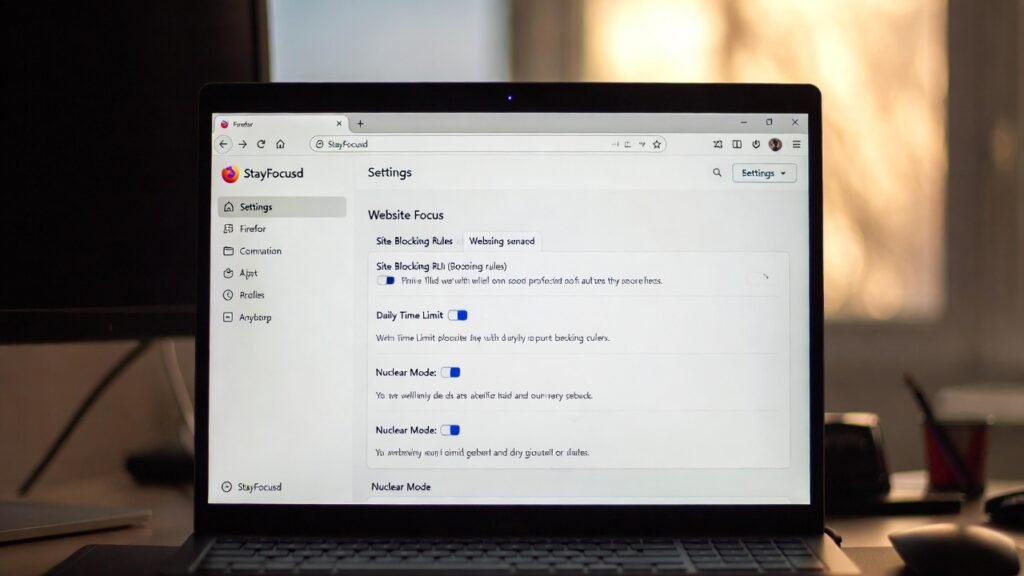
Firefox showing StayFocusd settings to manage site blocks and daily focus limits.

Setup Steps for Firefox

Installing and configuring StayFocusd on Firefox is straightforward, but there are nuances due to Firefox’s extension architecture.

  1. Open the Firefox Add-ons page
    Navigate to https://addons.mozilla.org and search for “StayFocusd.”
  2. Install the extension
    Click “Add to Firefox” and grant necessary permissions. Firefox will notify about required access to tab and browsing activity, which is standard for focus tools.
  3. Access the settings dashboard
    Click the StayFocusd icon on the toolbar and open “Settings.” This dashboard is where rules, time limits, and strict modes are configured.
  4. Define blocked sites
    Enter URLs for distracting websites. Users can choose full domains or specific pages.
  5. Set daily time allowances
    Assign limits for each site or category. For example, social media may be limited to 15–20 minutes per day.
  6. Schedule focus hours
    Set periods when blocks are active. Morning deep-work hours, lunch breaks, and evening winding-down periods can be configured separately.
  7. Enable nuclear mode if necessary
    For critical tasks, nuclear mode enforces rules without easy bypass options.

Firefox’s tab grouping and multi-window management may affect how StayFocusd tracks active time, so users should verify that time limits are behaving as intended during the first few days.

Key Differences from Chrome

While StayFocusd behaves similarly on Firefox and Chrome, subtle distinctions can affect daily productivity:

  • Extension permissions – Firefox enforces stricter permission requests, which may require additional confirmation when accessing multiple windows.
  • Performance – Firefox’s memory handling differs, which can slightly alter how quickly site-blocking triggers when many tabs are open.
  • User interface – The dashboard layout in Firefox mirrors Chrome but may appear slightly different due to Firefox’s toolbar and menu structure.
  • Tab behavior – Active tab tracking in Firefox can differ during multi-window setups, sometimes delaying block enforcement by a few seconds.

These differences are minor but can affect workflows for users who rely on precise timing for deep-focus sessions. Overall, StayFocusd on Firefox remains a reliable solution for browser-based distraction management, especially for users prioritizing privacy and multi-tab organization.

Firefox-Compatible Alternatives

For users seeking additional options, several extensions provide comparable functionality with slightly different approaches. The table below highlights flexibility, strictness, and unique advantages for Firefox users.

ExtensionKey FeaturesStrictnessIdeal Use Case
LeechBlock NGCustom block sets, schedules, timers, multi-browser supportHighUsers needing fine-grained control over multiple site categories
Mind the TimeTime tracking with optional alerts, daily limitsMediumProfessionals who want gentle nudges rather than strict blocks
FocusMeMulti-device sync, Pomodoro integration, scheduled breaksHighUsers combining device-level control with browser focus
WasteNoTimeTime limits, detailed usage statistics, optional blocking modesMediumStudents or knowledge workers tracking multiple projects
Strict WorkflowPomodoro-style timers with enforced site blockingHighTask-oriented workflows requiring rigid focus sessions

Each alternative offers a balance between flexibility and enforcement, catering to different cognitive habits and professional routines. For Firefox users, selecting the right tool often depends on whether the priority is habit enforcement, tracking awareness, or combination workflows with Pomodoro timers and scheduling.

Limitations Firefox Users Should Know

While StayFocusd offers strong focus support on Firefox, certain limitations affect real-world usability. Firefox’s tab and session handling can occasionally delay block enforcement, especially when multiple windows or pinned tabs are open. Some sites may bypass restrictions if loaded via background tabs or secondary browser profiles. A

dditionally, Firefox users may notice slightly slower UI responses for large block lists due to memory and extension permission handling. Understanding these constraints helps set realistic expectations and avoids frustration when first using the tool.

Another limitation is that StayFocusd operates solely at the browser level. Mobile devices, apps, or system notifications remain unaffected. For comprehensive digital discipline, additional tools or device-level settings may be required.

When Alternatives May Be a Better Fit

Alternatives to StayFocusd are worth considering in several scenarios. For users who need multi-device synchronization or Pomodoro integration, tools like FocusMe provide broader coverage beyond a single Firefox installation. Extensions such as LeechBlock NG offer more granular scheduling and block customization, ideal for those managing complex workflows or multiple site categories.

For individuals who respond better to gentle reminders rather than strict enforcement, Mind the Time or WasteNoTime may be more suitable. They provide awareness and gentle nudges without triggering frustration or workflow interruptions. Choosing the right alternative depends on whether the priority is habit enforcement, flexible tracking, or integrated productivity strategies.

Mindful Productivity Considerations

Using browser blockers effectively requires a mindful approach. The goal is to reduce distractions without introducing stress. Best practices include:

Align focus periods with energy cycles – Block sites during peak work hours and allow breaks for mental recovery.
Set realistic limits – Overly strict rules can trigger frustration; gradual adjustments build sustainable habits.
Pair with offline strategies – Task batching, short walks, or timer-based breaks support sustained attention.
Review and adjust rules periodically – Workflow needs evolve; periodic evaluations keep extensions relevant and effective.

This approach ensures the tool supports mindful productivity, balancing focus with cognitive flexibility and emotional well-being.

Conclusion

StayFocusd on Firefox is a practical solution for reducing browser distractions, particularly for structured, deadline-driven work. Its strength lies in strict enforcement, customizable schedules, and clear site-block rules. However, Firefox users should remain aware of minor limitations in tab management, multi-window setups, and the need for complementary device-level control.

Alternatives like LeechBlock NG, FocusMe, and Mind the Time provide options for multi-device synchronization, gentle reminders, or advanced scheduling, offering tailored approaches for diverse work styles. When used thoughtfully, StayFocusd and its alternatives foster mindful productivity without adding unnecessary stress, supporting long-term focus and digital discipline.

FAQ Section

Can StayFocusd on Firefox block all distracting sites?

StayFocusd can block any website specified in its settings, but it cannot control apps, mobile devices, or system notifications. Some sites may bypass blocks via secondary profiles or background tabs. For comprehensive focus, users may need additional tools or complementary system-level restrictions.

How does StayFocusd differ from Chrome on Firefox?

The extension’s core features are the same, but Firefox enforces stricter permission handling and may respond slightly slower with large block lists. Tab tracking and multi-window behavior differ, which can affect timing for blocks compared with Chrome.

Which users benefit most from StayFocusd on Firefox?

Students, remote professionals, and knowledge workers who rely heavily on browser-based tasks benefit most. It is particularly useful for structured work periods, exam preparation, or project deadlines where consistent boundaries enhance focus.

Are there better alternatives for multi-device users?

Yes. Extensions like FocusMe offer multi-device synchronization, Pomodoro integration, and system-level controls. These alternatives suit users who need focus support across computers, tablets, and smartphones rather than a single browser.

Can StayFocusd cause frustration or stress?

Overly strict rules or improper scheduling may increase stress, especially during low-energy periods. Mindful use—short focus blocks, scheduled breaks, and gradual adjustments—helps maintain productivity without emotional strain.

How do I set up StayFocusd effectively on Firefox?

Install via the Firefox Add-ons page, add distracting sites, set daily time limits, configure blocked hours, and optionally enable nuclear mode for strict enforcement. Align schedules with peak focus periods for best results.

Is StayFocusd compatible with mobile Firefox?

No. StayFocusd is a desktop browser extension. It does not extend to mobile Firefox or other devices, so mobile distractions require separate tools or settings.

read more
Tools We Use

Stay Focused Extension: Features, Limits, and Who It’s Best For

In modern remote work environments, focus tools tend to fall into two broad categories: awareness tools that show where time goes, and enforcement tools that actively limit distraction. Professionals who work primarily in browsers—writers, students, analysts, developers, and remote teams—often cycle through several of these tools before finding one that fits their cognitive rhythm. The stay focused extension sits firmly in the enforcement category, but with enough customization to appeal to users who still want control.

Rather than promising motivation or productivity breakthroughs, the extension focuses on reducing exposure to habitual distractions. This approach reflects how digital distraction actually works today: not as a lack of willpower, but as repeated, low-friction access to tempting sites during moments of mental fatigue.

What the Stay Focused Extension Does

The Stay Focused extension is designed to limit time spent on distracting websites by creating intentional boundaries within the browser. It works best for people whose work and distractions happen in the same place—tabs, search results, and background browsing.

Instead of tracking behavior passively, the extension intervenes at the moment a limit is reached. This makes it particularly effective during task-heavy workdays where attention is fragmented by notifications, news cycles, and social platforms.

To experience how browser-based focus control can improve your workflow, add Stay Focused to your browser to start limiting distractions and protecting your focus

Core Blocking and Limiting Functions

These core features form the foundation of how the stay focused extension operates. While simple in structure, their effectiveness depends on thoughtful setup and realistic expectations.

• Daily time limits for specific websites
• Full blocking of selected sites during chosen hours
• Automatic lockout once a time quota is exhausted
• Rules applied per site or across groups of sites

In everyday use, this often looks like allowing short, intentional access to social media or entertainment sites, followed by a complete block once the limit is reached. The message displayed is neutral and unobtrusive, which helps avoid guilt-based productivity while still stopping the behavior.

Strict Mode and Commitment-Based Blocking

One of the most distinctive elements of the stay focused extension is its strict mode. This feature intentionally makes it difficult—or impossible—to change settings once activated.

When strict mode is enabled, users may be prevented from:

• Editing time limits
• Disabling the extension
• Uninstalling it temporarily
• Bypassing blocks through settings

This feature is most useful during high-stakes periods such as exam preparation, deadline-driven projects, or deep-focus work sprints. By removing the option to “just adjust the rules,” strict mode reduces decision fatigue and protects focus during cognitively demanding tasks.

That said, strict mode is most effective when used intentionally rather than continuously. Overuse can lead to frustration or avoidance, particularly for users who need flexibility throughout the day.

Scheduled Focus Windows

Unlike rigid all-day blockers, the stay focused extension allows time-based scheduling. This aligns well with modern remote and hybrid work patterns, where productivity often comes in focused blocks rather than a continuous eight-hour stretch.

With scheduled focus windows, users can:

• Block social media during morning deep-work hours
• Allow limited access during lunch breaks
• Reinstate restrictions in the afternoon or evening

This approach mirrors natural energy cycles and supports sustainable focus rather than constant restriction.

How It Differs From Similar Tools

Focus tools vary widely in philosophy and execution. Understanding how the stay focused extension differs from other options helps clarify who it is—and is not—designed for.

Stay Focused vs Time-Tracking Tools

Time-tracking tools emphasize reflection. They show users how time was spent after the fact, often through charts or weekly reports.

The stay focused extension operates differently by intervening in real time. Instead of reporting that two hours were lost to distraction, it stops access the moment a limit is reached. This makes it particularly useful for people who are already aware of their habits but struggle to disengage once a distraction begins.

Stay Focused vs Gentle Focus Applications

Some focus apps rely on soft prompts, reminders, or motivational feedback. These tools are often helpful during burnout recovery or creative exploration, where pressure can be counterproductive.

By contrast, the stay focused extension is behavior-focused rather than emotionally supportive. It does not encourage or reward productivity; it simply reduces access to distractions. This makes it better suited for structured workflows, deadline-oriented roles, and users who already value focus but need firm boundaries.

Browser-Level Control vs Device-Level Control

Another important distinction is scope. The stay focused extension operates entirely within the browser.

This means:

• It works well for browser-based tasks
• It does not restrict mobile apps or system-wide usage
• Switching browsers can bypass restrictions

For many remote workers, this limitation is acceptable because the browser is where both work and distraction primarily occur. However, users seeking full-device control may need complementary tools.

Realistic Feature Scenarios

Understanding how features translate into daily behavior is more useful than listing settings. The following scenarios reflect common use cases.

Scenario 1: Deadline-Driven Writing or Research

Long-form writing and research often involve frequent tab switching. Setting zero-minute allowances for high-distraction sites during focused work blocks prevents derailment without interrupting the task itself.

The block acts as a silent guardrail rather than an interruption, preserving cognitive flow.

Scenario 2: Flexible Remote Schedules

For workers with asynchronous schedules, time windows are often more effective than strict daily limits. Blocking distractions only during personal peak-focus hours allows flexibility while still protecting attention.

Scenario 3: Students and Exam Preparation

Students often benefit from strict mode during exam periods. Locking in focus rules for multiple days reduces constant self-negotiation and helps maintain consistency during intensive study cycles.

Flexibility vs Strictness: Where the Stay Focused Extension Fits

Focus tools generally lean toward either adaptability or enforcement. The stay focused extension attempts to balance both, but its strength clearly lies in enforcement.

Flexibility supports autonomy and experimentation, while strictness supports consistency and habit interruption. The extension favors the latter, making it more effective for users who want consequences built into their systems.

Feature DimensionStay Focused ExtensionGentle Focus Tools
CustomizationHighMedium
Ease of overrideLow in strict modeHigh
Behavior enforcementStrongLight
Emotional toneNeutralEncouraging
Best suited forHabit interruptionAwareness and reflection

This positioning explains why user experiences vary widely. Those seeking firm boundaries often find it effective, while those preferring guidance without restriction may find it too rigid.

[IMAGE: Browser showing blocked website message during work hours, realistic scenario]

stay focused extension
Desktop showing a blocked website message, helping maintain focus during work hours.

At this stage, it becomes clear that the stay focused extension is neither a universal solution nor an outdated blunt instrument. It is a browser-based boundary tool that works best when aligned with real work patterns and cognitive limits.

Strengths and Limitations for Different Work Styles

Every focus tool reflects assumptions about how people work. The stay focused extension is strongest in environments where tasks are clearly defined and distractions are predictable, but it can feel mismatched in more fluid workflows.

For structured, deadline-driven work, the extension’s strengths are clear. It reduces cognitive load by removing the need to constantly decide whether to keep browsing. Once limits are set, the system handles enforcement quietly in the background, which supports sustained attention during deep work blocks.

However, for roles that rely on exploration—such as creative research, social media management, or trend analysis—the same strictness can become a limitation. Blocking access too aggressively may interrupt legitimate work tasks or force constant rule adjustments, which defeats the purpose of automation.

In short, the extension favors consistency over adaptability. This is an advantage for some work styles and a constraint for others.

Who Should Avoid Overly Strict Focus Tools

Strict focus tools are not universally helpful, and using them at the wrong time can increase stress rather than reduce distraction. People experiencing burnout, cognitive overload, or unstable schedules may find rigid blockers counterproductive.

Those who rely heavily on social platforms for work, collaboration, or community building may also struggle. When a tool blocks both distraction and necessary engagement, users may start working around the system instead of with it.

Additionally, individuals who respond poorly to external control may experience frustration or guilt when blocked. In these cases, awareness-based tools or softer boundaries often support healthier long-term habits than strict enforcement.

Tips for Mindful Use Without Burnout

Using the stay focused extension mindfully means treating it as a support system, not a punishment mechanism. The goal is to protect attention, not eliminate flexibility entirely.

One effective approach is to align restrictions with energy patterns rather than entire days. Blocking distractions only during peak focus hours respects natural cognitive cycles. Allowing intentional breaks also reduces rebound scrolling once restrictions lift.

Another helpful strategy is periodic rule reviews. As workloads and responsibilities change, focus rules should adapt. Static settings applied indefinitely often lead to frustration, while evolving rules maintain relevance and trust in the tool.

Finally, pairing browser-level blocking with offline habits—such as scheduled breaks or task batching—creates a more balanced focus system than relying on one tool alone.

Conclusion

The stay focused extension is a practical tool for reducing browser-based distractions, especially in structured, deadline-oriented work environments. Its strength lies in enforcement and customization, offering firm boundaries for users who want systems that hold them accountable.

At the same time, its strictness can feel limiting for exploratory or emotionally demanding work. Used thoughtfully, it supports mindful productivity rather than rigid control. The key is alignment: when the tool matches the user’s work style, it protects attention without adding pressure. When it doesn’t, flexibility and self-awareness matter more than stricter rules.

FAQ Section

Is the Stay Focused extension suitable for remote work?

The extension works well for remote roles that rely heavily on browser-based tasks such as writing, coding, research, or online learning. It helps create structure in flexible environments by reducing distraction during focus periods. However, roles requiring frequent social media access or rapid context switching may need lighter restrictions to avoid interrupting legitimate work activities.

Can the Stay Focused extension increase stress or burnout?

It can if used too aggressively or without flexibility. Overly strict rules applied for long periods may create frustration or pressure, especially during low-energy phases. Mindful use—such as limiting strict mode to short work sprints and allowing intentional breaks—helps prevent burnout while still supporting focus.

How does Stay Focused compare to Pomodoro timers?

Pomodoro timers focus on time boxing work sessions and breaks, while Stay Focused limits access to distractions. They solve different problems and can complement each other. Pomodoro techniques support rhythm and pacing, whereas Stay Focused reduces temptation. Combining both often creates a more balanced productivity system.

Is it easy to bypass the Stay Focused extension?

In normal mode, settings can be changed easily. In strict mode, bypassing is intentionally difficult. That said, switching browsers or devices can circumvent browser-level tools. This is why the extension works best for users who are committed to respecting their own boundaries rather than looking for loopholes.

Does the Stay Focused extension work on mobile devices?

The extension is primarily browser-based and works best on desktop browsers. It does not control mobile apps or system-wide usage. Users who experience most distractions on smartphones may need additional tools or device-level settings to complement browser restrictions.

Who benefits most from using the Stay Focused extension?

Students, remote workers, and professionals with clear deliverables and predictable distractions tend to benefit most. It is especially helpful during exam periods, project deadlines, or deep-focus work phases where consistent boundaries reduce decision fatigue and support sustained attention.

read more
Tools We Use

Is StayFocusd Safe? Privacy, Permissions, and What You Should Know

Is StayFocusd safe

Using browser extensions to improve productivity has become almost standard for remote workers. Yet, with every new extension comes a natural worry: “Is this safe?” For those of us juggling deadlines, Slack notifications, and endless browser tabs, the appeal of a tool like StayFocusd is clear—but so are the concerns. Questions about privacy, permissions, and data access often arise, especially for users who work with sensitive documents or personal accounts on the same device.

This article provides a grounded, experience-based look at StayFocusd, its permissions, and what it means for privacy-conscious users.

Understanding the security landscape of browser extensions is critical. Many productivity tools are helpful, but their safety depends not only on what they promise to do but also on what they can access behind the scenes.

With remote work norms evolving—frequent Zoom calls, cloud-based collaboration, and cross-device usage—choosing extensions that minimize exposure to sensitive data is no longer optional.

What permissions StayFocusd requires

StayFocusd is designed to limit time spent on distracting websites, and its permission requests reflect that primary purpose. Before installation, users will notice that StayFocusd asks for the ability to:

  • Read and change data on the websites you visit
  • Access browser tabs and browsing activity
  • Use local storage for settings and timers

Each of these permissions serves a functional goal. Reading and changing data allows StayFocusd to block or redirect sites that exceed your allowed time. Access to tabs and activity is necessary to track time across multiple pages or domains. Local storage ensures your limits, schedules, and settings persist between browser sessions without uploading them to the cloud.

From a privacy-conscious perspective, these permissions can feel intrusive—but they are typical for productivity blockers. The key point is that StayFocusd operates locally; it does not send your browsing history to a third-party server. All processing occurs on your device, which significantly reduces exposure compared to tools that sync data across multiple devices via the cloud.

is stayfocusd safe
That moment you realize exactly how much access you’re about to grant.

What data focus extensions can access

Many users assume that productivity extensions are limited to timers and site lists. In reality, extensions can potentially access more than we initially think. While StayFocusd itself is lightweight and privacy-focused, browser extensions in general may be able to:

  • Track your browsing activity on all websites, including URLs visited and time spent.
  • Modify content on pages you open, such as inserting reminders or blocking elements.
  • Read page content if configured with permissions, which some extensions misuse.

For most users, these capabilities are not dangerous if the extension is trustworthy and maintained by reputable developers. The concern arises with poorly maintained, abandoned, or malicious extensions that exploit these permissions for ad tracking, analytics, or data harvesting. In other words, the “risk” is contextual: it depends on the extension’s design, transparency, and maintenance history.

Privacy-conscious remote workers often adopt several strategies to mitigate risk:

  • Using a dedicated browser profile for productivity extensions, separate from accounts with sensitive information.
  • Limiting the number of installed extensions to reduce the overall attack surface.
  • Regularly reviewing permissions in the browser settings to ensure nothing has changed unexpectedly.

Perceived vs actual risks of using StayFocusd

To clarify the real safety picture, it’s helpful to compare what users often fear versus what is true based on the extension’s design and operation.

Perceived RiskActual RiskNotes
Browsing history is sent to third partiesVery lowStayFocusd operates locally; no external servers are involved
Sensitive data exposure (passwords, emails)LowExtension cannot access browser password manager or secure form entries
Malicious code executionLow if official sourceAlways install from the Chrome Web Store and avoid unofficial forks
Excessive tracking of user habitsMinimalOnly tracks time on designated sites for blocking purposes
Browser performance slowdownModerateCan slightly affect tab load time, especially with many active tabs

This table shows that while StayFocusd requires permissions that sound broad, the actual risks are limited when used responsibly. Understanding this distinction is crucial for maintaining both security and peace of mind in a digital work environment.

Realistic examples of privacy-conscious users

Consider Maria, a freelance designer who works with confidential client files and often logs into multiple cloud platforms. She installed StayFocusd on a separate Chrome profile dedicated to focus tools, keeping her main profile free of extra extensions. This setup allowed her to block distracting sites during work hours without risking access to sensitive client documents.

Similarly, Jamal, a remote software developer, combines StayFocusd with a VPN and strong browser privacy settings. He appreciates that StayFocusd does not sync browsing history externally, so even if his VPN logs are being monitored for security, his productivity patterns remain private.

In both examples, privacy isn’t compromised because the users actively manage their browser environment and understand the scope of the extension’s permissions. For remote workers today, this kind of cautious setup balances focus gains with minimal exposure.

browser extension
Minimalist home office with a laptop showing StayFocusd blocking distractions.

How to evaluate extension safety independently

Even with reputable extensions like StayFocusd, it’s wise to verify safety on your own. Start by checking the official browser store page for reviews, update history, and developer information. Extensions that receive frequent updates and have transparent change logs are generally safer.

Next, review the permissions list carefully. Ask yourself whether each permission aligns with the extension’s core function. For instance, StayFocusd needs access to browser tabs and page URLs to block distracting sites, but it does not require access to passwords or payment information.

Another approach is using test accounts or profiles. Installing the extension on a separate browser profile helps you observe behavior without exposing sensitive accounts. You can monitor for unexpected redirects, pop-ups, or unusual network requests.

Finally, check trusted security forums or publications. Researchers and tech institutions often post assessments of widely used extensions. Being proactive in this way helps you separate perception from actual risk.

Common misconceptions about browser permissions

Many users fear that any permission request is a sign of potential spying. In reality, permissions often exist simply to enable the extension’s functionality. Common misunderstandings include:

  • “It can see everything I type.” Permissions allow reading page content for blocking purposes, not logging keystrokes in forms or password fields.
  • “It tracks my browsing history externally.” StayFocusd operates locally; it does not upload your activity to third parties.
  • “Extensions are inherently dangerous.” Most risks come from unmaintained or malicious extensions, not trusted productivity tools.

Understanding these distinctions reduces anxiety and helps you make informed choices while using browser-based focus tools.

Best practices for using focus extensions safely

Privacy-conscious users often follow several best practices to maximize safety while maintaining productivity:

  • Use separate browser profiles for work and focus extensions to isolate sensitive data.
  • Limit the number of installed extensions, reducing potential exposure and performance overhead.
  • Review permissions periodically to ensure no unexpected changes occur after updates.
  • Install only from official sources like the Chrome Web Store and avoid unofficial forks.
  • Combine with digital hygiene measures such as strong passwords, ad-blockers, and VPNs if desired.

By integrating these practices, remote workers can enjoy the focus benefits of StayFocusd while minimizing privacy concerns.

Conclusion

So, is StayFocusd safe? Here’s our final assessment on its privacy, permissions, and overall security.

Based on careful evaluation, StayFocusd is safe for most users when installed from official sources and used responsibly. Its permissions support the core functionality of blocking distracting sites, and all processing occurs locally on your device.

Privacy-conscious remote workers can further reduce risk by using separate profiles, reviewing permissions, and pairing the extension with basic digital hygiene measures. Misconceptions about browser permissions often exaggerate danger, but understanding the context helps users make confident, informed decisions. StayFocusd, when applied thoughtfully, offers productivity benefits without compromising trust or security.

FAQ Section

Is StayFocusd safe for sensitive work accounts?

Yes. StayFocusd operates locally and does not access stored passwords or private form data. Using separate browser profiles for sensitive accounts further reduces any risk, keeping client data or work documents isolated from the extension’s functionality.

Can StayFocusd access my browsing history?

Technically, it reads URLs to enforce time limits, but this data stays on your device. The extension does not upload your browsing activity to external servers, which limits exposure to third parties.

Does StayFocusd slow down my browser?

Slight performance impact may occur with many tabs open or multiple active extensions, but for typical usage, any slowdown is minimal and often unnoticeable during normal browsing.

How do I know if an extension is trustworthy?

Check the official store page, developer reputation, reviews, and update history. Frequent updates and transparent changelogs indicate active maintenance and reliability, which are key markers of trustworthiness.

Can StayFocusd be misused to spy on users?

Not when downloaded from official sources. While extensions can technically read page content if malicious, StayFocusd’s open-source-like behavior and local operation reduce this risk significantly. Always avoid unofficial versions.

Should I uninstall StayFocusd after a project?

Not necessarily. Many users keep it installed but adjust strictness or schedules according to workflow. Using separate profiles or toggling the “Nuclear Option” only during focus periods helps maintain flexibility while staying secure.

Helpful Resources

read more
Tools We Use

StayFocusd Review (2026): Does It Actually Help You Focus?

stayfocusd review

Working remotely for several years has taught me one uncomfortable truth: focus isn’t lost all at once. It leaks away in small, forgettable moments. A quick Twitter check between tasks. A “harmless” YouTube video during lunch that turns into three. By the end of the day, you’ve technically been at your desk for eight hours, but only a fraction of that time produced meaningful work.

That slow erosion is exactly what tools like StayFocusd promise to fix. This stayfocusd review looks at whether a strict, browser-based blocker still makes sense in 2026, when remote work, flexible hours, and smartphone habits blur the line between work and personal time more than ever.

We’ve used StayFocusd on and off during deep-focus seasons, deadline-heavy weeks, and periods of burnout. What follows is an honest, experience-based look at what it does well, where it struggles, and who it’s really for.

What is StayFocusd and how does it work?

StayFocusd is a browser extension designed to limit the amount of time you can spend on distracting websites. Before diving into settings or features, it’s important to understand the philosophy behind it: this is not a gentle nudge. It’s a hard boundary.

At its core, StayFocusd works by allowing you to set daily or hourly limits for specific websites. Once you hit that limit, access is blocked completely until the timer resets. The extension runs locally in your browser, which means it reacts immediately to your behavior rather than relying on cloud syncing or external dashboards.

From a practical standpoint, this makes StayFocusd feel fast and uncompromising. When I tested it during a heavy writing sprint, the block felt instant. There was no warning banner, no “are you sure?” prompt. One minute Reddit loaded. The next minute, it didn’t.

[IMAGE: Browser window showing blocked distracting sites, minimalist home office background, realistic style]

stayfocusd review
A clean, distraction-free workspace showing a browser actively blocking time-wasting sites, capturing how StayFocusd enforces focus during deep work in a modern home office setup.

The tool is most commonly used on Chrome-based browsers, which aligns with modern remote work setups where Chrome dominates due to extensions, cloud tools, and shared work environments.

Why people turn to strict focus extensions

Most people don’t install strict blockers on their best days. They turn to them when softer systems have failed. This pattern shows up repeatedly in remote work circles.

When you work from home, your brain associates the same device with work, entertainment, communication, and rest. Slack, Gmail, YouTube, WhatsApp Web, and news sites all live one tab away. Over time, decision fatigue sets in. You’re not consciously choosing distraction; you’re defaulting to it.

Strict extensions like StayFocusd appeal because they remove choice entirely. Instead of asking, “Should I check this now?” the tool answers for you. During my own usage, this was especially helpful during cognitively demanding tasks like long-form writing, data analysis, or deep research. Once the block was active, the mental background noise dropped noticeably.

There’s also a psychological angle. Many remote workers feel guilty using “soft” focus tools because they’re easy to bypass. StayFocusd’s rigidity can feel reassuring, almost like handing your willpower over to an external system when your internal one is depleted.

StaFocusd Core features and settings explained clearly

StayFocusd’s feature set hasn’t changed drastically over the years, but its simplicity is intentional. Instead of overwhelming dashboards, it focuses on a few powerful controls.

The main feature is time-based blocking. You choose specific websites or entire domains and assign a daily time allowance. This can be as generous or as strict as you like. For example, I often set social media sites to 10 minutes per day, enough to respond to messages without falling into a scroll loop.

Another defining feature is the “Nuclear Option.” This allows you to block selected sites completely for a fixed period, regardless of remaining time. When enabled, there is no override. In real-world use, this is best reserved for short, high-stakes focus windows. I used it during client deadlines when even a brief distraction could derail momentum.

StayFocusd also includes scheduling options. You can restrict blocking to certain hours, which matters in flexible work setups. Blocking distractions from 9 a.m. to 1 p.m. while allowing free access later mirrors how many remote workers naturally structure their day.

There are also anti-cheating mechanisms. Settings can be locked, making them difficult to change once activated. This prevents the classic “I’ll just adjust it this once” loophole that undermines many productivity tools.

How StayFocusd fits into modern remote work

In 2026, remote work is less about fixed hours and more about energy management. Some days start early; others peak at night. StayFocusd fits best when used as a temporary structure rather than a permanent rule set.

During my own work-from-home routine, I noticed StayFocusd worked best in short cycles. I would activate strict blocks for two to three weeks during intense projects, then loosen or disable them during lighter periods. Used this way, it supported focus without creating resentment or rebound distraction.

It’s also worth noting how StayFocusd interacts with smartphone habits. Because it’s browser-based, it doesn’t control mobile apps. This means it works best when paired with basic phone discipline, like keeping your phone out of reach during deep work. On its own, it won’t solve cross-device distraction.

StayFocusd vs softer, mindful focus tools

Not all focus tools aim to block. Some emphasize awareness, reflection, and gradual behavior change. Understanding where StayFocusd sits on this spectrum helps set realistic expectations.

Below is a comparison based on practical, day-to-day use rather than marketing promises.

FeatureStayFocusdSofter Focus Tools
ApproachStrict, enforcement-basedGentle, awareness-based
User ControlHigh upfront, low during useHigh throughout
Best ForDeadline-driven workLong-term habit building
Emotional ExperienceCan feel restrictiveFeels supportive
Bypass DifficultyHard to overrideEasy to ignore
Burnout RiskHigher if overusedLower, more flexible

From experience, StayFocusd is not a replacement for mindful productivity practices. It’s a tactical tool. When used alongside reflection, scheduling, and rest, it can be effective. When used as the only strategy, it risks turning focus into a constant battle.

Pros and cons based on real-world usage

After using StayFocusd across different work seasons, its strengths and weaknesses become clearer in everyday practice rather than theory. This isn’t a tool you casually install and forget; it actively shapes how your workday feels.

On the positive side, StayFocusd excels at eliminating impulse-driven tab switching. During deadline-heavy weeks, I noticed fewer mental resets because the usual “escape hatches” simply weren’t available. Tasks that normally felt draining became more linear, with fewer interruptions breaking concentration. The simplicity of the interface also helps. There’s no learning curve, which matters when you’re already mentally overloaded.

However, the same rigidity that creates focus can also create friction. On low-energy days, being blocked from harmless browsing sometimes increased frustration rather than productivity. I’ve also seen people overcorrect by blocking too much, too aggressively, and then abandoning the tool entirely. StayFocusd works best when it’s used intentionally, not reactively.

Who benefits most from StayFocusd and who may struggle with it

StayFocusd tends to work well for a specific type of remote worker. If your work involves long, uninterrupted stretches of cognitive effort, such as writing, coding, research, or analysis, the strictness can be a relief. People who thrive with external structure often report feeling calmer once boundaries are enforced automatically.

On the other hand, workers whose roles depend on rapid context switching may struggle. Social media managers, community leads, or support roles often need frequent access to sites that StayFocusd typically labels as “distracting.” In those cases, the tool can feel like it’s fighting your job rather than supporting it.

There’s also a personality factor. If you’re already experiencing burnout or motivation fatigue, strict blockers can sometimes amplify feelings of loss of control. In those moments, softer tools or schedule-based focus sessions may be more sustainable.

Psychological trade-offs of restriction-based focus tools

Restriction-based tools like StayFocusd operate on a simple psychological principle: remove temptation, reduce cognitive load. In the short term, this often works. Your brain doesn’t have to negotiate with itself dozens of times per hour.

The trade-off is that restriction doesn’t teach discernment. When the tool is off, old habits can return quickly. I noticed this most clearly after long stretches of strict blocking. The first unrestricted day often led to rebound scrolling, not because I wanted distraction, but because my internal boundaries hadn’t been exercised.

This doesn’t mean restriction tools are harmful. It means they work best as scaffolding, not a permanent crutch. Pairing StayFocusd with reflection, intentional breaks, and awareness of energy levels helps turn enforced focus into learned focus over time.

Is StayFocusd still relevant in 2026?

With so many productivity tools now emphasizing mindfulness and balance, it’s fair to ask whether a blunt tool like StayFocusd still has a place. From my experience, the answer is yes, but only when used deliberately.

Modern remote work is unpredictable. Some days require deep isolation from noise. Other days benefit from flexibility and exploration. StayFocusd shines during the former. It’s not a lifestyle tool; it’s a situational one. Treated that way, it remains surprisingly effective even in today’s more nuanced productivity landscape.

Conclusion

This stayfocusd review shows that the extension does exactly what it claims: it blocks distractions firmly and reliably. For remote workers facing heavy cognitive demands, that reliability can feel like a lifeline during intense work periods.

At the same time, strict blocking comes with psychological costs if used without self-awareness. StayFocusd doesn’t replace mindful work habits; it temporarily enforces them. When paired with realistic expectations, flexible schedules, and rest, it can improve focus meaningfully. When used as a one-size-fits-all solution, it risks frustration.

Ultimately, StayFocusd is best viewed as a tool you reach for when focus truly matters, not something you rely on every single day.

FAQ on StayFocusd Chrome Extension

Does StayFocusd actually improve focus long term?

StayFocusd can improve focus in the short to medium term by removing immediate distractions. Long-term improvement depends on how it’s used. If paired with reflection and habit awareness, it can support lasting change. If used alone, focus may drop once restrictions are lifted.

Is StayFocusd too strict for daily remote work?

For many people, yes. Using it every day without breaks can feel restrictive. It works best during specific focus windows or high-pressure projects. Rotating between strict and flexible modes helps avoid burnout while still benefiting from reduced distractions.

It can if configured too aggressively. Sites like YouTube, Reddit, or Twitter may be essential for some roles. The key is precise setup and realistic time allowances. Overblocking often leads users to disable the tool entirely.

Does StayFocusd work across multiple devices?

No. StayFocusd operates at the browser level and does not sync across devices. This means smartphone usage remains unrestricted. For best results, it should be combined with basic phone discipline during deep work sessions.

Is StayFocusd better than mindful focus tools?

It depends on your needs. StayFocusd enforces behavior, while mindful tools encourage awareness. For deadline-driven tasks, enforcement can help. For long-term habit building, mindful tools often feel more sustainable and emotionally supportive.

Can StayFocusd increase stress or anxiety?

It can if used during periods of low motivation or exhaustion. Feeling “locked out” without adequate rest can increase frustration. Listening to your energy levels and using the tool selectively reduces this risk significantly.

Helpful Resources

read more