



close

Tech-Life Balance

Finding balance in the digital age isn’t about quitting technology—it’s about using it wisely. In this section, you’ll learn how to set healthy boundaries with screens, manage digital fatigue, and restore your focus and well-being. Explore practical, research-backed insights on how to thrive in a hyperconnected world without burning out.

Tech-Life Balance

Does Scrolling on Your Phone Make You Tired? What Science Says

does scrolling on your phone make you tired

Does Scrolling on Your Phone Really Make You Tired? What Science Says

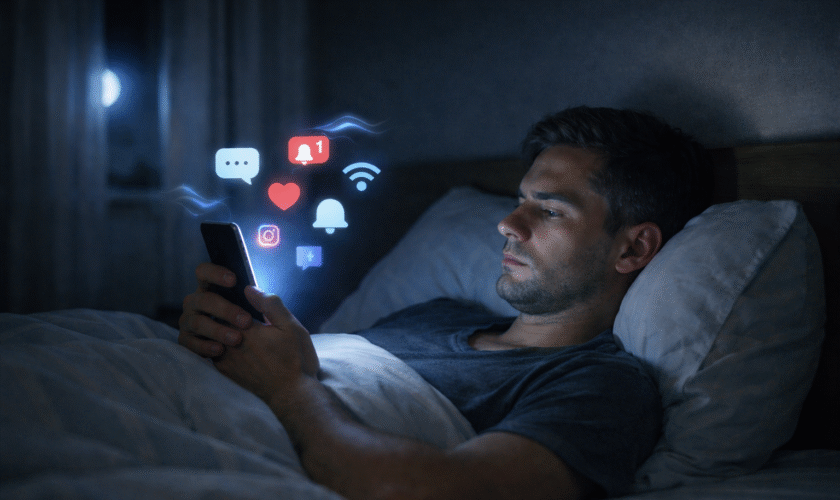
It usually starts innocently. You pick up your phone to check one message, scroll through a few posts, maybe watch a short video—and before you realize it, 20 minutes have passed. Instead of feeling relaxed, you feel oddly drained. Your eyes feel heavy, your mind feels foggy, and sometimes you’re even sleepier than before you started.

If you’ve ever wondered why you feel tired after scrolling on your phone, you’re not imagining it. Many people describe the same experience: scrolling feels effortless in the moment, yet leaves them mentally exhausted afterward.

This isn’t about willpower or “using your phone too much.” There are real, science-backed reasons why scrolling can make you tired and even sleepy. In this article, we’ll explore what actually happens in your brain when you scroll, why it creates a unique kind of fatigue, and why it often feels relaxing even when it isn’t.

Is Scrolling on Your Phone Really Fatiguing?

Short answer: yes.

Scrolling on your phone can absolutely make you tired, even if you’re sitting still and doing nothing “physically demanding.” The fatigue comes from mental load, not muscle use. Every swipe, pause, and glance requires your brain to process information, make tiny decisions, and shift attention.

Unlike focused activities—such as reading a single article or working on one task—scrolling exposes your brain to a constant stream of unrelated content. That steady demand on attention adds up quickly, leading to what many people experience as scrolling fatigue or phone scrolling exhaustion.

To understand why this happens, we need to look at how your brain reacts to endless digital input.

The Science Behind Scrolling Fatigue

Mental fatigue caused by excessive phone scrolling

Cognitive Overload and Attention Fragmentation

Your brain is excellent at focusing on one thing at a time. Scrolling works against that strength.

When you scroll through a feed, you’re exposed to dozens—or hundreds—of pieces of content in rapid succession: headlines, images, videos, comments, notifications. Each one asks your brain a small question: Is this interesting? Should I stop? Should I keep going?

These constant micro-decisions create cognitive overload. Even though each decision feels trivial, the accumulation strains your attention system. Instead of settling into a stable focus, your mind keeps switching contexts—news to humor, work-related content to personal updates, serious to trivial.

This attention fragmentation forces your brain to work continuously without reaching a satisfying sense of completion. Over time, that effort shows up as mental tiredness, reduced clarity, and difficulty concentrating after you put the phone down.

Dopamine Loops and Mental Exhaustion

Scrolling is also powered by a reward system in your brain.

Each new post carries the possibility of something interesting, amusing, or emotionally engaging. This unpredictability triggers dopamine—a chemical associated with motivation and anticipation. Importantly, dopamine doesn’t mean pleasure; it means seeking.

The problem is that this creates a loop of stimulation without resolution. Your brain stays alert, scanning for the next rewarding moment, but rarely gets a signal to stop. This constant state of low-level anticipation keeps your mind engaged but never satisfied.

That’s why scrolling can feel absorbing while you’re doing it, yet leave you mentally exhausted afterward. Stimulation keeps the brain active, but activity is not the same as restoration. Over time, this contributes to digital fatigue rather than relaxation.

Blue Light, Sleepiness, and Circadian Disruption

Many people ask, “Why does scrolling make me sleepy, especially at night?” Part of the answer lies in light exposure.

Does Scrolling on Your Phone Make You Tired

Phone screens emit blue light, which plays a role in regulating your circadian rhythm—your internal clock that helps determine when you feel alert or sleepy. Exposure to bright screens in the evening can confuse that rhythm, making your body less certain about when to wind down.

At the same time, the mental stimulation of scrolling keeps your brain active even as your body is trying to rest. This mismatch can create a strange combination: mental fatigue paired with difficulty fully relaxing. The result often feels like heaviness, eye strain, or that foggy, half-awake state many people associate with screen fatigue.

Passive Consumption vs Active Engagement

Not all screen time affects the brain in the same way.

Activities like writing, reading a long article, or working on a focused task engage your brain actively and coherently. Scrolling, on the other hand, is largely passive consumption. You’re absorbing information without directing it, organizing it, or using it toward a goal.

Passive consumption requires sustained attention but offers little sense of progress or closure. Your brain keeps processing without producing anything in return. That imbalance—high input, low output—can be surprisingly draining.

This is one reason people often feel more tired after scrolling than after doing something that requires effort, like writing or problem-solving. Engagement with purpose can be energizing; endless intake without structure often is not.

Why Scrolling Feels Relaxing — But Isn’t

If scrolling is so tiring, why does it feel relaxing in the moment?

The answer lies in perceived effort. Scrolling requires very little physical or emotional commitment. There’s no responsibility, no clear goal, and no risk of failure. Compared to demanding work tasks, it feels easy—and easy often feels like rest.

But mental recovery requires more than low effort. True rest allows the brain to settle, slow down, and regain balance. Scrolling does the opposite: it keeps your attention engaged, your reward system active, and your senses stimulated.

This is why bedtime scrolling often backfires. You may reach for your phone to unwind, only to feel more tired and less refreshed. The same happens during work breaks—what feels like a pause can actually prolong mental strain.

Understanding this mismatch between feeling relaxed and actually recovering is key to understanding why scrolling fatigue is so common—and why it’s becoming an everyday experience for so many people.

Signs You’re Experiencing Scrolling Fatigue

Scrolling fatigue doesn’t always show up as obvious exhaustion. More often, it appears as subtle mental and emotional signals that are easy to overlook—especially because they’ve become so common.

Here are some of the most frequent signs of phone scrolling exhaustion, and why they happen:

  • Feeling sleepy but restless
    You may notice that scrolling makes you feel drowsy, yet when you put your phone down, real rest doesn’t come easily. This happens because your brain is mentally overstimulated while your body is inactive. The result is a tired-but-wired state that feels confusing and unsatisfying.
  • Eye strain or mental heaviness
    Screen fatigue often shows up as heavy eyes, blurred focus, or a pressure-like feeling in your head. This isn’t just about screen brightness—it’s also the result of sustained attention and rapid visual changes that don’t give your brain time to settle.
  • Reduced focus after scrolling
    Many people notice that after a scrolling session, it’s harder to concentrate on meaningful tasks. Your attention system has been stretched thin by constant context switching, making focused thinking feel unusually difficult.
  • Emotional numbness or irritability
    Endless exposure to mixed emotional content—humor, conflict, bad news, comparison—can flatten emotional responses or make you more easily irritated. This is a common but under-discussed aspect of digital fatigue.

Individually, these signs might seem minor. Together, they point to a pattern where scrolling quietly drains mental energy instead of restoring it.

Why Scrolling Is More Exhausting Than Other Screen Activities

It’s tempting to assume that all screen time affects the brain in similar ways. In reality, scrolling stands out as uniquely draining when compared to other digital activities.

Reading long-form content, for example, usually involves sustained attention in one direction. Even when it requires effort, your brain can settle into a rhythm. There’s a sense of progression—from beginning to end—that helps reduce cognitive strain.

Writing or creating content engages your brain actively. While it may feel demanding, it often produces clarity rather than fatigue. Creating requires focus, but it also provides feedback and meaning, which can be mentally energizing.

Focused work—even when challenging—typically has boundaries. There’s a task, an objective, and a stopping point. These elements help the brain organize effort and recover afterward.

Scrolling lacks all of these stabilizing features. There’s no clear goal, no natural endpoint, and no consistent theme. Your brain remains alert without knowing when to disengage. This constant state of low-level vigilance is what makes scrolling fatigue so different from other forms of screen use.

In short, scrolling demands attention without offering structure—and that imbalance is what makes it especially exhausting.

How to Reduce Scrolling Fatigue Without Quitting Your Phone

Reducing scrolling fatigue doesn’t require giving up your phone or disconnecting from the digital world. Small, intentional shifts in how you use your device can significantly lower mental strain.

Shift from Endless Scrolling to Intentional Use

One of the simplest changes is moving from automatic scrolling to purposeful use. Before opening an app, pause briefly and ask yourself what you’re actually looking for—information, connection, relaxation.

Intentional use gives your brain a frame. Even a loose purpose helps reduce the cognitive overload that comes from wandering endlessly through content.

Create Gentle Boundaries (Time, Place, Purpose)

Boundaries don’t have to be rigid to be effective. Simple contextual limits—such as avoiding scrolling in bed or during meals—can reduce screen fatigue without feeling restrictive.

Time-based boundaries can also help, but they work best when paired with awareness rather than strict enforcement. The goal isn’t control; it’s clarity about when scrolling serves you and when it doesn’t.

Replace Passive Scrolling with Low-Effort Creation

Passive consumption is one of the biggest contributors to phone scrolling exhaustion. Replacing some scrolling time with low-effort creation—such as writing a short note, organizing thoughts, or capturing ideas—can shift your brain from intake to expression.

Creation doesn’t have to be productive or public. Even small acts of expression give your mind a sense of closure that scrolling rarely provides.

Design a Scroll-Free Wind-Down Routine

Many people ask why scrolling makes them sleepy yet restless at night. A scroll-free wind-down period—even 20 to 30 minutes—can help your brain transition more naturally toward rest.

This doesn’t mean avoiding screens entirely. It simply means choosing activities that are slower, quieter, and less stimulating than endless feeds.

A Mindful Technology Perspective

At its core, scrolling fatigue isn’t about technology being “bad.” It’s about how modern digital tools interact with human attention.

A mindful technology approach focuses on awareness rather than restriction. Instead of asking how to eliminate screens, it asks how to use them in ways that respect mental limits and support focus.

Digital minimalism, when applied gently, encourages choosing tools and behaviors that align with your values—whether that’s clarity, creativity, or calm. It’s less about doing less for the sake of it, and more about making space for what matters.

This perspective aligns with the broader philosophy at mindfultechwork.com: technology should support thoughtful work and meaningful rest, not quietly undermine them.

Conclusion

If scrolling leaves you feeling tired, foggy, or strangely drained, there’s a reason. Scrolling fatigue is a natural response to constant stimulation, fragmented attention, and passive consumption.

The good news is that you don’t need drastic changes to feel better. By noticing how scrolling affects you, experimenting with small adjustments, and choosing more intentional digital habits, you can reduce digital fatigue without disconnecting from the world.

There’s no perfect way to use technology—only ways that work better for you.

If you’d like to explore this topic further, you may find it helpful to read our deeper dive on scrolling fatigue, our guides on digital minimalism, or our reviews of focus tools designed to support calmer, more intentional work.

Frequently Asked Questions About Scrolling Fatigue

Does scrolling on your phone make you tired even if you’re just relaxing?

Yes. Scrolling can make you tired even when it feels relaxing because your brain stays mentally active. Endless feeds require constant attention and decision-making, which leads to mental fatigue rather than true rest.

Why does scrolling make me sleepy at night?

Scrolling often makes people sleepy at night because screen light and constant stimulation interfere with the body’s natural wind-down process. Your brain becomes tired from overstimulation while your body struggles to fully relax, creating a heavy, drowsy feeling.

Is scrolling fatigue the same as screen fatigue?

They’re related but not identical. Screen fatigue refers to general tiredness from prolonged screen use, while scrolling fatigue is more specific to endless, fast-changing content that fragments attention and overloads the brain.

Why do I feel tired after scrolling on my phone but not after reading?

Reading usually involves sustained focus and a clear beginning and end, which helps the brain settle. Scrolling lacks structure and keeps your attention constantly shifting, making it more mentally exhausting than reading long-form content.

How much scrolling is too much before it causes digital fatigue?

There’s no exact time limit. Digital fatigue depends more on how you scroll than how long. Frequent, unintentional scrolling—especially without breaks or purpose—is more likely to cause phone scrolling exhaustion than short, intentional use.

read more
Tech-Life Balance

How Technology Affects Sleep: The Hidden Link Between Tech Overuse and Sleep Deprivation

How Technology Affects Sleep

It’s hard to imagine modern life without technology. From smartphones and laptops to streaming platforms and social media, digital devices are woven into nearly every part of our daily routines. We wake up to alarms on our phones, work on screens for hours, relax with online content, and often fall asleep scrolling one last time. While this constant connectivity has its benefits, it has also raised an important question: how technology affects sleep in today’s always-on world.

Over the past two decades, digital device use has skyrocketed. Research consistently shows that people are spending more time on screens than ever before, especially in the evening hours. This shift has quietly coincided with a rise in sleep-related complaints, including difficulty falling asleep, staying asleep, and waking up feeling rested. Many sleep experts now point to technology and sleep deprivation as a growing public health concern.

The connection isn’t just about staying up too late. Technology affects sleep in multiple ways—through prolonged screen time, blue light exposure, and even behavioral patterns linked to phone addiction. Each of these factors can interfere with sleep quality, disrupt natural sleep cycles, and reduce the amount of restorative rest the body gets.

In this article, we’ll break down what tech overuse really means, why it matters for sleep, and how habits like late-night scrolling and excessive screen exposure can quietly undermine your ability to rest well.

What Is Tech Overuse and Why It Matters for Sleep

Technology overuse doesn’t mean using devices occasionally or for work—it refers to excessive, habitual, or poorly timed use that begins to interfere with daily functioning, including sleep. When technology becomes the default activity during downtime, especially at night, it can start to crowd out behaviors that support healthy rest.

digital burOne of the most common examples of technology overuse is excessive smartphone use before bed. Many people bring their phones into bed with the intention of checking one message or watching a short video, only to spend far longer than planned. This habit trains the brain to associate the bed with stimulation rather than relaxation, making it harder to wind down naturally.

Digital habits also affect sleep through repetition. Checking notifications, responding to messages, or consuming fast-paced content keeps the mind alert when it should be slowing down. Over time, this pattern can delay sleep onset and reduce overall sleep duration. Even when someone manages to fall asleep, the quality of that sleep may suffer due to lingering mental stimulation.

Why does this matter? Sleep is not just “time off.” It’s an active process during which the brain consolidates memory, regulates emotions, and repairs the body. When technology overuse repeatedly interferes with this process, the effects can accumulate, leading to fatigue, reduced focus, and long-term health consequences.

How Screen Time and Sleep Problems Are Connected

The link between screen time and sleep problems is one of the most well-documented aspects of modern sleep research. Excessive screen time affects sleep in both direct and indirect ways, making it harder to fall asleep and harder to stay asleep.

First, screens keep the brain engaged. Whether it’s social media, gaming, or binge-watching shows, digital content is designed to capture attention. This mental stimulation increases alertness at a time when the brain should be transitioning into a relaxed state. As a result, people often experience delayed sleep onset—lying awake even after putting the device away.

Second, screen time pushes bedtime later. Many people underestimate how quickly “just a few minutes” on a device can turn into an hour or more. This bedtime delay reduces total sleep time, which can contribute to chronic sleep deprivation over days or weeks.

Research supports these observations. Studies have found that individuals who use screens within one hour of bedtime are significantly more likely to report poor sleep quality. Adolescents and adults with higher evening screen exposure tend to fall asleep later and get fewer hours of sleep overall. These findings highlight the excessive screen time effects on sleep, especially when device use becomes a nightly routine.

Importantly, screen time doesn’t just affect how long you sleep—it affects how deeply you sleep. Fragmented sleep, frequent awakenings, and lighter sleep stages are more common among people who engage in heavy nighttime screen use. Over time, this can leave individuals feeling unrested even after what seems like a full night in bed.

Blue Light Exposure at Night and Melatonin Suppression

One of the most significant ways technology affects sleep is through blue light exposure at night. Blue light is a high-energy visible light emitted by screens on phones, tablets, computers, and TVs. While blue light is naturally present in daylight and helps regulate alertness, exposure at the wrong time can confuse the body’s internal clock.

The body relies on a hormone called melatonin to signal that it’s time to sleep. Melatonin levels naturally rise in the evening as darkness sets in. However, blue light exposure can suppress melatonin production, essentially telling the brain that it’s still daytime. This process, known as melatonin suppression, delays the feeling of sleepiness and pushes the sleep cycle later.

This disruption affects the circadian rhythm—the body’s internal 24-hour clock that regulates sleep, wakefulness, and other biological processes. When technology use extends into the late evening, it can cause circadian rhythm disruption, making it harder to fall asleep at night and harder to wake up feeling refreshed in the morning.

Digital screens interfere with natural sleep cycles not only by delaying sleep onset but also by shifting the timing of deep and REM sleep. These stages are essential for memory, learning, and emotional regulation. When they are shortened or misaligned, overall sleep quality declines.

While features like night mode and blue light filters can help reduce exposure, they don’t eliminate the problem entirely. The combination of light exposure and mental engagement still signals the brain to stay alert. That’s why many sleep experts recommend limiting screen use altogether in the hour or two before bedtime.

Phone Addiction and Sleep Deprivation

Smartphones are incredible tools, but for many people, they’ve crossed the line from useful to unavoidable. The link between phone addiction and sleep deprivation is becoming increasingly clear as bedtime scrolling turns into a nightly habit rather than an occasional one.

Phone addiction isn’t just about how much time you spend on your device—it’s about compulsive use, especially when you know it’s interfering with your sleep. Many people feel the urge to check notifications late at night, even when they’re tired. This behavior is driven by dopamine, a neurotransmitter associated with reward and motivation. Every notification, message, or new piece of content triggers a small dopamine release, reinforcing the habit and making it harder to stop.

This is why bedtime scrolling is so powerful. Social media apps, short videos, and endless feeds are designed to keep users engaged. Even when the body is physically tired, the brain remains alert, waiting for the next reward. As a result, people often stay awake far longer than intended, cutting into valuable sleep time.

Notifications also play a major role. The anticipation of a message or alert can create a state of hypervigilance, making it difficult to fully relax. Even if notifications are muted, the habit of “just checking” can keep the mind active. Over time, this pattern conditions the brain to associate the bed with stimulation rather than rest.

The outcome is often poor sleep quality. Phone addiction can lead to delayed sleep onset, fragmented sleep, and shorter sleep duration. Even when someone manages to fall asleep, their rest may be lighter and less restorative. This ongoing disruption is one of the clearest ways technology use translates into chronic sleep deprivation.

Mental Health Effects of Technology-Induced Sleep Deprivation

Sleep and mental health are deeply interconnected, and technology-induced sleep loss can significantly impact emotional well-being. When sleep is consistently disrupted by late-night screen use, the effects often extend beyond physical fatigue.

One of the most common consequences is increased stress. Constant connectivity creates a sense of urgency—emails, messages, and news updates don’t stop just because it’s nighttime. This ongoing stimulation prevents the nervous system from fully calming down, making it harder to relax both mentally and physically.

Anxiety and sleep problems frequently reinforce each other. Lack of sleep increases emotional reactivity, making everyday stressors feel more overwhelming. At the same time, anxiety can make it harder to fall asleep, creating a cycle that’s difficult to break. Technology use at night often intensifies this loop by keeping the mind engaged when it should be winding down.

Another growing issue is digital burnout. Burnout isn’t limited to work—it can result from constant information overload and the pressure to stay connected. When people spend their evenings consuming content instead of resting, they lose the mental downtime needed to recover from the day. Over time, this can lead to emotional exhaustion, reduced motivation, and a sense of detachment.

The technology addiction health effects tied to chronic sleep deprivation also include mood disturbances. Irritability, low mood, and difficulty regulating emotions are common when sleep is consistently compromised. In the long term, ongoing sleep loss can increase the risk of more serious mental health challenges.

In short, technology-induced sleep deprivation doesn’t just make people tired—it affects how they think, feel, and cope with daily life.

Signs of Sleep Deprivation Caused by Technology Overuse

Sleep deprivation doesn’t always look dramatic. In many cases, the signs of sleep deprivation from screen time develop gradually and are easy to dismiss as “normal tiredness.” However, recognizing these signs is an important step toward change.

One of the most common symptoms is difficulty falling asleep. Even after putting the phone away, the mind may continue racing, replaying content or conversations from earlier screen use. This delayed sleep onset often leads to frustration and reduced total sleep time.

Another sign is frequent night waking. Technology use before bed can fragment sleep, causing people to wake up multiple times during the night. These awakenings may be brief, but they reduce the amount of deep, restorative sleep the body gets.

Daytime fatigue and reduced focus are also key indicators. When sleep quality suffers, concentration, memory, and reaction time decline. People may rely more heavily on caffeine, feel mentally foggy, or struggle to stay productive.

Mood changes are another red flag. Irritability, low patience, and emotional sensitivity are common when sleep is lacking. These mood shifts can affect relationships, work performance, and overall quality of life.

If these symptoms sound familiar, technology overuse—especially at night—may be a contributing factor.

How to Reduce Technology Use Before Bed for Better Sleep

Improving sleep doesn’t require giving up technology entirely, but it does involve creating healthier boundaries. Learning how to reduce technology use before bed can make a noticeable difference in sleep quality.

One effective strategy is setting screen time limits, particularly in the evening. Many devices now offer built-in tools that track usage and allow users to set reminders or limits. These features can help create awareness and prevent unintentional late-night scrolling.

Another important step is to avoid devices 1–2 hours before sleep whenever possible. This window allows the brain to transition into a more relaxed state. Replacing screen time with calming activities—such as reading, stretching, or listening to soft music—can support this process.

Using night mode or blue light filters can also help reduce the impact of screen exposure. While these tools don’t eliminate all sleep-disrupting effects, they can lessen the intensity of light exposure and reduce strain on the eyes.

Creating a tech-free bedtime routine is one of the most effective habits. This might include charging the phone outside the bedroom, setting a consistent bedtime, and engaging in relaxing rituals that signal to the body that it’s time to sleep. Over time, these routines help retrain the brain to associate bedtime with rest rather than stimulation.

Understanding the technology use before bed effects makes it easier to prioritize these changes and stick with them.

Healthy Screen Time Habits That Improve Sleep Quality

Beyond bedtime routines, adopting healthy screen time habits throughout the day can significantly improve sleep quality over the long term.

One key habit is establishing clear digital boundaries. This might mean limiting social media use, turning off non-essential notifications, or designating screen-free times during the day. Boundaries reduce mental overload and make it easier to disconnect at night.

Replacing scrolling with calming activities is another powerful shift. Activities like journaling, meditation, light stretching, or reading a physical book help the nervous system slow down. These alternatives provide relaxation without the mental stimulation that screens create.

Improving overall sleep hygiene also supports better rest. This includes maintaining a consistent sleep schedule, keeping the bedroom dark and quiet, and avoiding stimulants late in the day. When combined with mindful technology use, these habits create an environment that supports deep, restorative sleep.

Healthy screen habits aren’t about restriction—they’re about balance. When technology use aligns with the body’s natural rhythms, sleep becomes easier and more refreshing.

Conclusion: Understanding How Technology Affects Sleep

Understanding how technology affects sleep reveals a hidden but powerful connection between modern digital habits and sleep deprivation. From phone addiction and dopamine-driven scrolling to mental health effects and disrupted sleep cycles, technology overuse can quietly undermine rest.

The good news is that awareness leads to change. Small habit adjustments—like reducing screen time before bed, setting boundaries, and creating tech-free routines—can have a big impact on sleep quality and overall well-being.

Technology isn’t the enemy, but how we use it matters. By being intentional with devices, especially at night, it’s possible to enjoy the benefits of technology without sacrificing the sleep our bodies and minds need.

FAQ: Technology and Sleep

Does technology cause sleep deprivation?
Technology itself doesn’t cause sleep deprivation, but excessive or poorly timed use—especially before bed—can disrupt sleep patterns and reduce sleep quality.

How much screen time is too much before bed?
Most sleep experts recommend avoiding screens for at least 1 hour before bedtime, with 2 hours being ideal for optimal sleep.

Can blue light ruin sleep?
Blue light can suppress melatonin and disrupt circadian rhythms, making it harder to fall asleep, especially when exposure occurs at night.

Further Reading: Technology, Sleep, and Mental Health

read more
Tech-Life Balance

No-Screen Evenings: 7 Simple Ways to Unplug Without Feeling Cut Off

No-Screen Evenings

Let’s be honest—our lives are more connected than ever, and sometimes it feels exhausting. The moment we sit down after work, our phones start buzzing with messages, notifications, emails, and social media updates. Before we know it, we’ve scrolled for hours without even realizing it. Phones, tablets, and computers dominate our evenings, keeping our minds engaged long after the day’s responsibilities are over. This constant connectivity doesn’t just steal our free time—it can make it hard to relax, focus, or even get a good night’s sleep. The subtle stress of always being “on” creeps into our mental space, leaving many of us drained and restless.

This is where the idea of no-screen evenings comes in. Simply put, it’s about intentionally stepping away from screens for part of your evening to give your mind and body a chance to unwind. A digital detox at night isn’t about missing out; it’s about reclaiming your time for activities that truly matter. Whether it’s reading a book, journaling your thoughts, meditating, or enjoying some offline hobbies, you’re giving yourself permission to relax, focus, and reset.

The benefits of no-screen evenings go beyond just feeling less stressed. People who make this small adjustment in their routines often notice improved sleep, reduced anxiety, better focus, and the ability to establish healthy nighttime routines. Even turning off your screens just an hour before bed can create a noticeable difference in your overall wellbeing.

Why You Need No-Screen Evenings

The Impact of Screens on Sleep

If you’ve ever stared at your phone late at night and wondered why you can’t fall asleep, here’s why. Screens emit blue light, which interferes with melatonin—the hormone your body produces to help you sleep. When your brain is exposed to this light, it thinks it’s still daytime and keeps you alert, even if your body is craving rest.

Reducing screen time before bed is a simple way to improve your sleep quality. By setting aside time for no-screen evenings, you’re allowing your body to wind down naturally. Dim the lights, put away your devices, and let your mind shift from the busyness of the day to a calmer state. Over time, your body starts associating evenings with rest, making it easier to fall asleep and wake up refreshed.

Mental Health Benefits

Screens don’t just affect your sleep—they can also influence your mental health. Constant notifications and digital chatter create a low-level stress that builds up over the day. Taking time for evening phone-free routines allows your mind to decompress, reducing tension and helping you feel calmer.

Disconnecting from devices also encourages mindfulness. Without the constant pull of notifications, you can focus on the present moment. That might mean enjoying a cup of tea in peace, reflecting on your day, or simply sitting quietly without distractions. Mindfulness during these moments isn’t just relaxing—it helps you gain clarity and emotional balance, which can improve focus and reduce anxiety in your daily life.

Creating Mindful Evening Habits

Building mindful habits is a cornerstone of no-screen evenings. These habits can include journaling, reading, meditating, or light stretching. The idea is to make your evening intentional, rather than letting screens dictate how you spend your time. By practicing mindful evening routines, you’re training your brain to transition from work mode to relaxation mode. Over time, these small adjustments can significantly improve your mental clarity and overall wellbeing.

How to Start a No-Screen Evening Routine

Starting a no-screen evening routine doesn’t have to be intimidating. The key is to introduce practical, enjoyable practices that make disconnecting feel natural rather than restrictive.

no-screen evenings

Here are seven ways to create a routine that sticks:

1. Set a Screen Curfew

Decide on a realistic time each night to put away your devices. Whether it’s 8:00 PM or an hour before your usual bedtime, having a cutoff helps signal to your brain that it’s time to wind down. Use phone timers, app limits, or device settings to enforce this habit. A consistent screen curfew helps your body get into a rhythm and improves sleep quality over time.

Create a Relaxing Environment

Your surroundings play a huge role in how well you unwind. Dim the lights, play some soft music, or light candles to create a calm atmosphere. When your space feels cozy and inviting, evening relaxation without screens becomes far more enjoyable. A peaceful environment encourages your mind to slow down, making it easier to enjoy your evenings offline.

Replace Screen Time with Other Activities

Instead of scrolling, try engaging in offline hobbies or creative pursuits. Reading, journaling, meditation, or light stretching are excellent options. You could also explore drawing, crafting, or listening to podcasts. These activities not only replace screen time but also help you establish healthy nighttime routines that nourish your mind and body.

Plan a Mindful Wind-Down Ritual

Rituals help your body and mind recognize that it’s time to rest. Practices like deep breathing, gratitude journaling, or gentle yoga create a natural transition from activity to relaxation. A mindful wind-down ritual reinforces the benefits of no-screen evenings, making disconnecting feel intentional rather than forced.

Communicate Your Boundaries

Let friends and family know about your no-screen evenings so they’re aware when you’re offline. Setting clear boundaries reduces anxiety about missing messages or notifications. Communicating your routine also encourages others to respect your offline time, making it easier to stick to your new habits.

Gradually Reduce Screen Exposure

If going fully screen-free feels overwhelming, start small. Begin with 30–60 minutes before bed without screens and gradually increase the duration over time. Track your progress using a journal or app, and celebrate small wins. Gradual reduction helps your brain and body adjust, making no-screen evenings a sustainable habit.

Incorporate Social or Offline Fun

Evenings don’t have to feel lonely without screens. Play board games, engage in conversation, or enjoy offline hobbies. Making your evening phone-free routines fun ensures that disconnecting doesn’t feel like a sacrifice. Combining social interaction with offline activities also strengthens relationships and keeps your nights enjoyable and fulfilling.

Managing the Fear of Missing Out (FOMO)

One of the biggest hurdles when starting no-screen evenings is the fear of missing out, or FOMO. It’s that nagging feeling that if you step away from your phone or laptop, you might miss an important message, a breaking news story, or a social update. The truth is, most notifications aren’t as urgent as they feel. By addressing FOMO head-on, you can enjoy your evenings without anxiety and make your evening phone-free routines truly relaxing.

Communicate Boundaries

A simple yet powerful strategy is to communicate your intentions to friends, family, and even colleagues. Let them know that you’re implementing no-screen evenings and that you won’t be checking messages during that time. This doesn’t just reduce anxiety about “missing out”—it also sets expectations for everyone around you. People are more likely to respect your offline time when they understand why it matters.

You might say something like, “I’m trying to unplug for an hour each evening to focus on rest and relaxation. I’ll get back to messages afterward.” Clear communication like this can ease the worry that something important will slip through the cracks, allowing you to fully embrace a digital detox at night.

Gradual Transition

Going cold turkey can feel intimidating, so starting slowly often works best. Begin with 30–60 minutes of screen-free time and gradually extend the duration. This allows your mind to adjust and makes the habit easier to stick to long-term.

Apps that track screen usage or even a simple journal can help monitor your progress. Noticing improvements in mood, sleep quality, or focus can be incredibly motivating. Over time, these small, manageable steps turn into a natural rhythm, making no-screen evenings a seamless part of your routine.

Tips to Make No-Screen Evenings Enjoyable

Disconnecting doesn’t have to feel like a chore. In fact, the more enjoyable you make your evenings, the easier it is to maintain the habit. Here are some strategies to turn no-screen evenings into a positive, fulfilling experience.

Pair With Hobbies or Creative Projects

Use your screen-free time to dive into hobbies you’ve been neglecting. Whether it’s painting, knitting, writing, or cooking, focusing on creative projects not only distracts from digital devices but also provides a sense of accomplishment. Engaging in these activities gives your evenings structure and purpose, making the digital detox at night feel rewarding instead of restrictive.

Incorporate Mindfulness or Light Exercise

Mindfulness practices and gentle physical activity are perfect complements to evening phone-free routines. Meditation, stretching, or yoga can calm the nervous system, reduce stress, and prepare your body for restful sleep. Even a short walk around your home or a few minutes of deep breathing can make a huge difference in how relaxed and present you feel.

Make It Social

Being offline doesn’t mean being isolated. Invite family members or housemates to participate in no-screen evenings with you. Play board games, cook together, or simply engage in conversation. These moments of social interaction help strengthen relationships and add joy to your evenings, proving that unplugging can actually bring people closer rather than leaving you feeling cut off.

Tracking Your Progress and Staying Consistent

Consistency is key to making no-screen evenings a sustainable habit. Tracking your progress can help you stay motivated and notice tangible benefits.

Journal Sleep Quality and Mood Improvements

Keep a small notebook or use a digital journal to record how you feel during and after evening phone-free routines. Note improvements in sleep quality, stress levels, or mental clarity. Seeing a pattern emerge over time reinforces the value of unplugging and helps you stay committed to the practice.

Reward Yourself for Sticking to the Routine

Celebrating small wins is a great way to maintain motivation. Whether it’s treating yourself to a favorite snack, enjoying a relaxing bath, or indulging in a hobby you love, rewards can make your no-screen evenings feel positive and enjoyable rather than restrictive. Over time, this reinforcement builds a lasting habit that’s easy to integrate into your lifestyle.

Conclusion

Embracing no-screen evenings is more than just putting away devices—it’s a pathway to better sleep, reduced stress, and greater mental clarity. By gradually implementing evening phone-free routines, communicating boundaries, and finding enjoyable activities to replace screen time, you can reclaim your evenings without feeling disconnected. This simple shift can help you establish healthy nighttime routines, improve focus, and create a calmer, more intentional end to your day.

A digital detox at night doesn’t need to be extreme or rigid. Starting small, tracking your progress, and making the experience enjoyable ensures that your evenings become a time for rest, mindfulness, and meaningful connection. Over time, you’ll likely find that stepping away from screens isn’t just beneficial—it’s something you actually look forward to.

FAQs

1. What is the best time to start a no-screen evening?
Most people find success starting 30–60 minutes before bedtime. Some prefer a full hour or more, depending on lifestyle and schedule. The key is consistency.

2. How long should I avoid screens before bed?
Even 30 minutes can help your body prepare for sleep. Gradually increasing to 60–90 minutes often yields better results.

3. Can no-screen evenings improve mental health?
Absolutely. Disconnecting reduces stress, promotes mindfulness, and allows your mind to rest from constant stimulation.

4. How do I manage notifications while doing a digital detox?
Communicate boundaries with friends and family, use “Do Not Disturb” modes, or schedule check-ins after your screen-free period.

5. What are some quick activities to replace screen time at night?
Reading, journaling, creative hobbies, light exercise, meditation, or social interaction are all excellent alternatives that make evening phone-free routines enjoyable.

Further Reading

Digital Detox Night Routine: 12 Rituals To Sleep Deeplyhttps://www.femina.in/wellness/de-stress/digital-detox-night-routine-12-rituals-to-sleep-deeply-288131.html

How to Reduce Screentime Before Bed for Quality Sleephttps://www.artofliving.org/us-en/meditation/sleep/reduce-screentime-quality-sleep

Digital Detox: Reducing Screen Time for Better Sleep – https://www.corporatewellnessmagazine.com/article/digital-detox-reducing-screen-time-for-better-sleep

Digital Detox Before Bed: A Step‑by‑Step Guide – https://inspiretopics.com/digital-detox-before-bed-a-step-by-step-guide/

Digital Detox & Sleep Boundaries – https://www.psychologytoday.com/intl/blog/the-colors-of-contemporary-psychiatry/202406/digital-detox-set-boundaries-with-your-screens

read more
Tech-Life Balance

The Revolutionary Science of Rest: How to Unplug Without Feeling Guilty

How to Unplug Without Feeling Guilty

Finding how to unplug without feeling guilty can be surprisingly challenging, especially when the world around us seems to reward constant hustle. We know rest is good for us, yet the moment we try to slow down, that sense of “I should be doing something” kicks in. It’s a familiar struggle, and if you’ve felt it too, you’re definitely not alone.

The truth is, our minds were never designed to run on endless productivity mode. Science clearly shows that stepping back—whether for a few minutes or a full day—helps restore focus, boost creativity, and reduce stress. Rest isn’t a luxury; it’s part of the biology of being human. When you give yourself permission to breathe, your brain thanks you by working better when you return.

So instead of fighting the guilt or pushing through exhaustion, this guide will help you understand why unplugging matters and how to do it with confidence. You’ll learn the research behind restorative rest, practical ways to disconnect, and how to shift your mindset so breaks feel empowering instead of uncomfortable.

Let’s redefine rest together.

Understanding the Need to Unplug

Why Rest Is Essential for Mental and Physical Health

Rest isn’t just a nice-to-have — it’s a biological requirement. Sleep and short recovery periods let your nervous system consolidate memories, regulate emotions, and clear metabolic waste from the brain; without adequate rest, attention, decision-making, and learning all suffer. For example, sleep research shows clear links between good sleep and faster processing speed, better memory consolidation, and more accurate decision-making — all things we rely on to do quality work.

Beyond sleep, even short breaks during the day reduce physiological stress markers and give the body time to reset. Moving, stretching, or even stepping outside for a few minutes lowers muscle tension and cortisol, which helps prevent the slow drain that leads to burnout. When you reframe rest as part of your body’s maintenance routine, it stops looking like wasted time and starts to look like essential fuel.

The Science of Rest and Recovery

The “science of rest” covers different time scales: micro-breaks (seconds to a couple minutes), short breaks (5–15 minutes), and full sleep cycles. Multiple controlled studies and reviews have found that scheduled breaks — when used correctly — improve sustained attention and task performance. Time-structured techniques (like Pomodoro-style work/break cycles) have empirical support for helping people maintain focus and reduce mental fatigue during long tasks. That doesn’t mean every method fits everyone, but it does mean there’s a measurable, repeatable benefit to structuring rest into work.

Neuroscience suggests why: the brain operates in cycles of focused attention and recovery. When you push the focus window too long, performance drops; a short, intentional break resets attentional control networks so you can return to work with better accuracy and less effort. Think of breaks as recharging short circuits rather than full system shutdowns.

How Constant Connectivity Affects Productivity

Being always-on — phones buzzing, pings interrupting, multitasking tabs open — fragments attention and raises cognitive load. Studies on task interruptions show that notification-driven interruptions reliably worsen performance and increase mental strain; workers take longer to resume tasks and are more error-prone after interruptions. On a larger scale, constant connectivity blurs work-life boundaries and can degrade overall work performance and wellbeing over time. Reducing needless interruptions and reclaiming focused windows is therefore both a productivity and a health strategy.

Why We Feel Guilty When We Rest

The Cultural Pressure to Always Be Busy

Guilt around rest is cultural as much as personal. Many societies currently valorize visible busyness and hustle; being “always productive” functions as a social signal of worth, ambition, and reliability. That pressure seeps into our internal narrative: when we sit still, we fear losing status, falling behind, or being judged. That social script makes it harder to adopt healthy rest habits even when evidence tells us rest will help our output in the long run.

The Psychology Behind “Rest Guilt”

Psychologically, guilt from resting often ties back to internalized expectations and cognitive biases. People prone to perfectionism or high work identity are more likely to interpret breaks as laziness rather than recovery. Behavioral research shows that belief systems — “I must always be earning my keep” or “time spent idle is wasted time” — shape how we feel when we disconnect. The trick is to rewire the belief: rest is an investment in future productivity, not a deficit. Cognitive reframing and small, successful experiments with scheduled breaks can erode that guilt over time.

How Hustle Culture Distorts Our View of Productivity

“Hustle culture” compresses productivity down to hours logged or tasks checked off, ignoring quality, creativity, and long-term sustainability. It rewards endurance and visibility (late emails, long hours) over efficiency and results. The result is a distorted metric: more time ≠ more value. This distortion creates a feedback loop — people overwork to meet skewed expectations, feel worn out, then double down instead of resting — which ultimately undermines real productivity and wellbeing. Recognizing this distortion is the first step in releasing guilt and choosing smarter rest.

The Benefits of Unplugging Backed by Science

Improved Focus and Cognitive Performance

Short, planned breaks — and adequate nightly sleep — both boost attention and reduce errors. Experimental work shows that people return from short restorative pauses with improved sustained attention, and longer rest windows (like good sleep) solidify learning and problem-solving. In practical terms: you’ll get more done in less time if you respect these cycles, because your brain can operate at higher quality during focused windows.

Reduced Stress and Better Emotional Balance

Unplugging lowers the physiological and psychological strain that comes from chronic stressors — digital overload, tight deadlines, endless messages. Mindful breaks, movement, and digital boundaries reduce cortisol spikes and improve mood regulation. Programs that encourage structured rest and mindfulness report reductions in anxiety and better emotional stability, which translates to clearer thinking and fewer reactive mistakes at work.

How Rest Sparks Creativity and Problem-Solving

Creative insight often happens sideways from the main task — during relaxed moments, walks, showers, or daydreaming. Neuroscience and creativity research indicate that downtime allows associative networks to recombine information, producing novel solutions.

That’s why some of your best ideas come when you’re not “trying” to have them. Protecting pockets of low-effort time encourages these subconscious processes and makes you more likely to solve problems that resisted focused effort.

How to Unplug Without Feeling Guilty

Setting Healthy Boundaries With Technology

Start with practical rules: silence non-essential notifications, set “do not disturb” windows, and create tech-free zones (e.g., during meals or the first hour after waking).

Evidence shows reducing notification-driven interruptions improves performance and lowers strain; making those boundaries visible to coworkers (status messages, calendar blocks) reduces anxiety about missing something urgent. Treat your boundaries as experimentable policies: tweak them until they fit your role and rhythm.

Giving Yourself Permission to Rest

Guilt fades when you have a plan and an evidence-backed rationale. Remind yourself that short breaks improve outcomes (you now have science on your side). Use small, repeatable commitments: a 5-minute walk after a focused 45-minute session, or a 30-minute digital detox after lunch.

Track how you feel and what you accomplish afterward — small wins will rewire your beliefs and make rest feel earned rather than indulgent.

Creating a Daily or Weekly Rest Routine

Design rest into your schedule like any other important task. Methods such as Pomodoro (work blocks + short breaks), weekly tech-free afternoons, and consistent sleep schedules are all practical frameworks. The research suggests that pre-determined, systematic breaks often improve mood and maintain efficiency compared with no plan — so schedule rest and treat those slots as non-negotiable. Over time, this routine helps you maintain high-quality output and reduces the scramble that creates guilt.

Quick takeaway

Rest is not optional or selfish — it’s a proven, practical tool that keeps your brain sharp, your mood steady, and your creativity flowing. By setting boundaries, reframing rest as productive investment, and building realistic routines, you can unplug without the guilt and get better work done when you plug back in.

Practical Ways to Disconnect and Recharge

Taking intentional breaks doesn’t have to be complicated. With the right strategies, unplugging becomes a natural part of your day instead of something you struggle to squeeze in. The goal is to give your mind and body a chance to reset so you can return to your tasks feeling refreshed, clear-headed, and more productive.

Digital Detox Techniques That Work

A digital detox doesn’t require locking your phone in a drawer for 24 hours. Even small changes can dramatically reduce mental clutter. One effective technique is setting notification-free windows during the day. You can designate specific times—like the first hour after waking up, lunchtime, or the last hour before bed—to stay off your phone completely. These pockets of stillness lower stress and help your brain transition between high-focus and rest states.

Another powerful strategy is creating “no-scroll zones.” For example, make it a rule that you won’t use your phone in bed, at the dining table, or during walks. This protects your downtime from mindless scrolling and helps you engage more fully in the moment.

You can also experiment with timed detoxing—like taking one digital-free evening per week or turning off your phone for a few hours every Sunday. These short but consistent periods of disconnection help reduce dependence on constant stimulation and give your mind time to rest.

Simple Activities That Promote Deep Rest

Deep rest doesn’t always require meditation or a long nap. It can come from simple activities that quiet your nervous system and shift your focus away from constant digital input. One of the most effective options is walking—especially outdoors. Walking lowers stress hormones, boosts creativity, and clears mental fog without requiring intense effort.

Breathing exercises are another quick, accessible tool. Even just two to three minutes of slow, intentional breathing can calm your system and give you a sense of reset in the middle of a busy day. Other restful activities include stretching, journaling, light reading, listening to calming music, or spending time around nature.

The key is choosing something that helps you slow down and tune back into yourself. Deep rest happens when your brain gets a break from constant task-switching and attention overload.

When and How Long You Should Unplug

There’s no single formula for everyone, but research suggests that short breaks every 25–60 minutes help maintain focus. For longer unplugging sessions, aim for at least 15–30 minutes of real downtime during lunch, plus one longer rest period in the evening where you step away from screens.

Weekly rest also matters. Many people benefit from a few hours of device-free time over the weekend or a full day of lower digital activity. The goal isn’t perfection—it’s consistency. You’ll know you’ve found the right rhythm when you can return to your tasks feeling mentally lighter rather than drained.

Overcoming Common Barriers to Rest

Even when you know the benefits of unplugging, real-life pressures can make it difficult. Many people struggle because of internal expectations, external demands, or simply fear of falling behind.

What to Do When You Fear Falling Behind

Fear of falling behind is one of the biggest barriers to rest. It can feel like if you stop for even a moment, someone else might get ahead or that you’ll lose your momentum. The truth, however, is that rest fuels progress. When you continue working through exhaustion, the quality of your output drops. You make more mistakes, miss details, and take longer to complete tasks.

One practical solution is to reframe rest as part of your productivity plan. Schedule breaks the same way you schedule tasks, and remind yourself that those pauses aren’t time lost—they’re investments that help you move faster and think more clearly afterward.

How to Manage External Expectations (Work, Family, Social)

It’s also common to feel pressured by others. Colleagues may expect immediate replies, family may need your attention, or friends might want you online constantly. Clear communication helps a lot here. Let people know when you’re unavailable and set boundaries around your time. This can be as simple as saying, “I’ll get back to you later this afternoon,” or using auto-responses during busy periods.

When you manage expectations upfront, you reduce stress and give yourself the mental freedom to rest without worry.

Reframing Rest as a Productivity Tool

Rest becomes easier when you view it as a performance enhancer rather than an escape. High performers—students, creatives, athletes, entrepreneurs—use rest strategically to maintain their edge. Rest improves focus, sharpens problem-solving, and protects long-term mental health. When you see it as part of the work instead of separate from the work, guilt naturally fades.

Building a Healthy Relationship With Rest

A balanced approach to rest includes both short daily pauses and longer periods of deeper recovery.

Mixing Short Breaks With Longer Unplugged Sessions

Short breaks, like micro-pauses or 5–10 minute resets, help maintain energy throughout the day. Longer sessions—such as nightly offline time or half-day digital breaks—restore your overall wellbeing. Mixing both types ensures you don’t burn out in the short or long term.

Recognizing the Signs You Need to Disconnect

Your body and mind usually send clear signals when you need to unplug. These include irritability, difficulty concentrating, frequent mistakes, mental fog, and feeling overwhelmed by small tasks. When you notice these signs, it’s time to pause and give yourself space to reset.

Tracking the Positive Effects of Rest on Your Performance

One way to stay motivated is to track how rest affects you. Note how your focus, creativity, or mood change after taking breaks. Many people notice they think more clearly, complete tasks faster, and feel more grounded when they respect their rest needs. Seeing these results reinforces the habit.

Conclusion

Why Unplugging Is Not Just a Break—It’s a Necessity

Unplugging isn’t about escaping responsibility—it’s about restoring the clarity, energy, and mental sharpness you need to handle your responsibilities well. Rest keeps you balanced, reduces stress, and fuels your creativity. In a world that pushes constant activity, choosing to unplug is one of the smartest decisions you can make for your productivity and wellbeing.

FAQs

1. Why do I feel guilty when I rest?

Because many people internalize cultural expectations to stay busy. Rest guilt often comes from believing your worth is tied to constant productivity.

2. How do I unplug without falling behind?

Plan breaks intentionally and remind yourself that rest improves efficiency and output, helping you move faster—not slower—in the long run.

3. What does science say about taking breaks?

Research shows breaks boost focus, creativity, memory, emotional balance, and overall cognitive performance.

4. How long should I unplug to feel refreshed?

Short breaks every hour, 15–30 minutes during the day, and longer weekly rest sessions provide a strong balance.

5. Can unplugging make me more productive?

Absolutely. Rest recharges your brain, helping you work with more clarity, speed, and creativity.

Further Reading

  1. Harvard Business Review – “The Case for Taking Time Off”
    👉 https://hbr.org/2015/06/the-research-is-clear-vacations-are-good-for-your-health
  2. American Psychological Association – “Rest, Recovery, and Stress Management”
    👉https://www.apa.org/monitor/2021/01/trends-stress
  3. UC Berkeley – Greater Good Science Center – “Why Your Brain Needs Downtime”
    👉https://greatergood.berkeley.edu/article/item/why_your_brain_needs_downtime
  4. National Institutes of Health – Sleep and Cognitive Performance
  5. https://www.ncbi.nlm.nih.gov/pmc/articles/PMC2656292/
  6. Pew Research Center – Digital Life and Stress
    https://www.pewresearch.org/internet/2015/01/15/stress-and-online-digital-life/
  7. Stanford University – Multitasking and Attention Research
    https://news.stanford.edu/2009/08/24/multitask-research-study-082409/
  8. Mayo Clinic – Burnout Symptoms and Prevention
    https://www.mayoclinic.org/healthy-lifestyle/adult-health/in-depth/burnout/art-20046642
  9. Cleveland Clinic – Benefits of Taking Breaks
    https://health.clevelandclinic.org/the-benefits-of-taking-breaks/
  10. American Institute of Stress – Digital Overload and Stress
    https://www.stress.org/digital-overload
  11. MIT Sloan – How Constant Connectivity Impacts Productivity
    https://mitsloan.mit.edu/ideas-made-to-matter/how-distraction-killing-your-productivity
  12. University of Illinois – Attention Restoration Studies
    https://news.illinois.edu/view/6367/205624
  13. Psychology Today – Rest, Creativity, and Problem-Solving
    https://www.psychologytoday.com/us/blog/creative-explorations/202011/why-rest-is-essential-creativity
  14. National Sleep Foundation – The Science of Rest and Recovery
    https://www.thensf.org/
read more
Tech-Life Balance

How to Set Digital Boundaries at Work (and Still Look Professional)

digital boundaries at work

Setting digital boundaries at work can feel tricky, especially when you want to stay professional without becoming the colleague who “never replies on time.” But in today’s always-connected world, learning how to draw the line—politely and confidently—is a skill every modern professional needs.

According to a 2023 Workplace Well-Being Survey by Deloitte, over 77% of employees report experiencing burnout, and a major contributor is constant digital communication and a lack of boundaries. With email, Slack, Zoom, Teams, WhatsApp, and even random late-night “quick questions,” it’s no surprise that digital overwhelm is becoming part of everyday work life.

This article will walk you through how to set boundaries at work without looking rude, lazy, or unprofessional. The goal isn’t to respond less—it’s to respond smarter.

Why Digital Boundaries Matter More Than Ever

The Rise of the “Always-On” Workplace

Remote work, hybrid setups, and global teams have made communication easier—but also nonstop. Microsoft’s 2022 Work Trend Index revealed that after-hours digital communication increased by 42% compared to pre-pandemic levels.

This shift means that the boundaries that used to naturally exist—closing the office door, leaving the building—are gone. Now, your laptop is your office, and it follows you everywhere.

The Impact on Stress and Productivity

Constant interruption reduces productivity by as much as 40%, according to a University of California Irvine study. The brain simply can’t perform deep work if it’s trained to respond to every ping, buzz, and notification.

Poor digital boundaries can lead to:

  • mental fatigue
  • decreased job satisfaction
  • increased anxiety
  • sleep disruption
  • communication resentment

And the worst part? Many employees feel they can’t say no, because they fear looking unprofessional.

The Professional Way to Set Digital Boundaries

Boundaries don’t make you difficult—they make you dependable. Clear communication gives your colleagues confidence in when and how to reach you.

1. Define Your “Communication Hours”

Think of this as your digital office hours. If you don’t define them, other people will do it for you.

Examples of polite communication hours you can state:

  • “I’m available on email between 9 AM and 5 PM, Monday to Friday.”
  • “I respond to messages within 24 hours.”
  • “I take calls by appointment only.”

These statements sound polite, clear, and most importantly—professional.

2. Use Email Auto-Replies Strategically

Auto-replies are not just for out-of-office vacations. They can gently reinforce boundaries daily.

Example:

“Thanks for your message. I check my inbox periodically throughout the day and will respond as soon as I can.”

This tells people you’re not ignoring them—you’re managing your time.

3. Separate Work and Personal Devices (If Possible)

A study by Forbes found that employees who used a dedicated work device reported 25% less digital stress than those who used one device for everything.

If you can’t get a separate device, try separating:

  • apps
  • browser profiles
  • notifications
  • email accounts

Even digital “zones” can help build boundaries.

Managing Notifications Without Going Missing

Notifications are the silent productivity killer.

1. Turn Off Non-Urgent Notifications

You don’t need a pop-up for every Slack message, especially group chats or channels.

Try:

  • turning off email notifications
  • muting group chats
  • using “Do Not Disturb” mode during deep work

Statistically, the average professional gets 120+ notifications per day. Reducing this number drastically improves focus.

2. Use “Priority Contacts”

Most devices allow you to assign priority to important contacts. That way, you can silence everything else while still being reachable for:

  • your supervisor
  • close teammates
  • project partners

This is a boundary that makes you both efficient and responsive.

Communicating Boundaries Without Sounding Rude

Many people avoid setting boundaries at work because they worry it will appear unprofessional. But phrasing makes all the difference.

Boundary Phrases that Sound Confident (Not Aggressive)

Try these:

  • “Here’s the best way to reach me…”
  • “To ensure I give your request proper attention…”
  • “I typically respond within X hours.”
  • “I’ll get back to you first thing tomorrow.”

These are polite, direct, and signal reliability.

Use Empathy + Clarity

A simple formula:

Acknowledge → Clarify → Commit

Example:

“Thanks for sending this over. I’m away from my computer at the moment, but I’ll review it tomorrow morning and get back to you.”

No guilt. No apology. Just clarity.

The Role of Company Culture

Your boundaries are easier to maintain when the culture supports them.
Some companies encourage late-night replies; others penalize them.

When the Culture Supports Healthy Boundaries

Signs of a supportive culture:

  • leaders model healthy communication
  • emails after 6 PM are discouraged
  • employees aren’t pressured to be online 24/7
  • policies support mental health and balanced communication

In such environments, setting boundaries at work is viewed as responsible self-management.

When the Culture Doesn’t Support It

This is more challenging, but still manageable.

Strategies include:

  • setting “soft” boundaries (e.g., response windows)
  • using tools like scheduled send
  • having one-on-one conversations with team leads
  • escalating if boundaries are consistently violated

Cultural resistance doesn’t mean boundaries are impossible—they just require tact.

Practical Ways to Maintain Digital Boundaries at Work Every Day

Now that we’ve covered why digital boundaries at work matter and how to communicate them professionally, let’s explore practical tools, sample scripts, case studies, and real-life examples to help you maintain these boundaries effectively—no matter your role or work environment.

1. Set Communication Expectations Early

One of the biggest mistakes employees make is waiting until stress hits before setting boundaries. Instead, set expectations at:

  • onboarding
  • project kick-off meetings
  • sprint planning sessions
  • team stand-ups

A simple statement like:

“To stay focused, I usually batch my email responses in the afternoon—if something is urgent, here’s the best way to reach me.”

This proactively shapes how others interact with you.

2. Design a Personal “Digital Workflow”

This involves defining:

  • when you check email
  • when you check Slack
  • what messages count as urgent
  • when you do deep work
  • when you are unreachable

Example workflow:

  • 9 AM – 10 AM: Email responses
  • 10 AM – 1 PM: Deep work (notifications off)
  • 1 PM – 2 PM: Quick responses
  • 3 PM – 4 PM: Meetings
  • 4 PM – 5 PM: Task wrap-up

Creating routines helps you maintain boundaries automatically.

3. Build a “Buffer” Between Work and Personal Life

Digital boundaries are not just about work—they help restore your personal time.

Try:

  • shutting down your laptop completely after work
  • placing your phone in another room
  • using app timers for work-related apps
  • taking evening walks device-free

These small habits reinforce the separation between work life and real life.

Case Study – How Sarah Reduced 60% of Her Digital Stress

Sarah, a remote project coordinator, used to reply to messages instantly—even at 11 PM. She feared looking unprofessional.

What she changed:

  1. Set clear email windows: 9 AM and 3 PM.
  2. Used an auto-reply stating her response time.
  3. Muted notifications from 7 PM to 7 AM.
  4. Discussed “urgent message protocol” with her team.

After four weeks:

  • stress levels dropped significantly
  • sleep quality improved
  • project efficiency increased
  • coworkers respected her schedule

Her manager later recommended her system to the entire team.

The Pros and Cons of Strong Digital Boundaries

Pros

  • Increased focus
  • Better mental health
  • Higher productivity
  • More predictable communication
  • Better work-life balance

Cons

  • Some colleagues may need adjustment
  • You may miss occasional spontaneous conversations
  • Requires discipline at first
  • Needs proper communication to avoid misunderstandings

Setting boundaries isn’t perfect—but it’s powerful.

Tools to Support Digital Boundaries

1. Communication Tools

  • Slack’s “Do Not Disturb” mode
  • Microsoft Teams status controls
  • Gmail’s scheduled send
  • Email filters and labels

2. Focus & Productivity Apps

  • Focus@Will
  • Forest
  • Notion
  • Todoist

3. Device Settings

  • iPhone Focus Mode
  • Android Priority Mode
  • Windows Focus Assist

Technology can be used to reduce overwhelm—not add to it.

Actionable Steps You Can Start Today

  1. Turn off non-essential notifications.
  2. Set a working communication window.
  3. Use an auto-reply during busy hours.
  4. Discuss urgency expectations with your team.
  5. Block off deep work time on your calendar.
  6. Respect your own boundaries—others will follow your lead.

Conclusion

Setting digital boundaries at work doesn’t make you less professional—it makes you more effective, reliable, and mentally balanced. With clear communication, smart tools, and a routine that works for you, you can stay productive without burning out or being glued to your screen.

Good luck setting your digital boundaries at work.

FAQs

1. What are digital boundaries at work?

Digital boundaries are the limits you set on communication, availability, and device usage so you can stay productive without being overwhelmed.

2. Is it unprofessional to set boundaries?

No. When communicated clearly, boundaries show responsibility and help colleagues know when and how to reach you effectively.

3. How do I tell my boss I can’t respond after hours?

Use a respectful approach: thank them for the message, explain when you’ll be able to respond, and offer alternatives for urgent situations.

4. How can I reduce notification stress?

Mute non-essential notifications, use Do Not Disturb mode, and check messages in batches instead of constantly.

5. What tools can help me maintain digital boundaries?

Apps like Slack, Teams, Gmail filters, Focus Mode, Forest, and Todoist help control digital overwhelm.

Further Reading

  1. Deloitte Workplace Well-being Survey – https://www2.deloitte.com
  2. Microsoft Work Trend Index – https://www.microsoft.com/worklab
  3. Forbes Workplace Stress Research – https://www.forbes.com
  4. University of California Irvine Study – https://www.uci.edu
  5. American Psychological Association Stress Statistics – https://www.apa.org
read more
Tech-Life Balance

Why Multitasking Is Destroying Your Creativity (And What to Do Instead)

Why Multitasking Is Destroying Your Creativity

Multitasking and creativity don’t mix as well as you might think. You may believe that juggling emails, meetings, and projects at the same time makes you productive, but research shows it quietly kills your ability to generate new ideas.

In today’s fast-paced, hyper-connected world, multitasking is often seen as a badge of honor. Checking emails during a meeting, responding to messages while designing a project, or browsing multiple tabs while writing seems efficient. But science tells a different story: multitasking is silently destroying your creativity. For creative professionals—writers, designers, artists, marketers, and knowledge workers—this constant task-switching is more than a bad habit; it’s a serious productivity killer.

A study from Stanford University revealed that heavy multitaskers perform worse on creative problem-solving tests and have a reduced ability to filter irrelevant information. In fact, participants who switched tasks frequently produced fewer innovative solutions than those who focused on one task at a time. The myth of multitasking as a productivity booster is one of the most damaging beliefs in modern work culture, particularly for those whose work relies on original thinking and idea generation.

In this article, you’ll learn why multitasking kills creativity, how it silently affects your brain, and what strategies you can implement to regain focus, protect your mental energy, and consistently produce high-quality creative work.

The Science Behind Multitasking and Creativity

Multitasking isn’t just a harmless habit—it has measurable consequences on the brain. Cognitive scientists have found that when people switch rapidly between tasks, their working memory and attention span take a hit.

According to a 2009 study by Ophir, Nass, and Wagner, heavy media multitaskers experienced reduced cognitive control, meaning they were less able to filter distractions and focus on relevant tasks. This leads to what researchers call “cognitive overload,” a state where your brain is constantly trying to track multiple threads of information at once, leaving less capacity for creative thinking.

Another study published in the Journal of Experimental Psychology found that participants who tried to solve creative problems while switching tasks generated fewer unique solutions compared to those who focused on one problem at a time. The takeaway is clear: multitasking fragments attention and reduces the brain’s ability to form new connections, which is the core of creativity.

Hidden Signs That Multitasking Is Destroying Your Creativity

Even if you feel busy, multitasking can silently erode your creative potential. Some subtle signs include:

  1. Difficulty Finishing Projects
    You may start multiple creative projects but rarely complete them. Switching between tasks prevents your brain from entering “flow,” the state of deep engagement where your best ideas emerge.
  2. Idea Fatigue
    Constant context switching leads to mental exhaustion. Studies from the University of California, Irvine, indicate it can take over 20 minutes to regain focus after an interruption, meaning frequent task-switching quickly drains mental energy.
  3. Lower Quality of Work
    Multitasking may allow you to appear productive, but research from the American Psychological Association shows that multitaskers make more mistakes and produce work of lower quality compared to those who focus on a single task.

Example: A graphic designer who answers Slack messages while designing a client logo may think they’re saving time, but in reality, the resulting design may lack originality or cohesiveness because the brain is constantly shifting contexts.

Why Your Brain Struggles With Multitasking

To understand why multitasking kills creativity, it helps to look at what happens in the brain.

1. Working Memory Overload

Your working memory has limited capacity. When you juggle multiple tasks, your brain struggles to hold relevant information for each task, reducing the depth of your thinking. This overload prevents you from forming the complex associations needed for creative insight.

2. Shallow Thinking vs. Deep Work

Cal Newport, author of Deep Work, argues that deep, uninterrupted focus is essential for meaningful output. Multitasking keeps your brain in “shallow mode,” where ideas are fragmented and connections between concepts remain underdeveloped.

3. Increased Stress and Cognitive Fatigue

Research shows that frequent multitasking triggers spikes in cortisol, the stress hormone. Elevated cortisol levels reduce cognitive flexibility, impair problem-solving, and leave you mentally drained—conditions that are the antithesis of creativity.

Example: A writer who alternates between writing chapters, answering emails, and checking social media reports feeling “busy” but mentally exhausted, unable to generate compelling narrative ideas. The brain simply doesn’t have the bandwidth for deep creative thought.

The Real Cost of Multitasking on Creativity

The effects of multitasking aren’t always obvious, but they compound over time:

  • Reduced Idea Generation: A study by the University of Michigan found that participants who multitasked generated 30% fewer ideas in brainstorming exercises than those who focused on a single task.
  • Slower Task Completion: Task-switching slows productivity by up to 40%, according to research by the American Psychological Association.
  • Decreased Motivation: Constant interruptions and shallow work reduce intrinsic motivation, making it harder to sustain creative effort.

The pattern is clear: multitasking creates an illusion of busyness, but it steals your most valuable asset—your attention.

The Single-Tasking Approach: What to Do Instead

If multitasking is the enemy of creativity, single-tasking is its ally. The goal is to create focused, uninterrupted time blocks where your brain can enter “flow” and generate high-quality ideas.

1. Deep Work Blocks

Reserve 60–90 minutes for high-value creative tasks. During this time:

  • Turn off notifications
  • Close unnecessary tabs and apps
  • Focus solely on one project

Studies show that focused blocks of deep work improve both productivity and creative output.

Example: A marketing strategist sets aside 90 minutes in the morning to brainstorm a new campaign. By eliminating distractions, they generate multiple innovative ideas that wouldn’t surface during fragmented multitasking sessions.

2. Prioritize High-Value Creative Tasks

Instead of juggling low-priority tasks, focus on activities that require creativity. Make a list of your top three creative tasks for the day and complete them before attending to minor duties.

3. Time-Blocking and Batching

Group similar tasks together to minimize context switching. Check emails or respond to messages only during specific times rather than sporadically throughout the day.

Research from Stanford University indicates that batching tasks reduces cognitive load and frees mental energy for creative thinking.

Examples of Professionals Who Benefit From Single-Tasking

  • Writers: Authors like J.K. Rowling have credited long, uninterrupted writing sessions with producing some of their most innovative work.
  • Designers: Creative agencies often allocate “no-meeting” days so designers can work without interruption.
  • Software Developers: Tech companies like Basecamp and Microsoft encourage focused coding sessions to improve both efficiency and problem-solving creativity.

Even at the individual level, applying single-tasking consistently leads to higher-quality outputs, faster completion of creative projects, and more original ideas.

Strategies to Protect Creativity While Working

  1. Digital Minimalism: Limit open apps and notifications. Tools like Freedom or FocusMe can block distracting websites.
  2. Mindfulness Practices: Short meditation or breathing exercises reset your mental energy after an interruption.
  3. Pomodoro Method: Work in 25–50 minute focused intervals followed by a short break. This technique balances concentration and rest.
  4. Environmental Design: Create a workspace that signals focus—clean desk, minimal distractions, noise-canceling headphones.

Advanced Techniques to Enhance Creativity Without Multitasking

While single-tasking is the foundation, combining it with targeted strategies can elevate creative output even further.

Single-tasking and deep work using a Pomodoro timer to boost creativity

These approaches are backed by neuroscience and productivity research.

1. Time of Day Focus Optimization

Your brain’s creative potential fluctuates throughout the day. Studies from Harvard University show that morning hours often produce higher levels of divergent thinking, the ability to generate novel ideas. Scheduling deep creative work during your natural peak hours can significantly enhance originality.

Example: A content strategist writes blog drafts between 8:00–10:00 AM when cognitive alertness is highest and leaves administrative emails for the afternoon.

2. The Two-Minute Mental Reset

Short breaks can rejuvenate focus. According to a 2010 study in the Journal of Cognitive Enhancement, brief mindfulness or breathing exercises for 2–5 minutes after completing a task help restore mental clarity and reduce cognitive fatigue.

Practical Tip: After finishing a creative task, close your eyes, take deep breaths, and let your mind reset before moving to the next task. This ensures you bring full mental energy to each session.

3. Strategic Use of Tools and Software

While multitasking apps can be distracting, certain tools help you focus:

  • Focus@Will: Curated music channels designed to enhance concentration
  • Freedom / FocusMe: Blocks distracting websites or apps
  • Notion / Trello: Organizes tasks to reduce mental clutter
  • Pomodoro timers: Reinforce structured work intervals

The key is intentional use: only leverage technology that supports your focus, not fragments it.

4. Environmental Design for Creative Flow

Physical and digital environments profoundly affect mental energy:

  • Physical: Keep a tidy workspace, use ergonomic furniture, reduce visual clutter
  • Digital: Limit open tabs, declutter desktop, mute notifications
  • Sensory: Consider ambient music or white noise to promote flow

A clean, structured environment signals the brain that it’s time for deep, uninterrupted work, fostering higher creativity.

5. Collaboration Without Chaos

Teamwork is essential, but multitasking often arises from constant messaging and meeting overload. Remote teams can:

  • Batch meetings on specific days
  • Use asynchronous communication tools
  • Clearly define periods for focus work

Research from Microsoft shows that employees who block collaborative tools during focus sessions produce higher-quality work and innovate more efficiently.

Example: A design team uses Monday mornings for collaborative brainstorming and reserves afternoons for uninterrupted individual design work. This balance enhances creativity while minimizing distractions.

The Benefits of Single-Tasking on Creativity

Switching to single-tasking and deep focus methods provides measurable benefits:

  1. Increased Idea Generation
    Focusing deeply on one task allows your brain to explore multiple angles, producing more unique ideas. A University of Michigan study found that participants in a focused setting generated 30% more creative solutions than those switching tasks frequently.
  2. Higher Quality Output
    Single-tasking reduces mistakes and mental fatigue, allowing for more polished, thoughtful work. The American Psychological Association notes that multitasking reduces work accuracy by up to 25%.
  3. Improved Motivation and Satisfaction
    Completing meaningful work without interruption increases intrinsic motivation and overall job satisfaction. You feel more accomplished and energized at the end of the day.
  4. Faster Task Completion
    Contrary to popular belief, single-tasking often speeds up work. Once deep focus is achieved, tasks flow more efficiently, offsetting the perceived “slowness” of working on one thing at a time.

Real-World Examples of Creative Single-Tasking

  • J.K. Rowling: Completed early drafts of Harry Potter with long, uninterrupted writing sessions.
  • Steve Jobs: Known for focusing intensely on design and product development without distraction.
  • Writers & Designers in Agencies: Many adopt “no-meeting Fridays” to allow concentrated creative work.

These examples highlight how removing multitasking enables higher-level thinking, better solutions, and original ideas.

Practical Step-by-Step Guide to Stop Multitasking

  1. Identify Your Multitasking Triggers
    • List times you feel compelled to switch tasks
    • Note apps, notifications, or environments that distract you
  2. Implement Deep Work Blocks
    • Schedule 60–90 minutes for creative focus
    • Use Do Not Disturb mode
    • Eliminate all non-essential tools
  3. Batch Shallow Tasks
    • Check emails, messages, and minor admin work only at designated times
    • Prevents constant context switching
  4. Practice Mindfulness and Micro-Breaks
    • Two-minute resets after tasks
    • Short meditations to restore mental energy
  5. Evaluate Progress Weekly
    • Track completed tasks, idea generation, and overall mental energy
    • Adjust focus blocks and methods as needed

Conclusion: Why Creativity Requires Focus, Not Multitasking

Multitasking may feel productive, but it silently erodes creativity, reduces cognitive flexibility, and increases mental fatigue. Research shows that constantly switching tasks prevents your brain from entering the flow state, where the most innovative and high-quality work emerges.

By adopting single-tasking, deep work blocks, environmental design, and intentional focus strategies, you can:

  • Generate more unique ideas
  • Complete projects efficiently
  • Produce higher-quality creative work
  • Experience greater job satisfaction and motivation

Your attention is the most valuable resource for creative work. Protecting it is the first step toward reclaiming your productivity and unleashing your full creative potential.

FAQs on Why Multitasking is Destroying Your Creativity

Q1: Can multitasking ever be beneficial?

Only for extremely simple or automated tasks. Complex or creative tasks always suffer under multitasking.

Q2: How long should deep focus sessions last?

60–90 minutes is optimal for most creative work, with short breaks in between.

Q3: How can I train myself to single-task effectively?

Start with one focused block per day, gradually increasing the duration and reducing distractions.

Q4: Does single-tasking work for team projects?

Yes. Encourage asynchronous collaboration and designated focus periods to maintain both productivity and creativity.

📚 Further Reading

  1. Stanford University – Multitasking and Cognitive Control
    Ophir, E., Nass, C., & Wagner, A. D. (2009). Cognitive control in media multitaskers. Proceedings of the National Academy of Sciences.
    Read the study here
  2. University of California, Irvine – The Cost of Interrupted Work
    Mark, G., Gudith, D., & Klocke, U. (2008). The Cost of Interrupted Work: More Speed and Stress. SIGCHI Conference on Human Factors in Computing Systems.
    Read the study here
  3. American Psychological Association – Multitasking and Cognitive Load
    American Psychological Association. (2013). Multitasking: Switching costs.
    Read more here
  4. Cal Newport – Deep Work: Rules for Focused Success
    Newport, C. (2016). Deep Work. Grand Central Publishing.
    Learn more here
  5. Harvard Business Review – How Focus Improves Work Performance
    Rock, D., & Grant, H. (2016). Why Remote Work Fails (and How to Fix It).
    Read the article here
  6. University of Michigan – Focus and Creativity Study
    University of Michigan. (2018). Effects of Single-Tasking on Idea Generation.
    Read the summary here
  7. Microsoft Research – Productivity in Focused Work
    Microsoft Research. (2021). The impact of focus time on productivity.
    Read the research here
read more
Tech-Life Balance

7 Morning Rituals That Help You Balance Tech and Life Without Burnout

7 Morning Rituals That Help You Balance Tech and Life

In today’s hyper-connected world, technology has become both a blessing and a challenge. Smartphones, emails, social media, and work apps make life easier, but they also blur the line between work and personal time. Without intentional habits, constant notifications, endless scrolling, and digital demands can lead to stress, fatigue, and burnout.

The key to maintaining balance is starting your day with purpose. A thoughtful morning routine allows you to manage your technology use while nurturing your physical, emotional, and mental wellbeing. By incorporating mindful habits into your mornings, you can reclaim your time, improve focus, and reduce the risk of digital overload.

Here are 7 morning rituals that help you balance tech and life effectively without burnout.

1. Wake Up Without Your Phone

One of the most impactful ways to reduce tech-related stress is to avoid checking your phone first thing in the morning. When you reach for your phone immediately after waking up, your mind is instantly bombarded with notifications, emails, news, and social media updates. This sets a reactive tone for your day rather than a proactive one.

Instead, consider leaving your phone on airplane mode or in another room for at least the first 30–60 minutes of your day. Use this time to focus on yourself—your thoughts, your goals, and your intentions for the day.

Tips to implement this habit:

  • Place your alarm clock away from your bed to reduce temptation.
  • Set a small morning goal unrelated to tech, like reading a page from a book or drinking water.
  • Create a “tech-free zone” in your bedroom to start the day with calm and focus.

Benefits:

  • Reduces anxiety from immediate work pressures or negative news.
  • Helps you start your day intentionally rather than reactively.
  • Encourages mindfulness and presence before digital distractions take over.

2. Hydrate and Nourish Your Body

After several hours of sleep, your body is naturally dehydrated. Hydration is crucial for energy, focus, and mental clarity. Starting your day with a glass of water helps kickstart your metabolism and supports your overall health.

A balanced breakfast can further energize your body. Include protein, complex carbohydrates, and healthy fats to sustain energy levels and avoid mid-morning crashes. Foods like eggs, oatmeal, fruits, and nuts are excellent choices.

Tech Tip: You can use technology to track your hydration without letting it dominate your morning. Smart water bottles or hydration reminder apps provide gentle nudges rather than distractions.

Benefits:

  • Supports mental clarity and focus.
  • Enhances energy levels for the morning.
  • Reduces dependency on caffeine or sugary drinks.

3. Practice Mindfulness or Meditation

Meditation or mindfulness exercises are among the most effective rituals to start a balanced day. Even 5–10 minutes can reset your mind and help you handle stress more effectively. Meditation allows you to create mental space, gain clarity, and improve emotional regulation.

How to incorporate mindfulness:

  • Sit quietly, focus on your breathing, and let go of any racing thoughts.
  • Use guided meditation apps like Calm, Headspace, or Insight Timer if you are a beginner.
  • Try a short gratitude or intention-setting exercise after meditating.

Benefits:

  • Reduces stress and prevents digital overload.
  • Improves focus and productivity.
  • Cultivates emotional resilience to handle daily challenges.

Pro Tip: If you check your phone for meditation apps, silence notifications first to avoid distraction.

4. Move Your Body

Physical activity is essential for both mental and physical wellbeing. Morning exercise helps wake up your body, releases endorphins, and improves focus and energy levels. Whether it’s a morning jog, yoga session, stretching, or bodyweight exercises, moving your body helps reduce tension and prepare you for the day ahead.

How to make it tech-friendly but distraction-free:

  • Use fitness trackers or smartwatches to monitor activity, but avoid constant notifications.
  • Listen to music or motivational podcasts while exercising, but schedule them in advance.
  • Commit to at least 10–20 minutes a day and gradually increase duration.

Benefits:

  • Boosts energy and metabolism.
  • Enhances mood and reduces stress.
  • Supports long-term physical and mental health.

5. Plan Your Day Without Overloading Screens

Before diving into emails, social media, or work apps, take a few moments to plan your day intentionally. Writing down 3–5 essential tasks creates a clear roadmap for productivity. This habit ensures you control your day rather than letting technology dictate your schedule.

Tips for mindful planning:

  • Use a journal or planner instead of digital apps to minimize screen time.
  • Categorize tasks as “must-do” and “nice-to-do” to prioritize effectively.
  • Include short breaks and time for tech-free moments.

Benefits:

  • Reduces feeling overwhelmed by constant notifications.
  • Helps you stay focused on meaningful work.
  • Provides a sense of accomplishment as tasks are completed.

6. Limit News and Social Media Consumption

Scrolling through news or social media first thing in the morning can spike anxiety and stress. Instead, set a specific time later in the morning to catch up on news. This prevents digital overload from influencing your mood and mindset at the start of the day.

Alternative tech habits:

  • Listen to podcasts, audiobooks, or motivational content that inspire learning and growth.
  • Use news aggregator apps to filter content based on importance.
  • Set time limits using digital wellbeing tools.

Benefits:

  • Reduces stress from negative news cycles.
  • Encourages a positive and proactive morning mindset.
  • Prevents technology from controlling your emotions.

7. Practice Gratitude

Gratitude is a powerful ritual for mental clarity and emotional wellbeing. Taking just a few minutes each morning to reflect on what you’re thankful for can shift your mindset from stress and urgency to appreciation and calm.

Ways to practice gratitude:

  • Keep a gratitude journal and write down 3 things you are thankful for each morning.
  • Reflect silently on positive moments from the previous day.
  • Combine gratitude with meditation or breathing exercises.

Benefits:

  • Encourages a positive outlook on life.
  • Strengthens emotional resilience.
  • Reduces dependency on technology for validation or emotional support.

Additional Tips for Tech-Life Balance

While morning rituals are vital, managing technology throughout the day is equally important:

  1. Schedule Tech-Free Breaks: Take short breaks every 60–90 minutes to stretch, walk, or rest your eyes.
  2. Use Notifications Wisely: Turn off non-essential notifications to reduce distractions.
  3. Set Boundaries: Designate tech-free zones at home, like the dining table or bedroom.
  4. Batch Tasks: Group similar tech-related tasks together to avoid constant context switching.

By combining these daily practices with mindful morning rituals, you create a sustainable routine that fosters focus, energy, and emotional balance while leveraging technology as a tool rather than a source of stress.

Conclusion

Balancing tech and life begins with intentional mornings. Incorporating these seven morning rituals—from delaying phone use and staying hydrated to meditation, exercise, mindful planning, limiting news, and practicing gratitude—can transform your days.

Start small, implement 2–3 rituals initially, and gradually build a routine that works for your lifestyle. Over time, you will notice increased productivity, lower stress levels, and a healthier relationship with technology.

Your devices should serve as tools to enhance your life, not dominate it. A mindful morning routine ensures you start every day with purpose, clarity, and balance.

FAQs

Q1: How long should my morning routine be?
A: Even 30–60 minutes is effective. Consistency is more important than duration.

Q2: Can I use tech during my morning routine without getting distracted?
A: Yes, use apps or devices intentionally, like guided meditation or fitness trackers, but silence unnecessary notifications.

Q3: What if I’m not naturally a morning person?
A: Start with one or two rituals and gradually add more as your body and mind adjust.

Q4: Can these rituals help reduce work-related stress?
A: Absolutely. Mindful mornings create a buffer between personal life and work, improving focus and emotional regulation.

Q5: Are these rituals effective for remote workers or digital entrepreneurs?
A: Yes. Morning routines help set boundaries, prevent digital burnout, and support sustained productivity.

Further Reading

read more
Tech-Life Balance

Why You Feel Exhausted After Scrolling — The Hidden Psychology of Tech-Life Imbalance

Why You Feel Exhausted After Scrolling

Why You Feel Exhausted After Scrolling isn’t just in your head — it’s a real psychological effect that millions experience every day. You open your phone “for one quick check.” An hour later, you’re empty — not physically, but somehow hollow and jittery, with a fuzzy head and less patience than before.

Sound familiar?

You’re not lazy or weak. You’re wired into a system designed to keep your attention — a system powered by algorithms, dopamine loops, and carefully timed notifications. Over time, it chips away at your mental energy, focus, and emotional balance.

According to a Statista report, the average person now spends more than 2 hours and 23 minutes per day scrolling through social media. And while you might think of scrolling as “downtime,” your brain is doing the opposite — constantly switching between emotions, micro-decisions, and social comparisons. That’s why after even a few minutes of “just checking,” you feel more drained than before you started.

Psychologists call this phenomenon “digital fatigue” — a hidden form of burnout caused by endless mental stimulation and emotional overstretching.

In this article, we’ll unpack the science and psychology behind why scrolling exhausts you, explore how different digital habits drain specific parts of your brain, and share practical, research-backed steps you can take to restore balance to your tech life.

The short answer: it’s not just screen time — it’s attention, reward, and emotional load

Two main forces combine to make scrolling so draining:

  1. The attention economy — platforms are engineered to capture and flick your attention repeatedly. That rapid switching makes your brain work harder to reorient and decide what’s important. Think of it as constant small cognitive tasks piling up. Harvard Business Review and other researchers have documented how these interruptions sap productivity and mental energy.
  2. Reward & arousal cycles — likes, variable-length videos, and unpredictable content give your brain quick dopamine hits. Those hits feel good, but they also set up a craving loop: you keep chasing the next small reward, and that loop burns self-control fuel. Forbes and psychology write-ups describe how doomscrolling and addictive feed design take advantage of these loops.

Together, these make scrolling deceptively effortful — it’s not heavy lifting, but it’s persistent micro-work for your attention system.

What “exhausted” actually means here (and why it’s different from sleepiness)

When we say exhausted after scrolling, we’re talking about several overlapping types of fatigue:

  • Cognitive fatigue — your ability to concentrate drops, working memory gets fuzzy, problem-solving slows. For example, one study found that participants who used significant night screen exposure had lower cognitive scores in attention, calculation, and working memory.
  • Emotional exhaustion — constant doom-scrolling or negative social comparison leaves you more anxious, sad, or irritated even after the device is off. A report on screen time and mental health shows long hours on digital devices link to higher rates of depression and anxiety.
  • Decision fatigue / self-control drain — every swipe, click, tap is a tiny decision. Over a long session it adds up. Research shows remote work with heavy screen loads and blurred boundaries led to measurable mental fatigue: 31% of variation in mental fatigue explained by difficulty separating work from personal life.
  • Recovery disruption — late night screens, content that’s emotionally high or layered, and blue-light exposure mess with sleep and circadian rhythms. One study found adolescents with ≥ 9 hours screen time were 60% more likely to report bad sleep than those with under 2 hours.

These types often overlap. You may feel jittery and dulled at the same time: that’s the hallmark of attention and emotional system overload.

How common is the behaviour? (Numbers that matter)

If you think everyone does this, you’re right.
According to a recent report, among teenagers ages 12-17 in the U.S., 50.4% reported 4 hours or more of daily screen time (excluding schoolwork) between July 2021 and December 2023. Even more telling: among that group, those with 4+ hours had 27.1% reporting anxiety symptoms and 25.9% reporting depression symptoms in the past 2 weeks — compared to 12.3% and 9.5% respectively among those with less than 4 hours.

And in a global consumer-survey, 6 in 10 people who feel they spend too much time on screens worry about their physical or emotional well-being, while only about 2 in 10 of those who don’t struggle with screen time feel the same worry.

So yes — the behaviour is widespread, and the correlations with fatigue, mood, and well-being are real.

The hidden psychology: five mechanisms that steal your energy

Why You Feel Exhausted After Scrolling

1. Variable rewards (the slot-machine effect)

Scrolling feeds don’t just show you things — they show you unpredictable things. Sometimes you get something delightful or interesting, sometimes nothing. That unpredictability keeps you tapping. Psychologists say this mechanism underlies compulsive checking and digital loops.

2. Continuous partial attention (switching cost)

Each time you switch from a post to a video, skip to the next tab, close and open another app, your brain is paying a cost. Studies show attention switching and multitasking degrade focus, raise fatigue.

3. Emotional contagion & negativity bias

Newsfeeds often favour the dramatic or negative. Our brains are wired to notice threats. So when you scroll past upsetting headlines, comparison posts, or anxiety-provoking content, you pick up emotional residue. That residue weighs on you long after you close the app.

4. Social comparison and self-esteem hits

Scrolling is rarely neutral: you scroll through highlight reels of others’ lives. Every like, every filtered image, every “look at this perfect life” post chips away at your self-esteem and stokes comparison. Studies link heavy social media use to lower self-esteem and greater loneliness.

5. Sleep and circadian disruption

Late-night screen use messes with the body clock. One study found even young adults exposed to high screen time at night scored worse on “information speed, working memory, attention” domains. Also, light-at-night and mental arousal delay melatonin, reduce sleep quality and quantity.

Each of these mechanisms is enough by itself to sap mental energy; together they create a perfect storm.

Why “time limits” alone don’t always work

You might set a 30-minute cap and still feel drained. Why? Because it’s not just about the minutes. It’s about what you’re doing during those minutes, how scattered your attention is, the emotional load, the timing, what follows. A meta-analysis concluded screen time is prospectively associated with depressive symptoms, but effect sizes were small — meaning context and content matter a lot.

In other words: 30 minutes of passive doomscolling may be more draining than 60 minutes of intentional learning or reading. So it’s not enough to just count minutes — the pattern matters.

Practical fixes that actually help

Here are simple, realistic steps you can start now:

  • Create a frictioned routine. Move tempting apps off your main home screen. Hide them in a folder or behind a second page. Make the habit less automatic. Research on digital behaviour change shows “away-from-screen” breaks (physical activity) outperform screen-based “breaks.”
  • Swap the loop, don’t just cut time. When you catch yourself about to scroll aimlessly, replace the behaviour: five minutes of stretching, one page of a book, a short walk. You’re giving your brain a different reward pattern.
  • Batch and schedule social checks. Rather than having alerts and feed access all day, decide to check social/news at certain times (e.g., 11:30 am, 7 pm). Outside those windows: no feed.
  • Design a pre-sleep buffer. Stop feed browsing 60 minutes before bed. Charge your phone outside the bedroom. The research supports the link between night screen use and sleep troubles.
  • Curate your feed aggressively. Unfollow accounts that make you feel drained, anxious or inadequate. Follow ones that inspire, teach, or calm you. Emotional load matters.
  • Use tech to fight tech—but wisely. Use app timers, focus modes, one-screen-at-a-time rules. But remember: tools help most when combined with intention.
  • Micro-breaks for attention recovery. After every 30-40 minutes of focused work or screen use, take a 5-minute break away from screens. Studies on attention show performance drops without breaks.
  • Check how you feel, not just how long you scroll. The research shows it’s not just minutes but the effect on sleep, mood, relationships, focus that matters.

When it might be bigger than you think

If you’re feeling chronically drained, timing still off, mood skewed, sleep poor, and you can’t stop the scrolling — then you might be in what researchers describe as digital-burnout territory.
A study of remote workers found 78% reported 9 hours or more of screen time per day and that blurred boundaries explained ~31% of variation in mental fatigue.

Among adolescents, heavy screen time (4+ hours) is statistically linked with higher odds of anxiety (aOR ~1.45) and depression (aOR ~1.65) when mediated by sleep and physical activity.

If the behaviour is interfering with sleep, mood, work, or relationships — consider deeper action: digital detox, seeking guidance, lowering device availability.

Quick checklist: 7 things to try today

  1. Move social apps off your home screen.
  2. Unfollow or mute 20 accounts that trigger negative emotion.
  3. Set two “social feed windows” in your day and stick to them.
  4. Use your screen time stats/limits to actually watch what you do—not just how much you use.
  5. Charge your phone outside your bedroom; no scroll in bed.
  6. After every 30 minutes of screen time, get up, stretch, look away for 2 minutes.
  7. Reflect at night: How did I feel after scrolling? If drained, tweak the habit.

Final thought

So, if you’ve been wondering why you feel exhausted after scrolling, the answer lies in how your brain responds to constant stimulation. Every swipe keeps your mind alert but never satisfied, leaving your attention fragmented and your energy depleted.

The truth is, your phone isn’t the enemy — imbalance is. By setting digital boundaries, taking mindful breaks, and re-training your focus, you can enjoy technology without letting it consume your mental health.

Remember: your energy is one of your most valuable currencies in the digital age. Spend it wisely — not endlessly scrolling.

FAQs

Q: Is any screen time good or is all of it draining?

A: Not all screen time is equal. Intentional use (reading a long-form article, educational content, video call to a friend) tends to have different effects than passive infinite scrolling or feeding doom content. The drain comes more from how and when you’re using the screen than the mere fact of using it. For example, a study reducing screen time to ≤ 2 hours/day for three weeks showed improvements in sleep quality, well-being, stress and depressive symptoms.

Q: I only scroll for 10-15 minutes — how can that be exhausting?

A: Because the exhaustion may come from attention switching, emotional load, or sleep disruption rather than raw time. Even short sessions of unpredictable reward or emotional content can trigger fatigue. Also, if you’re scrolling right before bed or during long work sessions without break, the effect is amplified.

Q: Does this apply only to teens and heavy users?

A: No. While many studies focus on adolescents, the mechanisms apply to adults too. For example, research on adults aged 18–25 found that heavy screen time was linked to cortical thinning and poorer cognitive functions.

Q: What about work screen time? I have to be on device for hours.

A: Good question. Work screen time comes with its own fatigue dynamics: attention switching, decision fatigue, blurred boundaries between work and rest. A study found that remote workers averaging 9 + hours of screen time reported higher physical and mental fatigue, especially when boundaries were weak. So even necessary screen time can be managed better with breaks, boundaries and intentional transitions.

Q: Can reducing screen time really improve my mood and focus?

A: Yes — there’s growing evidence. For instance, the three-week screen-time reduction study (students reduced to ≤ 2 hours/day) saw small to medium effect sizes on depressive symptoms, sleep quality, stress and well-being. While it’s not a silver bullet, it shows change is possible and measurable.

🧠 Further Reading: The Psychology of Tech-Life Balance

Want to learn more about digital well-being and the psychology behind screen fatigue? Explore these expert resources from trusted organizations.

read more