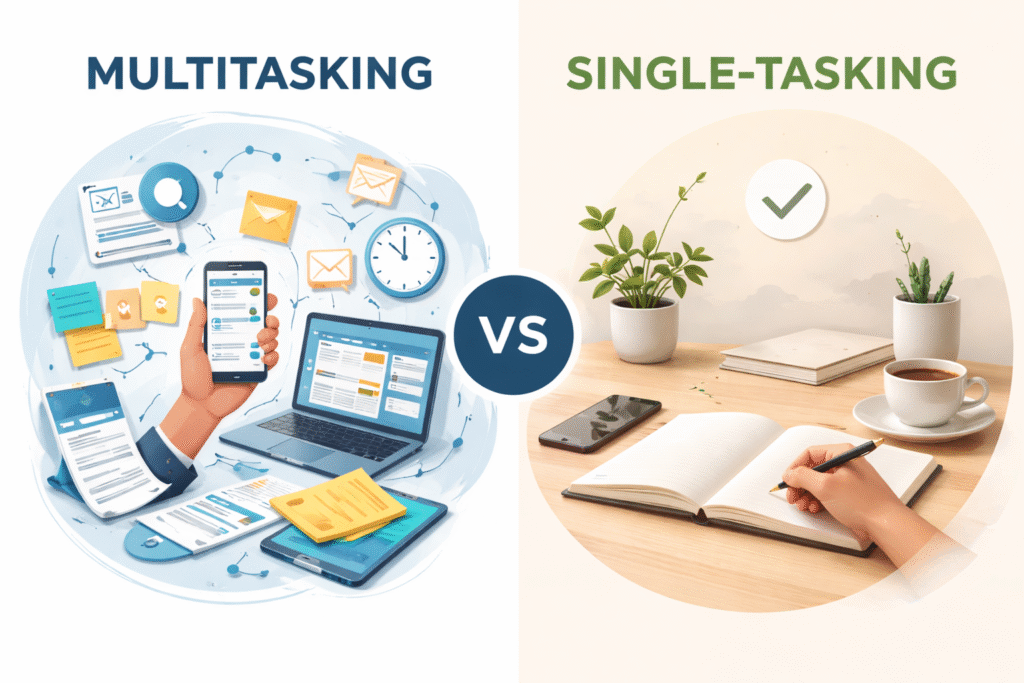





Mindful Tech Tips for Daily Use are becoming increasingly important in our fast-paced, digitally connected world. With constant notifications, social media updates, and app alerts vying for attention, it’s easy to feel overwhelmed, distracted, or mentally exhausted. Technology isn’t inherently bad — in fact, it connects us, informs us, and empowers us in countless ways.
The challenge comes when we interact with it unconsciously, reacting to every ping and pop-up without thought. By adopting daily mindful technology practices, you can regain control, reduce digital stress, and create space for focus, creativity, and mental clarity.
For context on broader mindful technology strategies, see [Mindful Technology in 2026: How to Stay Present Without Sacrificing Productivity].
Table of Contents
The Modern Digital Challenge
Every day, remote workers, students, and professionals face a barrage of digital demands. Notifications from messaging apps, email alerts, social media updates, and work collaboration tools compete for attention. This constant digital input fragments focus, increases cognitive load, and makes it harder to complete deep work. Over time, the brain adapts to frequent interruptions, making it uncomfortable to engage in quiet, uninterrupted thinking.
The result? Many people experience screen fatigue, increased stress, and difficulty maintaining balanced screen time. Even short periods of mindless scrolling or compulsive notification checking can derail productivity. Recognizing the problem is the first step. By intentionally managing technology, you can transform your day from digital overwhelm to digital calm — from “notifications” to “nirvana.”
Core Principles of Mindful Technology for Daily Life
Mindful technology is about intentional, deliberate, and sustainable tech habits. It isn’t about abandoning your devices — it’s about using them to support your life, not dominate it. Let’s explore the principles that make mindful tech effective.
Intentional Device Use
Intentional device use is the cornerstone of mindful technology. Instead of reflexively checking your phone or opening apps, take a moment to ask: “Why am I using this device right now?” This practice creates awareness and helps reduce digital distractions.
For example, start your day by checking messages or emails only during set periods rather than continuously. Batch tasks like responding to emails or social notifications, and avoid mindless app browsing. Intentional use helps your brain conserve energy and improves focus for important tasks.
Over time, this approach reinforces daily mindful technology habits, allowing your devices to serve your goals instead of hijacking your attention.
Managing Notifications Effectively
Notifications are designed to grab attention, but most aren’t urgent. Mindful tech practices involve auditing which apps are allowed to notify you and silencing the rest. Prioritize essential alerts like calendar reminders or urgent work messages while muting social media pings or promotional notifications.
Batch notifications into a few check-in times instead of responding instantly. By controlling alerts, you reduce constant distractions and support balanced screen time, which promotes focus and lowers stress. Using built-in phone features or apps that control notifications is a simple but powerful step toward digital calm.
Screen-Free Rituals
Another key principle is creating screen-free rituals. These are intentional offline moments built into your day. Morning or evening routines without devices — like journaling, stretching, meditating, or simply enjoying a cup of coffee — help the mind reset.
Screen-free breaks during work also boost attention. Short walks, mindful breathing exercises, or offline hobbies can restore mental clarity, increase productivity, and reinforce sustainable tech habits. Over time, these rituals strengthen focus and allow for richer, slower experiences, counteracting the constant stimulation of digital life.
Tools and Apps That Support Focus
Certain gadgets and apps enhance your ability to stay present. Noise-canceling headphones create an environment free from background distractions, making it easier to concentrate. Smart timers and Pomodoro apps structure your workday into focused intervals with intentional breaks. These tools reduce multitasking and mental fatigue.
Digital wellbeing apps monitor screen time, remind you to take breaks, and block distracting apps temporarily. These interventions turn technology from a source of stress into a tool for productivity. Even focus-oriented smart lights that adjust brightness and color temperature can subtly improve alertness and reduce eye strain.
Pairing these gadgets with daily routines can dramatically improve mental clarity and sustained focus. For more insights on gadgets that boost attention, see [Mindful Tech Gadgets You Didn’t Know Could Improve Your Focus].
Practical Daily Mindful Tech Habits
Incorporating mindful tech into everyday life is easier than it sounds. Start with a few simple habits:
- Morning check-ins: Begin your day with intentional device use. Avoid scrolling aimlessly and focus on what’s important.
- Structured work blocks: Use timers or the Pomodoro method to create focused work intervals with short breaks.
- Scheduled notifications: Batch nonessential alerts into set times to reduce interruptions.
- Evening wind-down: Establish screen-free time before bed to promote restful sleep and reduce digital overstimulation.
These habits build sustainable digital practices that improve focus, prevent burnout, and promote overall wellbeing. By intentionally shaping your interaction with technology, you can maintain a calm, productive, and fulfilling daily routine.
For more mindful daily tech habits, see [Top 10 Mindful Technology Habits That Reduce Digital Stress Daily].
Benefits of Daily Mindful Tech Practice
Implementing mindful tech tips daily has multiple benefits. First, your focus improves. Without constant interruptions, tasks get completed faster and with higher quality. Second, stress levels decrease because your brain isn’t overstimulated by constant notifications and alerts.
Sleep improves when devices are turned off before bed, and mental clarity increases. Over weeks and months, these practices reinforce balanced screen time, which supports long-term productivity and mental wellness. Mindful tech transforms devices from sources of stress into tools that enhance learning, creativity, and meaningful connection.
Signs You Need Mindful Tech Interventions
You may benefit from daily mindful tech tips if you:
- Feel anxious when your phone is nearby
- Check notifications compulsively
- Struggle to focus for long periods
- Scroll late into the night
- Experience mental fatigue after digital interactions
These aren’t flaws; they’re normal responses to a digital environment designed to capture attention. Mindful tech practices give you the tools to regain control.
Making Mindful Tech Tips Stick
Consistency is key. Start small: implement one new practice, such as managing notifications or scheduling a screen-free break. Track progress and reflect on improvements in focus, mood, or productivity. Gradually layer in additional habits to create a routine that works for you.
Pair these habits with environmental cues like a dedicated workspace, scheduled reminders, or daily check-ins. Over time, these small, consistent actions build sustainable digital habits that last, helping you maintain balance and avoid screen fatigue.
For younger readers or family members, see Mindful Technology for Teens: Teaching Healthy Screen Habits Early to extend these practices to others.
FAQ – Mindful Tech Tips for Daily Use
Q1: What are mindful tech tips?
Mindful tech tips are intentional strategies and habits for using digital devices in a way that supports focus, reduces digital distractions, and promotes balanced screen time. They help you stay present, manage notifications, and build sustainable digital habits that enhance productivity and wellbeing.
Q2: How can I reduce digital distractions from notifications?
Start by turning off non‑essential notifications and batching alerts into set times. Only allow alerts from people or tools you truly need. Scheduled check‑ins instead of instant reactions help reduce interruptions and support deeper focus.
Q3: Why are screen‑free rituals important?
Screen‑free rituals — like taking walks, meditating, or engaging in offline hobbies — give your brain a break from digital input, reducing cognitive fatigue and allowing you to reconnect with real‑world activities, which enhances mental clarity and long‑term wellbeing.
Q4: Can built‑in phone settings help with mindful tech use?
Yes. Tools like Digital Wellbeing on Android or Screen Time on iPhone help you monitor and limit screen time, set app timers, and enable focus modes that silence alerts during key periods, reducing impulsive checking and supporting intentional device use.
Q5: How do mindful tech practices improve mental wellbeing?
By reducing interruptions, lowering stress from constant connectivity, and increasing focus cycles without digital overload, mindful technology habits support better sleep, higher productivity, and reduced anxiety — all key components of daily emotional health.
Helpful Resources
- Springer – Understanding Digital Wellbeing – Research article exploring digital wellbeing and strategies for healthier technology engagement.
👉 https://link.springer.com/article/10.1007/s44155-025-00259-5 - NIle University – Digital Wellbeing: How to Reduce Screen Time & Boost Productivity – Practical methods for reducing screen time and fostering mindful tech use.
👉 https://nileuniversity.edu.ng/digital-wellbeing-effective-ways-to-reduce-screen-time-and-improve-productivity/