close
Tech-Life Balance

How to Set Digital Boundaries at Work (and Still Look Professional)

digital boundaries at work

Setting digital boundaries at work can feel tricky, especially when you want to stay professional without becoming the colleague who “never replies on time.” But in today’s always-connected world, learning how to draw the line—politely and confidently—is a skill every modern professional needs.

According to a 2023 Workplace Well-Being Survey by Deloitte, over 77% of employees report experiencing burnout, and a major contributor is constant digital communication and a lack of boundaries. With email, Slack, Zoom, Teams, WhatsApp, and even random late-night “quick questions,” it’s no surprise that digital overwhelm is becoming part of everyday work life.

This article will walk you through how to set boundaries at work without looking rude, lazy, or unprofessional. The goal isn’t to respond less—it’s to respond smarter.

Why Digital Boundaries Matter More Than Ever

The Rise of the “Always-On” Workplace

Remote work, hybrid setups, and global teams have made communication easier—but also nonstop. Microsoft’s 2022 Work Trend Index revealed that after-hours digital communication increased by 42% compared to pre-pandemic levels.

This shift means that the boundaries that used to naturally exist—closing the office door, leaving the building—are gone. Now, your laptop is your office, and it follows you everywhere.

The Impact on Stress and Productivity

Constant interruption reduces productivity by as much as 40%, according to a University of California Irvine study. The brain simply can’t perform deep work if it’s trained to respond to every ping, buzz, and notification.

Poor digital boundaries can lead to:

  • mental fatigue
  • decreased job satisfaction
  • increased anxiety
  • sleep disruption
  • communication resentment

And the worst part? Many employees feel they can’t say no, because they fear looking unprofessional.

The Professional Way to Set Digital Boundaries

Boundaries don’t make you difficult—they make you dependable. Clear communication gives your colleagues confidence in when and how to reach you.

1. Define Your “Communication Hours”

Think of this as your digital office hours. If you don’t define them, other people will do it for you.

Examples of polite communication hours you can state:

  • “I’m available on email between 9 AM and 5 PM, Monday to Friday.”
  • “I respond to messages within 24 hours.”
  • “I take calls by appointment only.”

These statements sound polite, clear, and most importantly—professional.

2. Use Email Auto-Replies Strategically

Auto-replies are not just for out-of-office vacations. They can gently reinforce boundaries daily.

Example:

“Thanks for your message. I check my inbox periodically throughout the day and will respond as soon as I can.”

This tells people you’re not ignoring them—you’re managing your time.

3. Separate Work and Personal Devices (If Possible)

A study by Forbes found that employees who used a dedicated work device reported 25% less digital stress than those who used one device for everything.

If you can’t get a separate device, try separating:

  • apps
  • browser profiles
  • notifications
  • email accounts

Even digital “zones” can help build boundaries.

Managing Notifications Without Going Missing

Notifications are the silent productivity killer.

1. Turn Off Non-Urgent Notifications

You don’t need a pop-up for every Slack message, especially group chats or channels.

Try:

  • turning off email notifications
  • muting group chats
  • using “Do Not Disturb” mode during deep work

Statistically, the average professional gets 120+ notifications per day. Reducing this number drastically improves focus.

2. Use “Priority Contacts”

Most devices allow you to assign priority to important contacts. That way, you can silence everything else while still being reachable for:

  • your supervisor
  • close teammates
  • project partners

This is a boundary that makes you both efficient and responsive.

Communicating Boundaries Without Sounding Rude

Many people avoid setting boundaries at work because they worry it will appear unprofessional. But phrasing makes all the difference.

Boundary Phrases that Sound Confident (Not Aggressive)

Try these:

  • “Here’s the best way to reach me…”
  • “To ensure I give your request proper attention…”
  • “I typically respond within X hours.”
  • “I’ll get back to you first thing tomorrow.”

These are polite, direct, and signal reliability.

Use Empathy + Clarity

A simple formula:

Acknowledge → Clarify → Commit

Example:

“Thanks for sending this over. I’m away from my computer at the moment, but I’ll review it tomorrow morning and get back to you.”

No guilt. No apology. Just clarity.

The Role of Company Culture

Your boundaries are easier to maintain when the culture supports them.
Some companies encourage late-night replies; others penalize them.

When the Culture Supports Healthy Boundaries

Signs of a supportive culture:

  • leaders model healthy communication
  • emails after 6 PM are discouraged
  • employees aren’t pressured to be online 24/7
  • policies support mental health and balanced communication

In such environments, setting boundaries at work is viewed as responsible self-management.

When the Culture Doesn’t Support It

This is more challenging, but still manageable.

Strategies include:

  • setting “soft” boundaries (e.g., response windows)
  • using tools like scheduled send
  • having one-on-one conversations with team leads
  • escalating if boundaries are consistently violated

Cultural resistance doesn’t mean boundaries are impossible—they just require tact.

Practical Ways to Maintain Digital Boundaries at Work Every Day

Now that we’ve covered why digital boundaries at work matter and how to communicate them professionally, let’s explore practical tools, sample scripts, case studies, and real-life examples to help you maintain these boundaries effectively—no matter your role or work environment.

1. Set Communication Expectations Early

One of the biggest mistakes employees make is waiting until stress hits before setting boundaries. Instead, set expectations at:

  • onboarding
  • project kick-off meetings
  • sprint planning sessions
  • team stand-ups

A simple statement like:

“To stay focused, I usually batch my email responses in the afternoon—if something is urgent, here’s the best way to reach me.”

This proactively shapes how others interact with you.

2. Design a Personal “Digital Workflow”

This involves defining:

  • when you check email
  • when you check Slack
  • what messages count as urgent
  • when you do deep work
  • when you are unreachable

Example workflow:

  • 9 AM – 10 AM: Email responses
  • 10 AM – 1 PM: Deep work (notifications off)
  • 1 PM – 2 PM: Quick responses
  • 3 PM – 4 PM: Meetings
  • 4 PM – 5 PM: Task wrap-up

Creating routines helps you maintain boundaries automatically.

3. Build a “Buffer” Between Work and Personal Life

Digital boundaries are not just about work—they help restore your personal time.

Try:

  • shutting down your laptop completely after work
  • placing your phone in another room
  • using app timers for work-related apps
  • taking evening walks device-free

These small habits reinforce the separation between work life and real life.

Case Study – How Sarah Reduced 60% of Her Digital Stress

Sarah, a remote project coordinator, used to reply to messages instantly—even at 11 PM. She feared looking unprofessional.

What she changed:

  1. Set clear email windows: 9 AM and 3 PM.
  2. Used an auto-reply stating her response time.
  3. Muted notifications from 7 PM to 7 AM.
  4. Discussed “urgent message protocol” with her team.

After four weeks:

  • stress levels dropped significantly
  • sleep quality improved
  • project efficiency increased
  • coworkers respected her schedule

Her manager later recommended her system to the entire team.

The Pros and Cons of Strong Digital Boundaries

Pros

  • Increased focus
  • Better mental health
  • Higher productivity
  • More predictable communication
  • Better work-life balance

Cons

  • Some colleagues may need adjustment
  • You may miss occasional spontaneous conversations
  • Requires discipline at first
  • Needs proper communication to avoid misunderstandings

Setting boundaries isn’t perfect—but it’s powerful.

Tools to Support Digital Boundaries

1. Communication Tools

  • Slack’s “Do Not Disturb” mode
  • Microsoft Teams status controls
  • Gmail’s scheduled send
  • Email filters and labels

2. Focus & Productivity Apps

  • Focus@Will
  • Forest
  • Notion
  • Todoist

3. Device Settings

  • iPhone Focus Mode
  • Android Priority Mode
  • Windows Focus Assist

Technology can be used to reduce overwhelm—not add to it.

Actionable Steps You Can Start Today

  1. Turn off non-essential notifications.
  2. Set a working communication window.
  3. Use an auto-reply during busy hours.
  4. Discuss urgency expectations with your team.
  5. Block off deep work time on your calendar.
  6. Respect your own boundaries—others will follow your lead.

Conclusion

Setting digital boundaries at work doesn’t make you less professional—it makes you more effective, reliable, and mentally balanced. With clear communication, smart tools, and a routine that works for you, you can stay productive without burning out or being glued to your screen.

Good luck setting your digital boundaries at work.

FAQs

1. What are digital boundaries at work?

Digital boundaries are the limits you set on communication, availability, and device usage so you can stay productive without being overwhelmed.

2. Is it unprofessional to set boundaries?

No. When communicated clearly, boundaries show responsibility and help colleagues know when and how to reach you effectively.

3. How do I tell my boss I can’t respond after hours?

Use a respectful approach: thank them for the message, explain when you’ll be able to respond, and offer alternatives for urgent situations.

4. How can I reduce notification stress?

Mute non-essential notifications, use Do Not Disturb mode, and check messages in batches instead of constantly.

5. What tools can help me maintain digital boundaries?

Apps like Slack, Teams, Gmail filters, Focus Mode, Forest, and Todoist help control digital overwhelm.

Further Reading

  1. Deloitte Workplace Well-being Survey – https://www2.deloitte.com
  2. Microsoft Work Trend Index – https://www.microsoft.com/worklab
  3. Forbes Workplace Stress Research – https://www.forbes.com
  4. University of California Irvine Study – https://www.uci.edu
  5. American Psychological Association Stress Statistics – https://www.apa.org
read more
Tech-Life Balance

Why Multitasking Is Destroying Your Creativity (And What to Do Instead)

Why Multitasking Is Destroying Your Creativity

Multitasking and creativity don’t mix as well as you might think. You may believe that juggling emails, meetings, and projects at the same time makes you productive, but research shows it quietly kills your ability to generate new ideas.

In today’s fast-paced, hyper-connected world, multitasking is often seen as a badge of honor. Checking emails during a meeting, responding to messages while designing a project, or browsing multiple tabs while writing seems efficient. But science tells a different story: multitasking is silently destroying your creativity. For creative professionals—writers, designers, artists, marketers, and knowledge workers—this constant task-switching is more than a bad habit; it’s a serious productivity killer.

A study from Stanford University revealed that heavy multitaskers perform worse on creative problem-solving tests and have a reduced ability to filter irrelevant information. In fact, participants who switched tasks frequently produced fewer innovative solutions than those who focused on one task at a time. The myth of multitasking as a productivity booster is one of the most damaging beliefs in modern work culture, particularly for those whose work relies on original thinking and idea generation.

In this article, you’ll learn why multitasking kills creativity, how it silently affects your brain, and what strategies you can implement to regain focus, protect your mental energy, and consistently produce high-quality creative work.

The Science Behind Multitasking and Creativity

Multitasking isn’t just a harmless habit—it has measurable consequences on the brain. Cognitive scientists have found that when people switch rapidly between tasks, their working memory and attention span take a hit.

According to a 2009 study by Ophir, Nass, and Wagner, heavy media multitaskers experienced reduced cognitive control, meaning they were less able to filter distractions and focus on relevant tasks. This leads to what researchers call “cognitive overload,” a state where your brain is constantly trying to track multiple threads of information at once, leaving less capacity for creative thinking.

Another study published in the Journal of Experimental Psychology found that participants who tried to solve creative problems while switching tasks generated fewer unique solutions compared to those who focused on one problem at a time. The takeaway is clear: multitasking fragments attention and reduces the brain’s ability to form new connections, which is the core of creativity.

Hidden Signs That Multitasking Is Destroying Your Creativity

Even if you feel busy, multitasking can silently erode your creative potential. Some subtle signs include:

  1. Difficulty Finishing Projects
    You may start multiple creative projects but rarely complete them. Switching between tasks prevents your brain from entering “flow,” the state of deep engagement where your best ideas emerge.
  2. Idea Fatigue
    Constant context switching leads to mental exhaustion. Studies from the University of California, Irvine, indicate it can take over 20 minutes to regain focus after an interruption, meaning frequent task-switching quickly drains mental energy.
  3. Lower Quality of Work
    Multitasking may allow you to appear productive, but research from the American Psychological Association shows that multitaskers make more mistakes and produce work of lower quality compared to those who focus on a single task.

Example: A graphic designer who answers Slack messages while designing a client logo may think they’re saving time, but in reality, the resulting design may lack originality or cohesiveness because the brain is constantly shifting contexts.

Why Your Brain Struggles With Multitasking

To understand why multitasking kills creativity, it helps to look at what happens in the brain.

1. Working Memory Overload

Your working memory has limited capacity. When you juggle multiple tasks, your brain struggles to hold relevant information for each task, reducing the depth of your thinking. This overload prevents you from forming the complex associations needed for creative insight.

2. Shallow Thinking vs. Deep Work

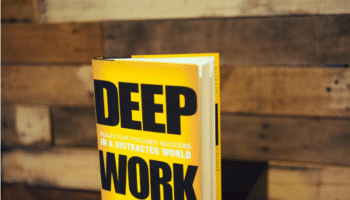
Cal Newport, author of Deep Work, argues that deep, uninterrupted focus is essential for meaningful output. Multitasking keeps your brain in “shallow mode,” where ideas are fragmented and connections between concepts remain underdeveloped.

3. Increased Stress and Cognitive Fatigue

Research shows that frequent multitasking triggers spikes in cortisol, the stress hormone. Elevated cortisol levels reduce cognitive flexibility, impair problem-solving, and leave you mentally drained—conditions that are the antithesis of creativity.

Example: A writer who alternates between writing chapters, answering emails, and checking social media reports feeling “busy” but mentally exhausted, unable to generate compelling narrative ideas. The brain simply doesn’t have the bandwidth for deep creative thought.

The Real Cost of Multitasking on Creativity

The effects of multitasking aren’t always obvious, but they compound over time:

  • Reduced Idea Generation: A study by the University of Michigan found that participants who multitasked generated 30% fewer ideas in brainstorming exercises than those who focused on a single task.
  • Slower Task Completion: Task-switching slows productivity by up to 40%, according to research by the American Psychological Association.
  • Decreased Motivation: Constant interruptions and shallow work reduce intrinsic motivation, making it harder to sustain creative effort.

The pattern is clear: multitasking creates an illusion of busyness, but it steals your most valuable asset—your attention.

The Single-Tasking Approach: What to Do Instead

If multitasking is the enemy of creativity, single-tasking is its ally. The goal is to create focused, uninterrupted time blocks where your brain can enter “flow” and generate high-quality ideas.

1. Deep Work Blocks

Reserve 60–90 minutes for high-value creative tasks. During this time:

  • Turn off notifications
  • Close unnecessary tabs and apps
  • Focus solely on one project

Studies show that focused blocks of deep work improve both productivity and creative output.

Example: A marketing strategist sets aside 90 minutes in the morning to brainstorm a new campaign. By eliminating distractions, they generate multiple innovative ideas that wouldn’t surface during fragmented multitasking sessions.

2. Prioritize High-Value Creative Tasks

Instead of juggling low-priority tasks, focus on activities that require creativity. Make a list of your top three creative tasks for the day and complete them before attending to minor duties.

3. Time-Blocking and Batching

Group similar tasks together to minimize context switching. Check emails or respond to messages only during specific times rather than sporadically throughout the day.

Research from Stanford University indicates that batching tasks reduces cognitive load and frees mental energy for creative thinking.

Examples of Professionals Who Benefit From Single-Tasking

  • Writers: Authors like J.K. Rowling have credited long, uninterrupted writing sessions with producing some of their most innovative work.
  • Designers: Creative agencies often allocate “no-meeting” days so designers can work without interruption.
  • Software Developers: Tech companies like Basecamp and Microsoft encourage focused coding sessions to improve both efficiency and problem-solving creativity.

Even at the individual level, applying single-tasking consistently leads to higher-quality outputs, faster completion of creative projects, and more original ideas.

Strategies to Protect Creativity While Working

  1. Digital Minimalism: Limit open apps and notifications. Tools like Freedom or FocusMe can block distracting websites.
  2. Mindfulness Practices: Short meditation or breathing exercises reset your mental energy after an interruption.
  3. Pomodoro Method: Work in 25–50 minute focused intervals followed by a short break. This technique balances concentration and rest.
  4. Environmental Design: Create a workspace that signals focus—clean desk, minimal distractions, noise-canceling headphones.

Advanced Techniques to Enhance Creativity Without Multitasking

While single-tasking is the foundation, combining it with targeted strategies can elevate creative output even further.

Single-tasking and deep work using a Pomodoro timer to boost creativity

These approaches are backed by neuroscience and productivity research.

1. Time of Day Focus Optimization

Your brain’s creative potential fluctuates throughout the day. Studies from Harvard University show that morning hours often produce higher levels of divergent thinking, the ability to generate novel ideas. Scheduling deep creative work during your natural peak hours can significantly enhance originality.

Example: A content strategist writes blog drafts between 8:00–10:00 AM when cognitive alertness is highest and leaves administrative emails for the afternoon.

2. The Two-Minute Mental Reset

Short breaks can rejuvenate focus. According to a 2010 study in the Journal of Cognitive Enhancement, brief mindfulness or breathing exercises for 2–5 minutes after completing a task help restore mental clarity and reduce cognitive fatigue.

Practical Tip: After finishing a creative task, close your eyes, take deep breaths, and let your mind reset before moving to the next task. This ensures you bring full mental energy to each session.

3. Strategic Use of Tools and Software

While multitasking apps can be distracting, certain tools help you focus:

  • Focus@Will: Curated music channels designed to enhance concentration
  • Freedom / FocusMe: Blocks distracting websites or apps
  • Notion / Trello: Organizes tasks to reduce mental clutter
  • Pomodoro timers: Reinforce structured work intervals

The key is intentional use: only leverage technology that supports your focus, not fragments it.

4. Environmental Design for Creative Flow

Physical and digital environments profoundly affect mental energy:

  • Physical: Keep a tidy workspace, use ergonomic furniture, reduce visual clutter
  • Digital: Limit open tabs, declutter desktop, mute notifications
  • Sensory: Consider ambient music or white noise to promote flow

A clean, structured environment signals the brain that it’s time for deep, uninterrupted work, fostering higher creativity.

5. Collaboration Without Chaos

Teamwork is essential, but multitasking often arises from constant messaging and meeting overload. Remote teams can:

  • Batch meetings on specific days
  • Use asynchronous communication tools
  • Clearly define periods for focus work

Research from Microsoft shows that employees who block collaborative tools during focus sessions produce higher-quality work and innovate more efficiently.

Example: A design team uses Monday mornings for collaborative brainstorming and reserves afternoons for uninterrupted individual design work. This balance enhances creativity while minimizing distractions.

The Benefits of Single-Tasking on Creativity

Switching to single-tasking and deep focus methods provides measurable benefits:

  1. Increased Idea Generation
    Focusing deeply on one task allows your brain to explore multiple angles, producing more unique ideas. A University of Michigan study found that participants in a focused setting generated 30% more creative solutions than those switching tasks frequently.
  2. Higher Quality Output
    Single-tasking reduces mistakes and mental fatigue, allowing for more polished, thoughtful work. The American Psychological Association notes that multitasking reduces work accuracy by up to 25%.
  3. Improved Motivation and Satisfaction
    Completing meaningful work without interruption increases intrinsic motivation and overall job satisfaction. You feel more accomplished and energized at the end of the day.
  4. Faster Task Completion
    Contrary to popular belief, single-tasking often speeds up work. Once deep focus is achieved, tasks flow more efficiently, offsetting the perceived “slowness” of working on one thing at a time.

Real-World Examples of Creative Single-Tasking

  • J.K. Rowling: Completed early drafts of Harry Potter with long, uninterrupted writing sessions.
  • Steve Jobs: Known for focusing intensely on design and product development without distraction.
  • Writers & Designers in Agencies: Many adopt “no-meeting Fridays” to allow concentrated creative work.

These examples highlight how removing multitasking enables higher-level thinking, better solutions, and original ideas.

Practical Step-by-Step Guide to Stop Multitasking

  1. Identify Your Multitasking Triggers
    • List times you feel compelled to switch tasks
    • Note apps, notifications, or environments that distract you
  2. Implement Deep Work Blocks
    • Schedule 60–90 minutes for creative focus
    • Use Do Not Disturb mode
    • Eliminate all non-essential tools
  3. Batch Shallow Tasks
    • Check emails, messages, and minor admin work only at designated times
    • Prevents constant context switching
  4. Practice Mindfulness and Micro-Breaks
    • Two-minute resets after tasks
    • Short meditations to restore mental energy
  5. Evaluate Progress Weekly
    • Track completed tasks, idea generation, and overall mental energy
    • Adjust focus blocks and methods as needed

Conclusion: Why Creativity Requires Focus, Not Multitasking

Multitasking may feel productive, but it silently erodes creativity, reduces cognitive flexibility, and increases mental fatigue. Research shows that constantly switching tasks prevents your brain from entering the flow state, where the most innovative and high-quality work emerges.

By adopting single-tasking, deep work blocks, environmental design, and intentional focus strategies, you can:

  • Generate more unique ideas
  • Complete projects efficiently
  • Produce higher-quality creative work
  • Experience greater job satisfaction and motivation

Your attention is the most valuable resource for creative work. Protecting it is the first step toward reclaiming your productivity and unleashing your full creative potential.

FAQs on Why Multitasking is Destroying Your Creativity

Q1: Can multitasking ever be beneficial?

Only for extremely simple or automated tasks. Complex or creative tasks always suffer under multitasking.

Q2: How long should deep focus sessions last?

60–90 minutes is optimal for most creative work, with short breaks in between.

Q3: How can I train myself to single-task effectively?

Start with one focused block per day, gradually increasing the duration and reducing distractions.

Q4: Does single-tasking work for team projects?

Yes. Encourage asynchronous collaboration and designated focus periods to maintain both productivity and creativity.

📚 Further Reading

  1. Stanford University – Multitasking and Cognitive Control
    Ophir, E., Nass, C., & Wagner, A. D. (2009). Cognitive control in media multitaskers. Proceedings of the National Academy of Sciences.
    Read the study here
  2. University of California, Irvine – The Cost of Interrupted Work
    Mark, G., Gudith, D., & Klocke, U. (2008). The Cost of Interrupted Work: More Speed and Stress. SIGCHI Conference on Human Factors in Computing Systems.
    Read the study here
  3. American Psychological Association – Multitasking and Cognitive Load
    American Psychological Association. (2013). Multitasking: Switching costs.
    Read more here
  4. Cal Newport – Deep Work: Rules for Focused Success
    Newport, C. (2016). Deep Work. Grand Central Publishing.
    Learn more here
  5. Harvard Business Review – How Focus Improves Work Performance
    Rock, D., & Grant, H. (2016). Why Remote Work Fails (and How to Fix It).
    Read the article here
  6. University of Michigan – Focus and Creativity Study
    University of Michigan. (2018). Effects of Single-Tasking on Idea Generation.
    Read the summary here
  7. Microsoft Research – Productivity in Focused Work
    Microsoft Research. (2021). The impact of focus time on productivity.
    Read the research here
read more