
For Firefox users, staying focused in a web-heavy environment can be a unique challenge. While most productivity tools are initially designed for Chrome, Firefox offers a distinct browsing experience, privacy features, and tab management system that changes how extensions like StayFocusd behave. Many professionals, students, and remote workers rely on Firefox for its performance and tracking protection, but without proper setup, browser-based distractions can still interrupt workflow. StayFocusd on Firefox helps by enforcing time limits on distracting sites while respecting the browser’s architecture.
Understanding how StayFocusd works on Firefox, its differences from Chrome, and which alternatives can complement it is key to creating an effective, distraction-resistant workflow.
Table of Contents
How StayFocusd Works on Firefox
StayFocusd is a browser extension that reduces time spent on unproductive websites by limiting access to specified pages or domains. Its core functionality remains consistent across browsers, but the Firefox environment introduces unique considerations for behavior and integration.
Core Functionality
StayFocusd for Firefox operates by allowing users to designate which websites are distracting and then restricting access to them based on rules:
• Time limits per site – Set a daily quota of minutes for each website, automatically blocking access once the limit is reached.
• Blocked hours – Choose specific times of day when certain websites are entirely inaccessible, perfect for peak focus periods.
• Active site rules – Apply strict rules to particular URLs while leaving other pages open, supporting targeted control.
• Nuclear mode – Lock in rules temporarily, preventing overrides or uninstall attempts during critical work blocks.
In practice, this means Firefox users can continue research, reference articles, or other legitimate browsing while minimizing habitual scrolling through social media, news, or entertainment sites.
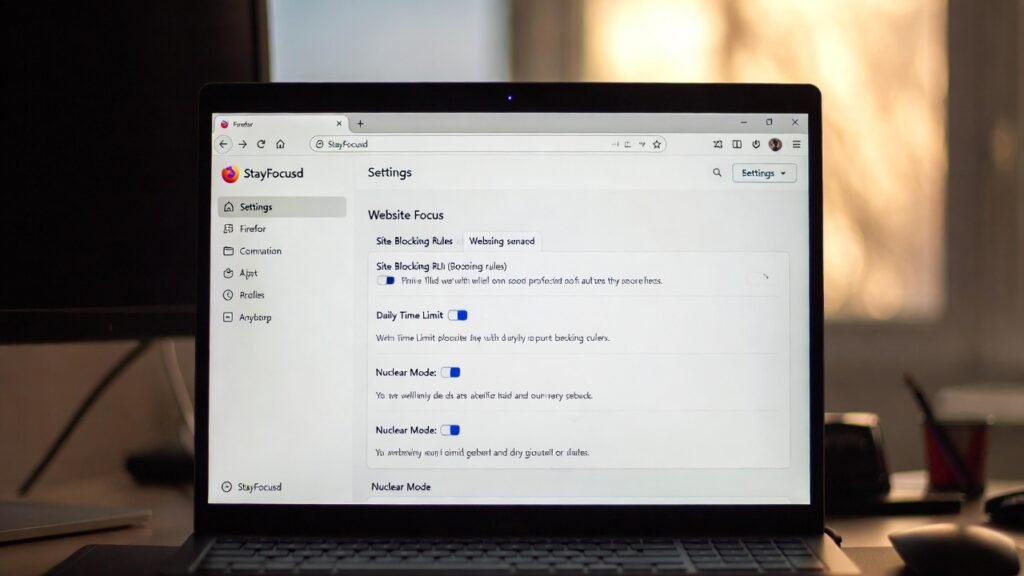
Setup Steps for Firefox
Installing and configuring StayFocusd on Firefox is straightforward, but there are nuances due to Firefox’s extension architecture.
- Open the Firefox Add-ons page
Navigate to https://addons.mozilla.org and search for “StayFocusd.” - Install the extension
Click “Add to Firefox” and grant necessary permissions. Firefox will notify about required access to tab and browsing activity, which is standard for focus tools. - Access the settings dashboard
Click the StayFocusd icon on the toolbar and open “Settings.” This dashboard is where rules, time limits, and strict modes are configured. - Define blocked sites
Enter URLs for distracting websites. Users can choose full domains or specific pages. - Set daily time allowances
Assign limits for each site or category. For example, social media may be limited to 15–20 minutes per day. - Schedule focus hours
Set periods when blocks are active. Morning deep-work hours, lunch breaks, and evening winding-down periods can be configured separately. - Enable nuclear mode if necessary
For critical tasks, nuclear mode enforces rules without easy bypass options.
Firefox’s tab grouping and multi-window management may affect how StayFocusd tracks active time, so users should verify that time limits are behaving as intended during the first few days.
Key Differences from Chrome
While StayFocusd behaves similarly on Firefox and Chrome, subtle distinctions can affect daily productivity:
- Extension permissions – Firefox enforces stricter permission requests, which may require additional confirmation when accessing multiple windows.
- Performance – Firefox’s memory handling differs, which can slightly alter how quickly site-blocking triggers when many tabs are open.
- User interface – The dashboard layout in Firefox mirrors Chrome but may appear slightly different due to Firefox’s toolbar and menu structure.
- Tab behavior – Active tab tracking in Firefox can differ during multi-window setups, sometimes delaying block enforcement by a few seconds.
These differences are minor but can affect workflows for users who rely on precise timing for deep-focus sessions. Overall, StayFocusd on Firefox remains a reliable solution for browser-based distraction management, especially for users prioritizing privacy and multi-tab organization.
Firefox-Compatible Alternatives
For users seeking additional options, several extensions provide comparable functionality with slightly different approaches. The table below highlights flexibility, strictness, and unique advantages for Firefox users.
| Extension | Key Features | Strictness | Ideal Use Case |
|---|---|---|---|
| LeechBlock NG | Custom block sets, schedules, timers, multi-browser support | High | Users needing fine-grained control over multiple site categories |
| Mind the Time | Time tracking with optional alerts, daily limits | Medium | Professionals who want gentle nudges rather than strict blocks |
| FocusMe | Multi-device sync, Pomodoro integration, scheduled breaks | High | Users combining device-level control with browser focus |
| WasteNoTime | Time limits, detailed usage statistics, optional blocking modes | Medium | Students or knowledge workers tracking multiple projects |
| Strict Workflow | Pomodoro-style timers with enforced site blocking | High | Task-oriented workflows requiring rigid focus sessions |
Each alternative offers a balance between flexibility and enforcement, catering to different cognitive habits and professional routines. For Firefox users, selecting the right tool often depends on whether the priority is habit enforcement, tracking awareness, or combination workflows with Pomodoro timers and scheduling.
Limitations Firefox Users Should Know
While StayFocusd offers strong focus support on Firefox, certain limitations affect real-world usability. Firefox’s tab and session handling can occasionally delay block enforcement, especially when multiple windows or pinned tabs are open. Some sites may bypass restrictions if loaded via background tabs or secondary browser profiles. A
dditionally, Firefox users may notice slightly slower UI responses for large block lists due to memory and extension permission handling. Understanding these constraints helps set realistic expectations and avoids frustration when first using the tool.
Another limitation is that StayFocusd operates solely at the browser level. Mobile devices, apps, or system notifications remain unaffected. For comprehensive digital discipline, additional tools or device-level settings may be required.
When Alternatives May Be a Better Fit
Alternatives to StayFocusd are worth considering in several scenarios. For users who need multi-device synchronization or Pomodoro integration, tools like FocusMe provide broader coverage beyond a single Firefox installation. Extensions such as LeechBlock NG offer more granular scheduling and block customization, ideal for those managing complex workflows or multiple site categories.
For individuals who respond better to gentle reminders rather than strict enforcement, Mind the Time or WasteNoTime may be more suitable. They provide awareness and gentle nudges without triggering frustration or workflow interruptions. Choosing the right alternative depends on whether the priority is habit enforcement, flexible tracking, or integrated productivity strategies.
Mindful Productivity Considerations
Using browser blockers effectively requires a mindful approach. The goal is to reduce distractions without introducing stress. Best practices include:
• Align focus periods with energy cycles – Block sites during peak work hours and allow breaks for mental recovery.
• Set realistic limits – Overly strict rules can trigger frustration; gradual adjustments build sustainable habits.
• Pair with offline strategies – Task batching, short walks, or timer-based breaks support sustained attention.
• Review and adjust rules periodically – Workflow needs evolve; periodic evaluations keep extensions relevant and effective.
This approach ensures the tool supports mindful productivity, balancing focus with cognitive flexibility and emotional well-being.
Conclusion
StayFocusd on Firefox is a practical solution for reducing browser distractions, particularly for structured, deadline-driven work. Its strength lies in strict enforcement, customizable schedules, and clear site-block rules. However, Firefox users should remain aware of minor limitations in tab management, multi-window setups, and the need for complementary device-level control.
Alternatives like LeechBlock NG, FocusMe, and Mind the Time provide options for multi-device synchronization, gentle reminders, or advanced scheduling, offering tailored approaches for diverse work styles. When used thoughtfully, StayFocusd and its alternatives foster mindful productivity without adding unnecessary stress, supporting long-term focus and digital discipline.
FAQ Section
Can StayFocusd on Firefox block all distracting sites?
StayFocusd can block any website specified in its settings, but it cannot control apps, mobile devices, or system notifications. Some sites may bypass blocks via secondary profiles or background tabs. For comprehensive focus, users may need additional tools or complementary system-level restrictions.
How does StayFocusd differ from Chrome on Firefox?
The extension’s core features are the same, but Firefox enforces stricter permission handling and may respond slightly slower with large block lists. Tab tracking and multi-window behavior differ, which can affect timing for blocks compared with Chrome.
Which users benefit most from StayFocusd on Firefox?
Students, remote professionals, and knowledge workers who rely heavily on browser-based tasks benefit most. It is particularly useful for structured work periods, exam preparation, or project deadlines where consistent boundaries enhance focus.
Are there better alternatives for multi-device users?
Yes. Extensions like FocusMe offer multi-device synchronization, Pomodoro integration, and system-level controls. These alternatives suit users who need focus support across computers, tablets, and smartphones rather than a single browser.
Can StayFocusd cause frustration or stress?
Overly strict rules or improper scheduling may increase stress, especially during low-energy periods. Mindful use—short focus blocks, scheduled breaks, and gradual adjustments—helps maintain productivity without emotional strain.
How do I set up StayFocusd effectively on Firefox?
Install via the Firefox Add-ons page, add distracting sites, set daily time limits, configure blocked hours, and optionally enable nuclear mode for strict enforcement. Align schedules with peak focus periods for best results.
Is StayFocusd compatible with mobile Firefox?
No. StayFocusd is a desktop browser extension. It does not extend to mobile Firefox or other devices, so mobile distractions require separate tools or settings.