Technology isn’t slowing down — and neither is the pressure on our attention. The future of mindful technology promises tools and systems designed to help users focus deeply and disconnect intentionally.
In 2026 and beyond, artificial intelligence is embedded into nearly every tool we use. Our calendars suggest meeting times automatically. Our email drafts itself. Our phones predict what we’re about to search before we type it. Even productivity apps now use machine learning to “optimize” how we work.
But here’s the tension: while technology is getting smarter, our attention isn’t getting stronger. If anything, the average workday feels more fragmented than ever. Notifications interrupt deep work. Algorithms compete for our focus. Remote work blurs boundaries between professional and personal time.
That’s why the future of technology isn’t just about speed or automation. It’s about intentional design — tools that help you focus deeply when you need to, and disconnect confidently when you’re done.
Mindful technology isn’t anti-tech. It’s tech used on purpose.
In this article, we’ll explore how future tools enhance mindful tech practices and the types of apps and digital declutter systems shaping a more balanced digital life.
Table of Contents
How Future Tools Enhance Mindful Tech Practices
The biggest shift happening right now is this: technology is becoming more aware of how we work — and more capable of adjusting around us.
In the past, productivity systems were rigid. You followed preset rules: 25-minute focus sessions, fixed notification blocks, manual time tracking. Now, AI-powered tools are beginning to analyze patterns and adapt to individual behavior.
For example, tools like Motion, Reclaim.ai, and AI-powered calendar assistants can study when you tend to complete meaningful work. If you consistently perform best between 8 a.m. and 11 a.m., the system may start protecting that window automatically — moving meetings, suggesting task blocks, and buffering interruptions. Instead of forcing discipline, the tool reinforces your natural focus rhythm.
This is a major shift in mindful tech. Instead of relying entirely on willpower, the environment starts supporting your intention.
Another emerging trend is contextual awareness. Modern focus systems can recognize when you’re in a meeting, running a deep work timer, or outside your home office. Tools like Apple Focus Modes, Android Digital Wellbeing, and cross-device blockers such as Freedom allow settings to change automatically based on time, location, or activity.
Imagine beginning a writing session and having your social apps lock themselves. Or finishing work and watching your device shift into a personal-only mode without manual toggling. That’s where mindful technology is heading — toward adaptive simplicity.
There’s also a growing emphasis on behavioral feedback. Tools such as RescueTime, Rize, and Toggl Track provide data about how you actually spend your time. Not in a judgmental way, but in a revealing one. You might discover that what felt like “a few minutes” on social media was closer to an hour. Or that you completed your most meaningful work in two uninterrupted blocks rather than scattered multitasking.
This awareness is powerful. When you see your patterns clearly, small adjustments become easier to make.
It’s important to keep realistic expectations, though. These tools won’t eliminate distraction entirely. They don’t replace discipline, and they can’t define your priorities for you. What they can do is reduce friction — making focused behavior easier and distracted behavior slightly harder.
And often, that small environmental shift is enough.
Types of Mindful Apps and Digital Declutter Solutions
Mindful technology isn’t one single tool. It’s a category of systems designed to protect attention and reduce digital noise. Let’s look at the major types shaping 2026 and beyond.
Timers and Focus Apps
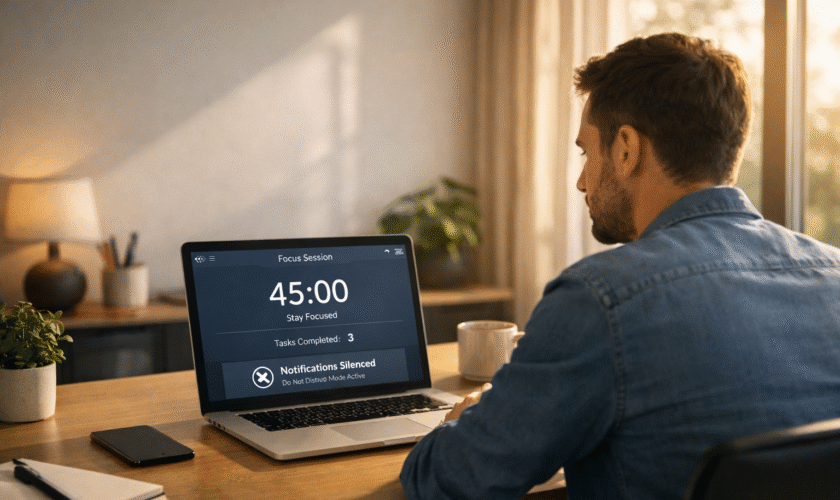
Deep work is becoming a competitive advantage. In a world of fragmented attention, the ability to focus uninterrupted for 45–90 minutes is rare — and valuable.
Traditional Pomodoro timers laid the foundation for this approach, but newer tools are becoming more adaptive. Apps like Forest, Session, Flow, and Focus To-Do combine timed work blocks with task tracking and progress visualization. Some integrate ambient soundscapes or link sessions directly to specific projects, reinforcing clarity before execution.
The newer generation of tools doesn’t just start a timer — it asks what you’re working on. That simple step increases intentionality. When your focus block has a clearly defined outcome, you’re far less likely to drift.
Still, timers don’t create clarity. They amplify it. If you don’t know what task matters most, a 50-minute block won’t magically solve indecision. These apps work best when paired with a defined daily priority.
Notification Managers
If there’s one feature that has eroded focus more than any other, it’s the notification.
Modern mindful systems don’t recommend disabling everything. Instead, they promote structured filtering. Tools like Apple Focus Filters, Android Priority Mode, and workplace platforms such as Slack’s notification scheduling allow you to define what deserves immediate attention and what can wait.
More advanced setups let you batch notifications at specific times. Emails can be delivered in waves instead of instantly. Social apps can remain silent during work hours. Messaging apps can allow only selected contacts to break through during deep work sessions.
This approach reduces cognitive switching costs. Each interruption, even brief, forces the brain to reset. When notifications are grouped intentionally, attention stabilizes.
But again, expectations matter. These systems require thoughtful configuration. If everything remains marked as “urgent,” the filtering loses power. Mindful tech works best when paired with clear boundaries.
Digital Declutter Tools
Beyond notifications, the physical layout of your device shapes your behavior more than you may realize.
If high-distraction apps are the first thing you see, they’ll likely be the first thing you open. That’s why digital declutter tools are gaining traction.
Apps like One Sec, Opal, AppBlock, and minimalist phone launchers reduce impulsive app use by adding friction. One Sec, for example, inserts a brief pause before opening selected apps, prompting you to reconsider. That pause alone can dramatically reduce reflexive scrolling.
Other tools simplify your home screen entirely, hiding non-essential apps or organizing them by context. Instead of deleting platforms completely, you reduce their visibility and ease of access.
There’s also a growing movement toward grayscale modes and interface simplification. When colors and visual stimuli are reduced, the brain experiences less dopamine-driven stimulation — making it easier to disengage.
Digital decluttering isn’t about rejecting technology. It’s about designing your environment to reflect your priorities. When work tools are easy to access and distractions require deliberate effort, focus becomes more natural.
The future of mindful technology isn’t about escaping AI or abandoning smart devices. It’s about redesigning the relationship we have with them.
Integrating Tools Into Daily Routines Without Overdependence
One of the most common mistakes in adopting mindful technology is overcomplicating the system. The goal is not to install every trending focus app or automate every minute of the day. The goal is to create a supportive digital structure that enhances clarity without becoming another source of stress.

A practical approach is to anchor tools to existing routines. For example, a focus timer can be reserved for the first deep work block of the day. Notification filters can activate automatically during defined work hours. Screen time analytics can be reviewed once weekly rather than monitored obsessively. A recurring offline window—perhaps one evening per week or a weekend morning—can create structured disconnection without requiring a full digital detox.
Simplicity is key. A sustainable setup might include:
- One focus app
- One blocker or notification manager
- One tracking or reflection tool
Adding more often increases friction rather than reducing it.
Another important principle is flexibility. Mindful technology should allow manual overrides without guilt. If a block needs to be lifted for something meaningful, the system should adapt. Rigid structures that create anxiety defeat the purpose of mindful tech.
Over time, the healthiest digital systems become nearly invisible. Instead of constantly thinking about productivity settings, users experience smoother workflows, clearer attention, and more intentional disconnection. The technology fades into the background—supporting focus rather than demanding it.
Red Flags: When Mindful Tech Becomes Overwhelming
While mindful tools are designed to reduce distraction, they can unintentionally become overwhelming if not used carefully.
One warning sign is constant adjustment. If significant time is spent tweaking notification filters, analyzing dashboards, or experimenting with new productivity apps, the optimization process may be replacing actual work or rest.
Another red flag is emotional dependence. If focus feels impossible without a specific app running, or anxiety arises when analytics are unavailable, the tool may be shifting from support system to psychological crutch.
Over-tracking is also common. Not every minute requires measurement. Excessive quantification can create performance pressure rather than clarity. Productivity metrics should inform behavior—not dominate it.
There is also the risk of replacing one dopamine loop with another. Checking productivity streaks or time statistics repeatedly can become as compulsive as social media scrolling.
Finally, mindful technology should never override physical and mental cues. If fatigue sets in, taking a break matters more than completing a timer. No algorithm understands internal signals better than the individual experiencing them.
When mindful tech begins to feel heavy, simplifying the system is often the best solution.
A Reassuring Perspective on the Future
The rapid evolution of AI and digital systems can feel overwhelming. Smart assistants, predictive scheduling, automated filtering—each innovation promises greater efficiency. Yet the long-term trajectory of mindful technology is not about increasing control. It is about restoring agency.
In 2026 and beyond, attention management will likely become one of the most valuable personal skills. The ability to focus deeply, disconnect intentionally, and navigate digital environments without constant distraction will distinguish both individuals and organizations.
The future is not screenless, nor does it require extreme digital minimalism. Instead, it favors balanced systems—tools that align with personal values and cognitive limits. When technology adapts to human rhythms rather than disrupting them, productivity becomes more sustainable and rest becomes more restorative.
Mindful technology is not about rejecting innovation. It is about shaping it in ways that support clarity, purpose, and well-being.
Frequently Asked Questions (FAQ)
1. What is mindful technology?
Mindful technology refers to digital tools intentionally designed to support focus, reduce distraction, and promote balanced usage. Instead of maximizing screen time or engagement, these tools prioritize intentional interaction, helping users align technology with their goals and well-being.
2. Are focus apps scientifically supported?
Many focus apps are built around behavioral science principles such as time blocking, habit formation, and environmental design. While apps alone cannot guarantee productivity, reducing interruptions and structuring work sessions can meaningfully improve sustained attention.
3. How many productivity tools are too many?
When tool management begins to feel like a separate task, the system may be overly complex. A streamlined setup—one focus tool, one filtering system, and one tracking method—is typically sufficient for most users.
4. Can AI actually improve focus?
AI cannot directly increase attention span, but it can optimize digital environments. By scheduling intelligently, reducing interruptions, and prioritizing important signals, AI tools create conditions that make sustained focus easier.
5. Is digital detox still relevant?
Structured disconnection remains valuable, but extreme detoxes are less common. Many individuals now prefer scheduled offline windows or notification batching, creating sustainable boundaries without complete withdrawal from digital life.
6. What are signs of over-optimization?
Constantly adjusting settings, obsessively checking analytics, or feeling dependent on tracking tools may indicate over-optimization. Mindful systems should feel supportive and lightweight, not demanding or stressful.