Focus extensions sit quietly in the background of modern workdays. They block a few sites, track time in the browser, and nudge attention back to what matters. Because they operate inside the same space as work emails, research tabs, and personal browsing, it’s reasonable to ask whether a focus extension safe to use is also respectful of privacy. The short answer is that most reputable tools are narrowly scoped, but understanding how they work removes guesswork and unnecessary fear.
This explainer breaks down access, limits, and common misunderstandings using how focus tools actually behave in real browser environments today.
Table of Contents
Why Safety Questions Come Up So Often
Browsers have become operating systems for remote work. Project management tools, cloud documents, dashboards, and messaging apps all live behind tabs. When an extension asks for permission to “read and change data on websites,” the wording sounds broader than the reality. That mismatch between technical language and everyday understanding is where most safety concerns begin.
From a practical standpoint, focus extensions are designed to observe patterns, not content. Their job is to recognize when a site is visited and how long it stays active, not to interpret meaning or collect personal information.
What Focus Extensions Can Access
To do their job, focus extensions need limited visibility into browsing activity. This access is controlled by the browser and restricted to specific technical boundaries.
Website Addresses and Domain Recognition
Focus extensions can see which website is open, usually at the domain level. This is how they know when a blocked site loads or when a time limit should start counting down. Seeing a domain like a social platform or news site is enough to trigger a rule. The extension does not need to know what article is being read or what content appears on the page.
This distinction matters. Knowing where the browser is pointed is not the same as knowing what the user is doing there.
Tab Activity and Time Measurement
Another core function is timing. Focus tools track when a tab becomes active and when it fades into the background. This allows accurate measurement of time spent on certain sites without guessing.
In daily use, this is what enables behavior like pausing timers when switching tasks or stopping counts when a tab is minimized. The extension responds to browser state changes, not human behavior beyond the screen.
Local Storage for Preferences
Most focus extensions store settings directly inside the browser using local storage. This includes block lists, daily limits, and historical usage summaries. Because this data lives locally, it stays on the device unless a syncing feature is enabled.
This is why uninstalling an extension often removes its history entirely. There’s no hidden archive following the user across the internet.
Optional Sync Features
Some focus tools offer optional syncing across devices, usually through an account. When enabled intentionally, this typically transfers settings rather than raw activity logs. Reputable extensions make this choice explicit and allow full functionality without forced sign-ups.
A focus extension safe by design treats syncing as a convenience, not a requirement.
What Focus Extensions Typically Don’t Track
Just as important as access is understanding what’s outside their reach. Many common fears simply don’t align with how browser extensions are structured.
Typed Information and Keystrokes
Focus extensions do not record what is typed into forms, chats, or documents. Passwords, private messages, and search terms are not captured. Recording keystrokes would require permissions that browsers flag aggressively and users would notice immediately.
If an extension’s purpose is blocking time-wasting sites, there is no functional reason for it to observe typing behavior.
Page Content and Media
Although a focus extension knows a site is open, it does not read the page itself. Text, images, videos, and comments remain opaque. The extension reacts to the URL, not the content behind it.
This means a focus tool can block a video platform without knowing which video is playing or what topic it covers.
Files, Downloads, and Local Data
Focus extensions operate strictly within the browser sandbox. They do not access local files, scan downloads, or interact with folders on the device. Any extension requesting file system access for productivity blocking should raise questions, because it’s unnecessary for focus-related tasks.
Activity Outside the Browser
Focus tools do not monitor mobile apps, desktop software, or offline behavior. They don’t know when a phone is picked up or another application is opened. This limitation is often mistaken for weakness, but from a privacy standpoint, it’s a built-in safeguard.
Understanding Browser Permission Language
Permission prompts are written to cover broad technical possibilities, not specific intentions. When an extension asks to “read and change data on websites,” it usually means it can detect the site and inject a block screen when rules apply.
It does not mean unrestricted access to personal accounts or communications. Browsers isolate extensions so they can’t quietly escalate permissions without user approval.
Typical Data Access at a Glance
The table below summarizes what reputable focus tools usually access and why that access exists.
| Data Type | Typical Access | Purpose | Practical Risk |
|---|---|---|---|
| Website domains | Yes | Identify blocked or limited sites | Low |
| Time-on-site data | Yes | Enforce limits accurately | Low |
| Page content | No | Not required | None |
| Keystrokes | No | Not required | None |
| Local files | No | Not required | None |
| Cloud sync data | Optional | Cross-device settings | Low when transparent |
How to Judge Whether a Focus Extension Is Safe
Instead of looking for perfection, it helps to look for alignment. A focus extension safe to use usually requests only what it needs and explains why in plain language. Permissions should match features, not exceed them.
Clear privacy documentation, optional accounts, and regular updates are practical trust signals. Extensions that feel vague about data handling or force unnecessary permissions are worth avoiding.
A Practical Definition of Safety
In real-world productivity setups, safety is about proportionality. Focus extensions don’t need deep access to be effective, and most don’t ask for it. They exist to shape habits, not observe lives.
Understanding their limited scope allows users to benefit from distraction control without assuming silent surveillance. In the second half of this article, we’ll examine realistic risks, warning signs to watch for, and best practices for using focus tools responsibly over time.
How to Audit Extension Permissions Before Installing
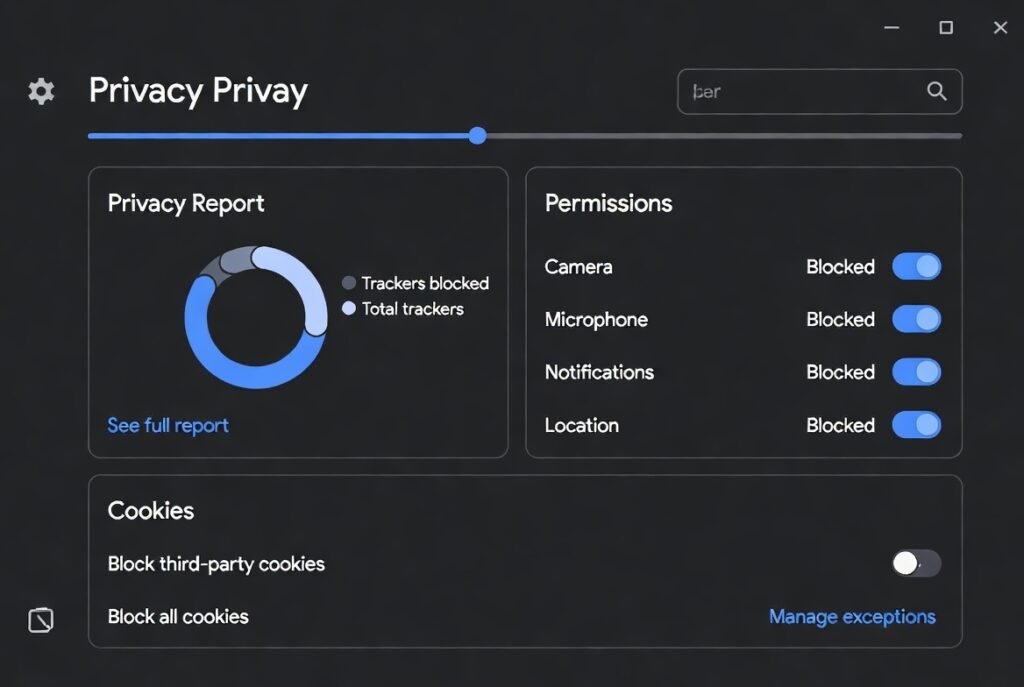
Auditing permissions is less technical than it sounds and fits naturally into everyday browser habits. Most browsers show requested permissions clearly at install time and again inside the extensions dashboard. Taking a moment here is similar to checking app permissions on a smartphone before tapping “Allow.”
The key is to compare permissions with purpose. A focus extension exists to limit access to certain websites and measure time. Seeing access to website domains and tabs makes sense in that context. Requests unrelated to focus, such as file system access or persistent background network activity, deserve closer attention. Reviewing permissions periodically also matters, especially after updates, since extensions can evolve over time.
Red Flags to Watch For
Not all risks are dramatic, but some signals consistently indicate poor privacy practices. One common red flag is forced account creation for basic functionality. If an extension can’t block websites or track time without signing in, the data relationship deserves scrutiny.
Another concern is vague or missing privacy documentation. Reputable tools explain data use in clear, human language rather than legal ambiguity. Excessive permissions unrelated to focus, frequent unexplained updates, or reviews mentioning unexpected behavior are also worth noting. None of these automatically mean harm, but together they suggest misalignment between function and access.
Best Practices for Safe Everyday Use
Safe use isn’t about constant vigilance; it’s about reasonable habits. Installing only a small number of extensions reduces overall exposure. Keeping browsers updated ensures security patches apply not just to the browser itself, but also to extension frameworks.
It also helps to periodically review installed extensions and remove those no longer used. Focus tools are meant to support behavior, not accumulate indefinitely. Choosing extensions that store data locally by default and treat cloud syncing as optional further limits exposure without sacrificing usability.
Balancing Productivity and Privacy
Focus extensions sit at an intersection of trust and convenience. They need limited access to work, but not unlimited insight into life. When users understand that scope, fear often gives way to practical confidence.
A focus extension safe to use doesn’t demand blind trust. It earns it through transparency, restraint, and alignment with its stated goal. Used thoughtfully, these tools remain helpers rather than observers.
Conclusion
Focus extensions are not silent recorders of online life. They operate within narrow, browser-defined boundaries designed to support attention, not invade privacy. When permissions align with purpose and users maintain simple auditing habits, these tools can be used comfortably in modern work routines.
Safety, in this context, is less about perfection and more about informed, mindful use that respects both productivity goals and personal boundaries.
FAQ Section
Are focus extensions safe to use on work computers?
In most cases, yes, when approved by workplace policy. Focus extensions operate at the browser level and typically access only website domains and timing data. They don’t read documents or messages. Still, reviewing permissions and choosing tools with clear privacy policies helps ensure alignment with professional environments and employer expectations.
Can focus extensions see passwords or private messages?
No. Focus extensions do not capture keystrokes or page content. Passwords, emails, and chat messages remain inaccessible. Their visibility stops at recognizing which website is open and how long it stays active. Anything deeper would require permissions that browsers clearly flag and users would notice.
Do focus extensions send data to external servers?
Most reputable focus tools store data locally by default. Some offer optional cloud sync for settings across devices, which is usually disabled unless enabled intentionally. Checking privacy documentation clarifies whether data ever leaves the browser and under what conditions.
Is it safer to use focus extensions without an account?
Generally, yes. Extensions that function fully without accounts minimize data sharing by design. Accounts can be convenient for syncing, but they’re not essential for basic focus features. When account creation is optional and clearly explained, it’s a positive trust signal.
How often should extension permissions be reviewed?
A practical rhythm is every few months or after major updates. Browsers make this easy through extension settings pages. Regular reviews ensure permissions still match functionality and help users stay aware without constant monitoring.
Helpful Resources
- National Institute of Standards and Technology (NIST) – Privacy & Cybersecurity Framework
NIST provides practical standards, guidelines, and tools that help organizations and individuals manage privacy risk and design systems that respect user data. NIST Cybersecurity and Privacy Resources - Federal Trade Commission (FTC) – Privacy & Security Guidance
The FTC offers consumer‑focused information on online privacy practices, data security basics, and how companies should protect personal information. FTC Privacy and Security Guidance