Most people download productivity apps hoping they’ll magically transform their work life—only to realize a few weeks later that nothing has changed. They’re still overwhelmed. They’re still procrastinating. They’re still juggling tasks with no real structure. The truth is simple: most productivity apps are either too complex, too distracting, or too generic to make a real difference.
But a few tools actually do what they promise.
In this article, we’ll explore the only three productivity apps that genuinely help you work smarter—not harder. These apps aren’t about doing more. They’re about doing the right things, in a simpler, faster, and more intentional way.
Before we dive into the top three, let’s understand why most apps fail and what separates smart productivity tools from the noise.
Table of Contents
Why Most Productivity Apps Fail — and What Makes These Three Different
Most people don’t need more tools.
They need better systems.
But the average productivity app today is bloated with features, loaded with notifications, and stuffed with tasks you’ll never actually use. It’s easy to get lost in the dashboards instead of getting real work done.
So, why do most productivity tools fail? And why do the three apps in this article stand out?
Let’s break it down.
The Problem With Traditional Productivity Tools
Traditional productivity apps struggle for three main reasons:
1. They Overwhelm Instead of Simplifying
Many apps are built with “power users” in mind—people who want tags, boards, matrices, filters, subtasks, charts, workflows, and automations for every single thing. But the average user wants the opposite: clarity, speed, and ease.
When a tool makes you feel like you need a tutorial before you even create one task, it’s already failing.
2. They Focus on Tasks, Not Outcomes
A lot of apps turn into “digital dumping grounds” for tasks. You keep adding items, but you never feel like you’re accomplishing anything meaningful. You’re busy, but not productive.
Smart productivity apps focus on results, not just lists.
3. They Become a Distraction
Constant notifications, reminders, badges, and pop-ups do the opposite of helping you stay focused. Some apps become yet another thing you check compulsively—like social media.
The apps we’ll highlight later avoid this trap entirely by staying clean, quiet, and purposeful.
What “Working Smarter” Really Means in 2025
Working smarter does not mean multitasking, doing more work, or squeezing every minute of your day.
Instead, working smarter means:
- Focusing deeply on what matters most
- Automating repetitive tasks
- Reducing mental clutter
- Using simple systems that fit naturally into your workflow
- Saving time, not spending more time managing your time
The right productivity apps support these principles without overwhelming you.
Now let’s get into the real deal—the three tools that actually make your day smoother, clearer, and more productive.
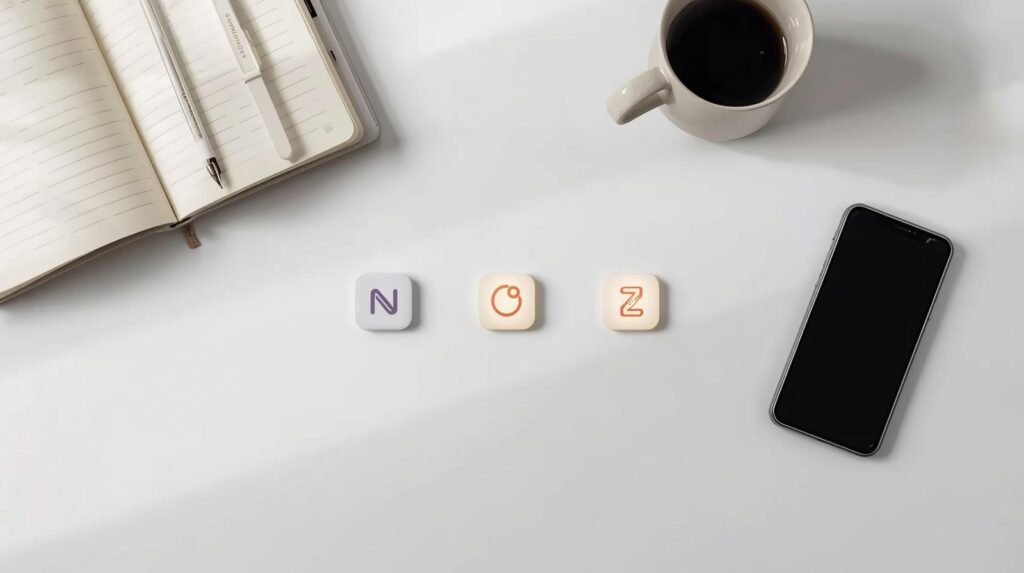
The Only 3 Productivity Apps That Truly Boost Efficiency
These three apps made the list because they meet four critical criteria:
- They simplify, not complicate
- They reduce mental load
- They save real time and energy
- They work for almost any type of user—students, professionals, entrepreneurs, or teams
Let’s break them down one by one.
App #1 – Notion: The Ultimate Tool for Focus and Flow
Notion has become incredibly popular in recent years, and for good reason. It’s the kind of app that adapts to your brain—not the other way around. Whether you want to manage your tasks, journal your ideas, track projects, plan content, study, or collaborate, Notion does it in a clean, flexible, and minimalist way.
Notion isn’t just a productivity tool—it’s a thinking environment.
Why Notion Stands Out
Notion allows you to build your own workflow using simple blocks, pages, templates, and databases. Instead of forcing you into a rigid structure, it lets you create systems that match your personal work style.
Most people stick to 2-4 main pages, such as:
- A daily planner
- A weekly dashboard
- A project tracker
- A knowledge bank
This simplicity is why Notion works so well: you get everything in one place without the clutter.
Key Features That Make It Stand Out
- Modular page building – Create pages that work exactly how you want.
- Databases for tasks and projects – Keep track of to-dos, deadlines, goals, and habits.
- Templates for any workflow – From personal planning to team collaboration.
- Beautiful, clean interface – No visual noise or confusing dashboards.
- Cross-platform syncing – Access your workspace from laptop, tablet, or phone.
In short, Notion turns your digital workspace into a smart command center.
Best Use Cases for Maximum Productivity
Notion is perfect for:
- Students who want to organize notes and assignments
- Entrepreneurs who manage projects and ideas
- Remote workers who need an all-in-one planning tool
- Content creators who want a place for scripts, outlines, and calendars
- Teams that need shared pages, wikis, and workflows
If you want to work smarter by centralizing everything—including ideas, tasks, and plans—Notion is your best friend.
App #2 – Todoist: Simplifying Tasks and Workflow
Todoist is arguably the most elegant task manager ever built. It’s simple, distraction-free, and structured in a way that helps you stay consistent. No complicated dashboards. No overwhelming features. Just a clean list, smart filters, and a system that helps you get things done.
If Notion is your workspace, Todoist is your daily driver.
Why Todoist Works When Others Don’t
Todoist uses natural language input—meaning you can type:
- “Call James tomorrow at 10am”
- “Submit proposal next Friday”
- “Pay rent every month on the 28th”
…and Todoist automatically handles the date, reminder, and schedule.
This is why it’s perfect for reducing mental load: you simply write what you need to do, and the app organizes the rest.
Features That Improve Your Daily Routine
- Smart scheduling – Uses AI suggestions to pick the best due dates.
- Labels and filters – Organize tasks without overthinking it.
- Subtasks and sections – Break large tasks into small, manageable steps.
- Priority levels – Highlights what truly matters each day.
- Karma system – A fun way to track progress and build consistency.
Todoist is not fancy—but it’s incredibly effective.
Who This App Works Best For
- Busy professionals
- People with chaotic schedules
- Students juggling multiple classes
- Freelancers managing clients and deadlines
- Anyone who wants a simple-tasks-in, simple-results-out workflow
Todoist is the app for people who want clarity, not complexity.
App #3 – Zapier: Automating Repetitive Work
Zapier is the silent productivity powerhouse most people have heard of but never fully use. Yet, it is the #1 automation tool that eliminates repetitive, boring tasks that drain your time every day—things like copying data from one app to another, sorting emails, updating spreadsheets, or sending notifications.
Zapier connects over 7,000 apps, from Gmail and Slack to Notion, Airtable, Google Sheets, HubSpot, Stripe, WordPress, and more. It’s like having a personal digital assistant running 24/7 in the background.
Why Zapier Is a Game Changer
Zapier works through simple “automation recipes” called Zaps.
A Zap has two main parts:
- Trigger: “When this happens…”
- Action: “…do this automatically.”
For example:
- When someone fills out a form → add the details to Google Sheets
- When a payment comes in → send a receipt + email notification
- When a task is marked complete → update the project board
- When a new file is uploaded → save it to a specific folder
These tiny automations save hours every week.
Instead of doing repetitive computer tasks manually, Zapier handles everything instantly.
Automation is one of the most powerful forms of “working smarter.”
It frees your brain from routine work and gives you space for what matters.
Unique Automations That Save You Hours
Here are some real examples of how Zapier removes stress and boosts efficiency:
1. Email Automation
- Sort messages by category or client
- Auto-forward messages to the correct department
- Save email attachments to cloud storage
- Turn important emails into tasks instantly
2. Workflow Automation
- Sync tasks between apps like Notion, Trello, and Todoist
- Update spreadsheets without touching Excel
- Automate weekly reminders and reports
3. Business Automation
- Add new leads to your CRM
- Send follow-up emails automatically
- Update your marketing tools in real time
4. Personal Productivity Automation
- Log habits into apps
- Save articles you want to read later
- Track your goals without manual effort
Once you set it, you forget it—Zapier runs your workflow for you.
Real Examples of Smarter Work Using This App
Imagine you’re a freelancer, student, or business owner.
Here are examples of “working smarter” instead of harder:
- Students automatically organize class materials into folders
- Creators have new video ideas synced across devices
- Teams get instant alerts when tasks are updated
- Professionals save every attachment from clients into their cloud drive
- Entrepreneurs automate invoice creation
Every tiny automation saves a few seconds… which adds up to hours every week.
How to Choose the Right Productivity App for Your Work Style
All three apps—Notion, Todoist, and Zapier—are powerful, but your workflow determines which one creates the biggest impact.

To avoid overwhelm and maximize efficiency, here’s how to choose the right tool for your needs.
Identify Your Productivity Weak Points
Ask yourself:
- Do I struggle with planning and structure?
- Do I struggle with managing daily tasks?
- Do I struggle with repetitive digital work?
- Do I struggle with tracking goals and ideas?
- Do I struggle with switching between apps constantly?
Once you pinpoint the problem, the solution becomes obvious:
- If you lack structure → choose Notion
- If you lack task clarity → choose Todoist
- If you waste time repeating tasks → choose Zapier
Picking the right tool is the first major step toward working smarter.
Match Features With Your Daily Workflow
Different workflows require different levels of structure:
1. Structured Workers
You prefer order, clean layouts, and clear lists.
Notion + Todoist is your best combo.
2. Creative Thinkers
You prefer flexible spaces, notes, and visual thinking.
Notion is your home base.
3. Busy Professionals
You deal with meetings, deadlines, and constant communication.
Todoist keeps your head above water.
4. Entrepreneurs and Small Teams
You want everything working automatically in the background.
Zapier saves the day.
5. Students
You need a system for notes, assignments, deadlines, and revision.
Notion + Todoist gives you perfect balance.
By choosing the right app based on your mindset and job type, you eliminate friction and build a productivity system that works naturally.
Final Thoughts — Smarter Work Starts With the Right Tools
The productivity world is crowded. New apps launch every month promising miracles. But at the end of the day, only a few tools genuinely help you work smarter—by simplifying your life, not complicating it.
Let’s recap the top three:
1. Notion
Your all-in-one digital workspace
Best for planning, knowledge management, projects, and creative workflows.
2. Todoist
Your task execution powerhouse
Best for everyday tasks, routines, and clear daily action.
3. Zapier
Your automation engine
Best for eliminating repetitive work and freeing up your time.
These three tools cover the full productivity spectrum:
- Thinking
- Planning
- Executing
- Automating
Working smarter doesn’t require doing more.
It requires doing less, but doing it better.
With the right apps supporting you, your workflow becomes calmer, smoother, and more effective—not because you’re working harder, but because you’ve built a system that carries the load for you.
FAQs
1. What are the best productivity apps to help me work smarter, not harder?
The best productivity apps that help you work smarter—not harder—are Notion for planning and organization, Todoist for daily task management, and Zapier for automating repetitive work. These three tools cover planning, execution, and automation.
2. Why do most productivity apps not actually improve my workflow?
Most productivity apps fail because they are too complex, overloaded with features, or turn into digital clutter. The right apps should reduce mental load, simplify your workflow, and work quietly in the background.
3. Which productivity app is best for students?
Students benefit the most from Notion for lecture notes, assignments, revision schedules, and project planning. Pairing Notion with Todoist creates a complete system for schoolwork.
4. Which productivity app is best for entrepreneurs and remote workers?
Entrepreneurs and remote workers get the most value from Zapier, because it automates repetitive tasks such as sending emails, updating spreadsheets, syncing apps, notifying clients, and organizing data.
5. Can I use these productivity apps together?
Yes! Notion, Todoist, and Zapier work extremely well together. You can plan in Notion, execute tasks in Todoist, and automate everything through Zapier. Many professionals use all three to create a seamless workflow.